Kubernetes Migration Strategy: A Step-by-Step Plan
What is a Kubernetes migration?
A Kubernetes migration moves applications from virtual machines, physical servers, Docker hosts or another platform onto Kubernetes, in the cloud or on-premises. Most applications are packaged as container images and described as Kubernetes objects. Their data moves too, and so does the way the team deploys and runs them. Plan it in waves, starting with stateless services.
Google's GKE migration guide also moves workloads in "a series of iterations" (Google Cloud). This guide covers whether to migrate, the 7 Rs, the plan and the steps. It also covers moves from Docker, VMs and other clusters, common mistakes and day 2. It reflects Kubernetes 1.37, the current release, and sources checked in October 2026.
Should you migrate to Kubernetes?
Kubernetes gives you one way to deploy, scale and heal every service. It also adds a platform that your team has to run. Weigh both before you plan.
Benefits of migrating to Kubernetes
The Kubernetes docs list what the platform provides (Overview):
- Self-healing. It restarts failed containers and sends a pod no traffic until the pod is ready.
- Automated rollouts and rollbacks. You describe the state you want, and Kubernetes moves to it at a controlled rate.
- Bin packing. You state the CPU and memory each container needs, and Kubernetes fits containers onto nodes.
- Horizontal scaling. You scale with a command, or automatically based on CPU usage.
- Service discovery and load balancing. Kubernetes exposes containers by DNS name or IP address and spreads traffic across them.
- Configuration and Secrets. You update both without rebuilding images.
Portability counts too. Figma's engineers, who moved from Amazon ECS to EKS, wrote that running on Kubernetes "helps to avoid vendor lock-in" (Figma). In CNCF's 2025 survey, 82% of container users ran Kubernetes in production, up from 66% in 2023 (CNCF).
What Kubernetes costs your team
Kubernetes provides building blocks, and its docs say it is not an all-inclusive platform. It doesn't build your application, doesn't provide databases or message buses, and doesn't dictate logging, monitoring or alerting (Overview). Your team chooses and runs those parts.
Upgrades are ongoing work. Kubernetes ships a minor release about three times a year (release cycle), and each one gets about a year of patch support (releases). So a cluster that stays on a supported version moves up about three minor versions a year. Most managed services also charge a fee per cluster, which our cost guide compares for EKS, GKE and AKS.
People are the third cost. In CNCF's 2025 survey, the top challenge in using containers was "cultural changes with the development team" (47%), followed by lack of training (36%) and security (36%) (CNCF).
Why some teams move away from Kubernetes
Two public write-ups show why teams leave. In one, the workload didn't fit Kubernetes. In the other, Kubernetes cost more than it returned.
In 2024, Gitpod, now Ona, announced it was moving its cloud development environments off Kubernetes after six years on it. Its engineers wrote that Kubernetes is built for "well controlled application workloads", while development environments are stateful and interactive, and often need root access (Ona). The post says it is not about production workloads.
37signals began moving its apps from EKS to its own servers in 2023. Its operations team wrote that "we were spending more than we got out of it in return", in money and in operations (37signals). The first app moved to a simpler deploy tool with "no more control plane, fewer moving parts".
Signs Kubernetes is more than you need
Kubernetes fits when many services need one way to deploy, scale and heal. These signs point the other way.
- A few services fit on one or two servers, and traffic is steady.
- Nobody on the team can own upgrades, security patches and on-call for a cluster.
- A managed container service or platform already deploys your apps well.
- An app can't run in a container, and nothing forces it to change.
In those cases, keep the current setup, or move only the services that gain from Kubernetes.
Kubernetes migration strategy: the 7 Rs
AWS describes seven migration strategies, known as the 7 Rs. They are retire, retain, rehost, relocate, repurchase, replatform, and refactor or re-architect (AWS). AWS wrote them for moves to its cloud. The table maps them to a Kubernetes move, and that mapping is ours. Pick one for each application.
| Strategy | On Kubernetes | Example |
|---|---|---|
| Retire | Switch the app off | An app with no business value |
| Retain | Leave it where it runs | An app tied to special hardware |
| Rehost | Run the VM as is on KubeVirt | A VM you can't containerize yet |
| Relocate | Move Kubernetes workloads unchanged to another cluster | Self-managed cluster to EKS, GKE or AKS |
| Repurchase | Replace it with a SaaS product | A self-hosted tool with a SaaS version |
| Replatform | Containerize with few code changes | Web apps and APIs |
| Refactor | Redesign it for containers | A monolith that slows delivery |
AWS's own replatform example is moving virtual machines into containers "without making any code changes". AWS also advises against refactoring during a large migration, because it is the most complex strategy. It recommends rehosting, relocating or replatforming first, and modernizing "after the migration is complete" (AWS). Figma's engineers give similar advice. They wrote that the safest scope for a major migration "limits the changes to the core system you want to swap out" (Figma).
How to plan a Kubernetes migration
Build an inventory of apps and dependencies
List every application with its owner, traffic, data and dependencies, such as databases, queues, caches, cron jobs, file shares and outside APIs. Google's guide also starts here, and its first assessment task is to "build a comprehensive inventory of your workloads" (Google Cloud). Record each service's CPU and memory use too. The scheduler places pods by their resource requests, so you need real numbers to set them (resource management).
The inventory sets the order of the waves. Move shared backends, such as databases, after the services that use them.
Kubernetes migration readiness checklist
Check each app against this list before it moves.
| Check | Why it matters | Fix |
|---|---|---|
| Config in files on the server | One image must run everywhere | Environment variables, ConfigMaps |
| Secrets in code or config files | They end up in images or Git | Kubernetes Secrets, encrypted at rest |
| Sessions or uploads on local disk | Pods are replaced at any time | Database, object storage or a volume |
| Logs written to files | Kubernetes collects stdout and stderr | Log to stdout |
| No graceful shutdown | Pods get 30 seconds to stop by default | Handle SIGTERM |
| No health check endpoint | Probes decide when a pod gets traffic | Readiness and startup probes |
| Hard-coded IP addresses | Pod IPs change | Service DNS names |
Four rows follow the twelve-factor app. It wants config in environment variables, "stateless and share-nothing" processes, logs "unbuffered, to stdout" and a clean exit on SIGTERM (config, processes, logs, disposability). Kubernetes reads container logs from stdout and stderr (logging). On a self-managed cluster, Secrets sit unencrypted in etcd until you turn on encryption at rest (Secrets, encryption). SIGTERM goes to process 1 in each container, with a 30-second grace period by default (pod lifecycle). A startup probe holds off the other probes until a slow app is up (probes). Pod IPs change as pods come and go, so apps should call Services by name (Service).
Choose the target platform: cloud or on-premises
In a Kubernetes cloud migration, managed services such as EKS, GKE and AKS run the control plane for you, usually for a fee per cluster (pricing compared). A self-hosted cluster leaves the control plane, etcd, certificates and upgrades to your team. On your own servers, you also supply the load balancers that clouds create for Services of type LoadBalancer (Service). Our guide to Kubernetes on bare metal covers what a self-hosted cluster takes.
Start on a supported version. The project maintains the three newest minor releases, 1.35 to 1.37 (releases). Kubernetes deprecated cgroup v1 in 1.35, and the kubelet no longer starts on a cgroup v1 node by default, so check self-hosted nodes for cgroup v2 (cgroups).
Build the business case
Count migration work, old and new systems running side by side, tooling, training and the people who run the cluster. Our guide to calculating the financial outcome of a Kubernetes migration walks through the numbers, and our cost guide explains why costs can rise right after a migration.
How to migrate to Kubernetes, step by step
Each wave goes through the same steps. Google's guide asks you to validate each step of the plan and to "ensure that you have a rollback strategy" (Google Cloud).
1. Containerize each service
Write a Dockerfile for each service. Multi-stage builds copy only what the app needs into the final image and leave build tools behind (Docker). Cloud Native Buildpacks are an alternative that builds images from source "without writing a Dockerfile" (Buildpacks).
Our tutorials containerize a Laravel app, a LAMP app, a Node.js GraphQL app and a React app step by step.
2. Describe the app as Kubernetes objects
A stateless service usually becomes a Deployment, and a stateful one a StatefulSet (Deployments, StatefulSets). Each gets a Service for a stable address, and its configuration goes into ConfigMaps and Secrets. Package the manifests as Helm charts or with Kustomize, which kubectl has supported since 1.14 (Kustomize).
Figma kept raw YAML away from its developers. It generated manifests from a simple service definition in a Bazel file and offered "a golden path" (Figma).
3. Set up CI/CD and GitOps
Build and push an image on every commit, then deploy from Git. Argo CD uses Git as "the source of truth" for the desired state and compares it with the live cluster (Argo CD). Flux keeps clusters "in sync with sources of configuration (like Git repositories)" (Flux). Both are CNCF graduated projects (Argo, Flux). Our CI/CD for Kubernetes guide compares pipeline tools.
4. Plan networking and ingress
For traffic from outside the cluster, the Kubernetes project recommends Gateway API, and the Ingress API is frozen (Ingress). The community ingress-nginx controller was retired in March 2026 and gets no more fixes (Kubernetes blog). To move existing Ingress objects, Ingress2Gateway translates them and warns about settings it can't convert (Ingress2Gateway). Our Ingress guide compares the two APIs.
5. Set up monitoring before the first move
Put metrics, logs and alerts in place before any service moves, so you can compare old and new behavior. At Figma, the platform team worked closely with service owners on monitoring and alerting, because owners "know best how to understand the health of their service" (Figma). Our Kubernetes monitoring guide covers the stack.
6. Move stateless services first
Start with the service whose failure would hurt least, then move the rest in waves. Load-test the cluster before real traffic arrives. Figma scaled a test service to the pod count of its largest services and found platform components it had to resize (Figma). It also moved one real service into its unfinished staging environment early, since real workloads teach "so much that you can't understand in staging alone".
7. Move stateful services and databases
Kubernetes runs stateful apps with StatefulSets and persistent volumes. It doesn't include databases as built-in services, but apps on Kubernetes can use databases inside or outside the cluster (Overview). That leaves two options:
- Keep the database where it is, or on a managed service, and point the migrated apps at it. This changes the least.
- Run it in the cluster with an operator. Operators automate work such as backups and upgrades (operators). CloudNativePG, a CNCF Sandbox project since January 2025, does this for PostgreSQL (CNCF).
A dump and restore is the simplest way to move the data, but writes must stop. CloudNativePG calls this an "offline import" and suggests stopping writes on the source before the final import (CloudNativePG). For less downtime, replicate. PostgreSQL logical replication keeps the new database's data in sync until you switch. It doesn't copy the schema or sequence values, so create the schema first and set sequences at cutover (restrictions). CloudNativePG manages its publications and subscriptions as Kubernetes objects (logical replication). Test failover before production data moves.
8. Run database schema migrations as a Job
Schema changes need care once an app runs as many pods. Init containers run in every pod and can be retried, so the docs say their code "should be idempotent" (init containers). One Job before the rollout is easier to control. Helm runs it as a pre-install and pre-upgrade hook, waits for it to finish, and fails the release if the Job fails (Helm hooks). A pre-install hook runs before Helm creates the chart's other resources. So a Secret the Job reads must already exist, or be a hook too with a lower helm.sh/hook-weight. Argo CD's PreSync hook runs before it applies the manifests (Argo CD).
metadata:
  annotations:
    "helm.sh/hook": pre-install,pre-upgrade
During a rolling update, old and new pods run side by side, so the schema must work for both versions (Deployments). The expand and contract pattern handles this in three phases: expand, migrate and contract (martinfowler.com).
9. Cut traffic over in steps
Move traffic in small steps you can reverse. Figma used weighted DNS records to shift traffic from each ECS service to its EKS copy, and to shift it back when needed (Figma). Inside the cluster, Argo Rollouts and Flagger automate canary and blue-green releases (Argo Rollouts, Flagger). Our guide to blue-green and canary deployments compares the two.
10. Keep a way back
Keep the old environment running until the new one has served real traffic without problems. Google's guide decommissions the source only "after the workloads in your GKE environment are serving requests correctly", and backs up data first (Google Cloud). Write down how to switch DNS back and how to roll back data.
Inside the cluster, kubectl rollout undo returns a Deployment to its previous revision (Deployments).
If you're unsure what would break when your apps move, our Kubernetes consulting team starts with read-only access and a written list of what to fix first.
Migrating to Kubernetes from Docker, VMs and other platforms
Docker Compose and Docker Swarm to Kubernetes
Kompose converts a Compose file into Kubernetes manifests, and the Kubernetes docs use it in their Compose task. Swarm stacks are Compose files in the version 3 format (Docker), and Kompose converts their deploy keys, such as replicas, placement and resources (conversion matrix).
kompose --file compose.yaml convert
Kompose writes a manifest file for each object. Treat the output as a first draft, and add probes, requests and Secrets before production. Docker's own Compose Bridge, in Docker Desktop 4.43 and later, generates Kubernetes manifests and a Kustomize overlay (Docker).
Virtual machines to Kubernetes with KubeVirt
VMs that can't be containerized yet can still move. KubeVirt runs virtual machines on Kubernetes next to containers, for workloads "that cannot be easily containerized" (KubeVirt). It is a CNCF Incubating project (CNCF). Forklift moves VMs into KubeVirt from VMware, oVirt, OpenStack, Hyper-V, EC2 and OVA files. For VMware and oVirt, its warm migration copies changed blocks to cut downtime (Forklift). Containerize those apps later, one at a time.
Migrating between Kubernetes clusters and clouds
Moving to a new cluster or another cloud, such as from a self-managed cluster to EKS, GKE or AKS, is the relocate strategy. Velero backs up cluster resources and persistent volumes and restores them elsewhere. For a migration, the Velero instances on both clusters point at the same object storage (Velero). Velero joined the CNCF Sandbox in March 2026 (CNCF). Run the backup against the old cluster and the restore against the new one (filtering):
velero backup create app-backup \
  --include-namespaces app
velero restore create \
  --from-backup app-backup
Velero can't restore into a cluster with an older Kubernetes version. Volume snapshots don't move between cloud providers, so cross-cloud moves need its File System Backup or snapshot data mover (Velero). Before moving to a newer version, check your manifests against the deprecated API migration guide. AWS publishes scripts that move a self-managed cluster's resources to EKS (AWS). They don't copy volume data, and they create Secrets as placeholders without their values (limitations). Google has a full guide for GKE (Google Cloud).
OpenShift, Cloud Foundry and Heroku
Standard objects such as Deployments carry over from OpenShift, but its own APIs need work. DeploymentConfig objects are deprecated as of 4.14, and the docs suggest Deployments instead (OKD docs). Routes belong to the OpenShift route.openshift.io API group (OKD API), so rewrite them as Ingress or Gateway API objects.
Heroku and Cloud Foundry build apps with buildpacks (history). Cloud Native Buildpacks turn the same source code into container images. Moving a Kubernetes app to AWS Lambda, or back, is covered in our Lambda guide.
Common Kubernetes migration mistakes
- Moving apps before mapping their dependencies. A cron job, file share or hard-coded address found during cutover can turn a move into an outage. Build the inventory first, and rehearse the rollback before the first wave.
- Changing too much at once. A new platform, new tooling and refactored code in one release leave too many suspects when something breaks. Replatform first, as AWS advises. Figma kept its logging changes and pod autoscaling out of the migration and added them afterwards (Figma).
- Leaving security for later. Secrets sit unencrypted in etcd by default, and the docs warn that anyone with API access can read or change them, as can anyone with access to etcd (Secrets). Turn on encryption at rest, grant least-privilege RBAC and enforce the Pod Security Standards from the first namespace. Our security checklist covers each layer.
- Skipping resource requests. Pods with no requests or limits get the BestEffort class and are evicted first when a node runs short (Pod QoS). Oversized requests waste capacity you pay for. Set requests from measured usage and review them after each wave, as our performance guide explains.
- Adding monitoring after cutover. Without a baseline from the old platform, you can't tell whether the new one is slower. Collect metrics and logs on both before the first wave.
- Skipping training. Lack of training was one of the top three container challenges in CNCF's 2025 survey (CNCF). Train the team before the first wave, and let them move the first low-risk service themselves.
- Naming namespaces as you go. Kubernetes can't rename a namespace, because an object's name can't be updated (ObjectMeta). Moving apps to new namespaces later means recreating their objects and changing every pipeline that deploys them. Agree on a scheme by team, environment or app before the first deploy.
After the migration: day 2 operations
Day 2 starts at cutover. Three areas need an owner:
- Upgrades. Kubernetes releases about three times a year (release cycle), and kubeadm doesn't support skipping minor versions (kubeadm upgrade). PodDisruptionBudgets limit how many pods of an app go down at once while nodes drain (disruptions). Our troubleshooting guide covers problems after an upgrade.
- Backups. Schedule Velero backups of resources and volumes, and test a restore.
- On-call. Write a runbook for every alert before a service goes to on-call. When something breaks, our troubleshooting guide maps symptoms to first commands.
Kubernetes migration services: how we work
We migrate applications onto Kubernetes, in the cloud or in your own data center, in stages that keep production running. We moved a long-term client's big-data platform onto on-prem Kubernetes, and we still run those clusters. That work covers version upgrades and moving the client's databases into the clusters.
If Kubernetes is more than you need, we say so. We work with EKS, GKE and AKS, and with Terraform, Helm and Argo CD. We also take over projects that other vendors left failing. We can train in-house teams on Kubernetes or add engineers to them for the migration.
Our Kubernetes migration services include an assessment at a fixed price, a project at a fixed or capped price, and ongoing support for a monthly fee.
We have run production systems since 2009 and have managed more than 1,350 production servers. If you'd rather not plan a migration alone, our Kubernetes consulting team starts with read-only access and a written list of what to fix first. We can also run your clusters afterwards. On-call is by agreement, with up to 24-hour coverage under an SLA, and post-incident reviews are part of on-call work.
Frequently Asked Questions
How does a Kubernetes cloud migration work?
A Kubernetes cloud migration moves workloads onto a managed service such as EKS, GKE or AKS, or from one cloud to another. Inventory the workloads first, then move them in waves and shift traffic in steps you can reverse. Google's GKE guide decommissions the source only after the new environment serves requests correctly (Google Cloud).
How do I migrate a Docker container to Kubernetes?
Push the image to a registry your cluster can pull from. Then kubectl create deployment <name> --image=<image> runs it (create deployment), and kubectl expose deployment <name> --port=<port> gives it a Service (expose). For Compose projects, Kompose converts compose.yaml into manifests. Before production, add probes, resource requests, and ConfigMaps and Secrets for configuration.
Can I run virtual machines inside Kubernetes?
Yes. KubeVirt, a CNCF Incubating project, runs virtual machines as Kubernetes resources next to your containers. It suits workloads that can't be containerized easily yet. Forklift migrates VMs into KubeVirt from VMware, oVirt, OpenStack, Hyper-V, EC2 and OVA files, with warm migration for VMware and oVirt to cut downtime.
Can we migrate a VM from one cluster to another?
On Kubernetes, yes. Within one cluster, KubeVirt live-migrates a running VM to another node, and VMs on persistent volumes need ReadWriteMany access for that (live migration). Between clusters, Forklift copies VMs through KubeVirt's Export API. KubeVirt's decentralized live migration moves running VMs between clusters, but it is alpha in KubeVirt 1.9, behind a feature gate.
Related Reading
Related posts
VictoriaMetrics vs Prometheus: Differences & When to Switch
VictoriaMetrics doesn't have to replace Prometheus. Compare storage, HA, MetricsQL, Enterprise features, Thanos, Mimir and migration, as of October 2026.
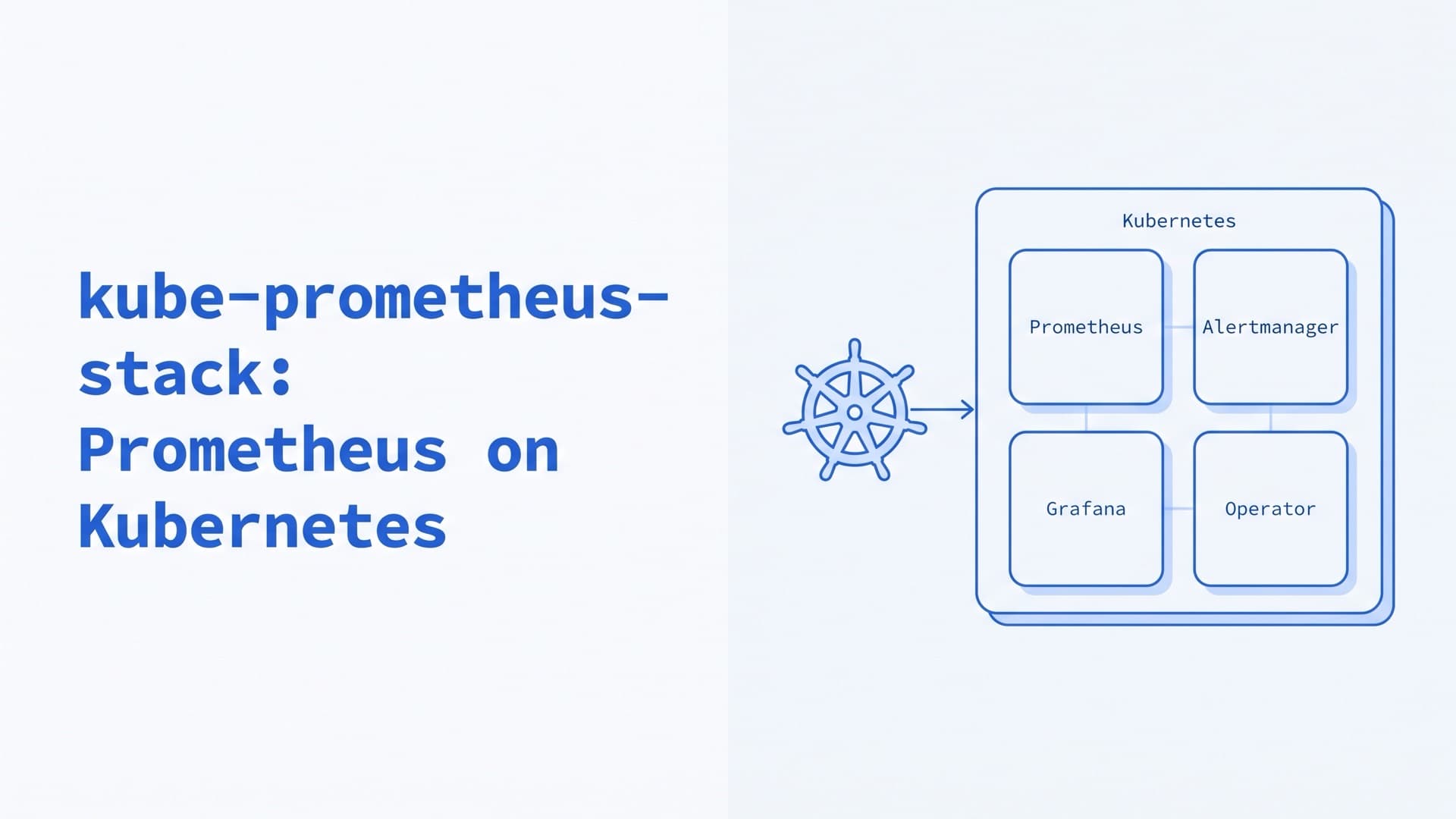
kube-prometheus-stack: Prometheus on Kubernetes
How to run kube-prometheus-stack and the Prometheus Operator in production: Helm values, ServiceMonitors, alerts, CRD upgrades, storage and remote_write.
Kubernetes on Bare Metal: On-Prem Setup and Day 2
How to run Kubernetes on bare metal and on-premise in 2026: provisioning, distributions, HA, load balancing, storage, upgrades, costs and our on-prem work.