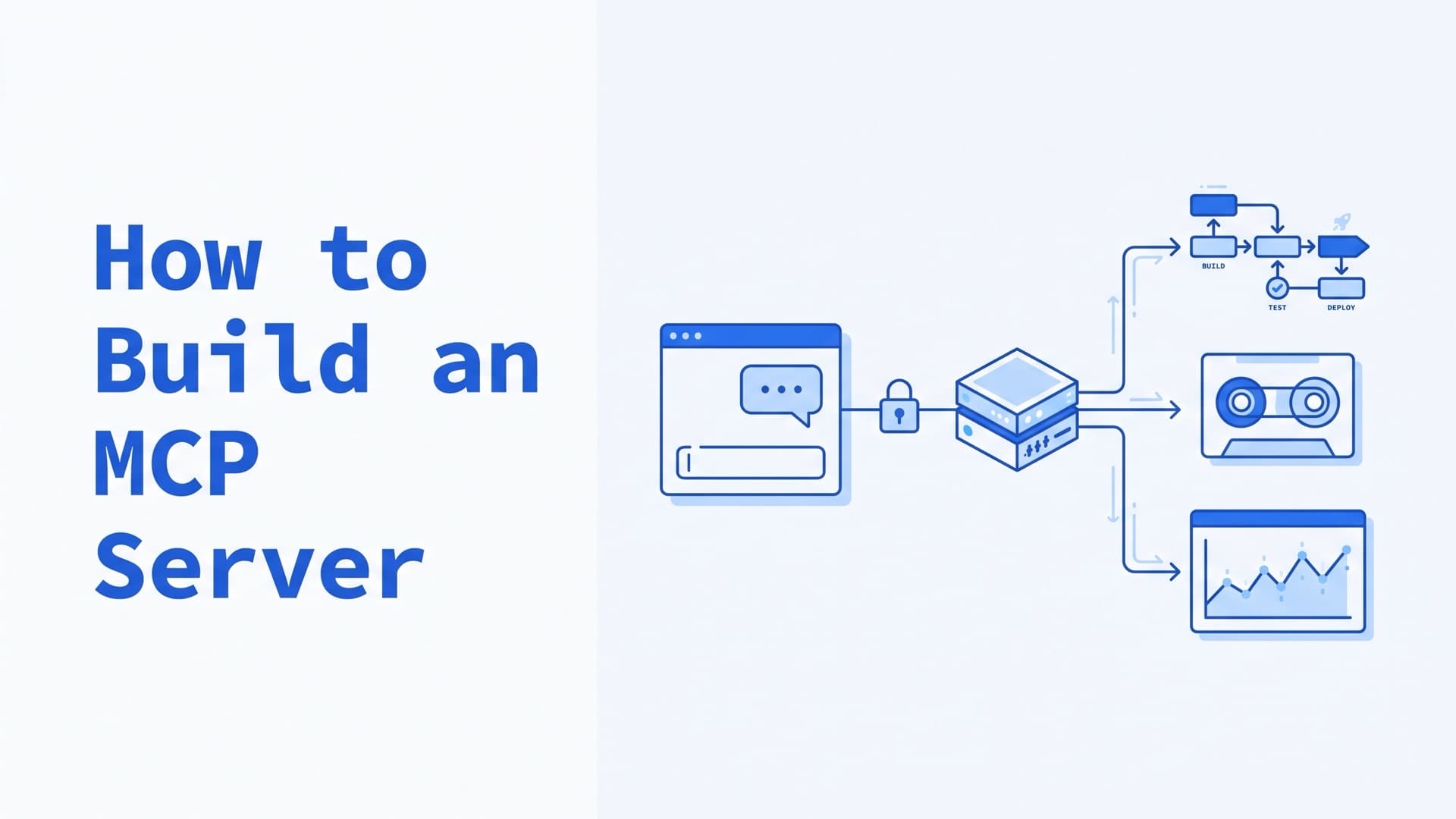
How to Build an MCP Server: Python, Auth, Hosting
To build an MCP server, pick an official SDK, write a few tools with typed arguments, and run the server over stdio. Test it with the MCP Inspector, then add it to Claude Code or another client. Production adds a remote transport, authentication, tools with narrow permissions, audit logs and a place to host it.
As of October 2026, the current spec revision is 2026-07-28, and the official SDKs changed with it. Older tutorial code such as from mcp.server.fastmcp import FastMCP fails on the current Python SDK. The Python and TypeScript code below uses the new APIs and was run on October 11, 2026.
The tutorial server is new and small. The production patterns come from two MCP servers we built and published under the MIT license. gocd-mcp connects agents to the GoCD CI/CD server, and bareos-minimalistic-mcp-server connects them to Bareos backups.
If you already have a server, skip to safe tool design, authentication or hosting.
What is an MCP server?
An MCP server gives AI applications tools and data through the Model Context Protocol. In the architecture overview, the host is the AI application, such as Claude Code. It creates one client per server, and each client keeps a connection to its server.
A server can offer tools the model calls, resources the application reads as context, and prompts a user invokes. Start with tools. The Python section adds a resource and a prompt.
Messages are JSON-RPC 2.0. They travel over stdio to a local subprocess, or over Streamable HTTP to a server behind one endpoint, such as /mcp.
How to choose an MCP SDK and language
Use an official SDK in the language your team maintains. The SDK page lists ten. TypeScript, Python, C#, Go, Rust and Ruby are Tier 1, which requires passing all applicable conformance tests. Java is Tier 2, and Swift, PHP and Kotlin are Tier 3.
| Language | Package (October 2026) | Server class |
|---|---|---|
| Python | mcp 2.x | MCPServer |
| TypeScript | @modelcontextprotocol/server 2.x | McpServer |
| Go | github.com/modelcontextprotocol/go-sdk | mcp.Server |
Python SDK v2 renamed FastMCP to MCPServer and dropped the old import path (what's new in v2). The separate fastmcp package from Prefect is another project that keeps the name.
How to build an MCP server in Python
Start with one file that declares its own dependencies. You need uv, which downloads a suitable Python if yours is too old. This server gives an agent two read-only tools on the public endoflife.date API, which needs no key. An agent can check whether a runtime it found on a host still gets updates.
# /// script
# requires-python = ">=3.10"
# dependencies = ["mcp>=2.3,<3"]
# ///
"""Tell an agent whether a runtime is still supported, using endoflife.date."""
import httpx2
from pydantic import BaseModel
from mcp.server import MCPServer
from mcp.server.mcpserver.exceptions import ToolError
from mcp.types import ToolAnnotations

mcp = MCPServer("eol", instructions="Check whether a software release still gets updates.")
API = "https://endoflife.date/api/v1/products"
READ_ONLY = ToolAnnotations(read_only_hint=True, open_world_hint=True)


class Release(BaseModel):
    release: str
    maintained: bool
    eol: str | None  # end-of-life date, if announced
    latest: str | None


async def fetch(path: str) -> dict:
    async with httpx2.AsyncClient(timeout=10) as client:
        r = await client.get(f"{API}/{path}")
    if r.status_code == 404:
        raise ToolError(f"Not found on endoflife.date: {path}. Check the product name.")
    r.raise_for_status()
    return r.json()["result"]


def compact(r: dict) -> Release:
    return Release(release=r["name"], maintained=r["isMaintained"],
                   eol=r["eolFrom"], latest=(r.get("latest") or {}).get("name"))


@mcp.tool(annotations=READ_ONLY)
async def list_releases(product: str) -> list[Release]:
    """Newest release cycles of a product, e.g. 'python' or 'postgresql'."""
    data = await fetch(product)
    return [compact(r) for r in data["releases"][:10]]


@mcp.tool(annotations=READ_ONLY)
async def release_status(product: str, release: str) -> Release:
    """Support status of one release, e.g. product='python', release='3.10'."""
    return compact(await fetch(f"{product}/releases/{release}"))


if __name__ == "__main__":
    mcp.run()  # stdio; use mcp.run(transport="streamable-http") to serve over HTTP
Save it as eol_server.py and run uv run eol_server.py. It waits silently for a client on stdin. Tested with mcp 2.3.0, @modelcontextprotocol/server 2.3.1 and the Inspector 2.10.1.
- The
# /// scriptblock is PEP 723 metadata, so uv installsmcpon first run. MCPServerturns the function name, docstring and type hints into the tool's name, description and input schema (tools guide).- The return type becomes the output schema. Clients get
structuredContent, and the model reads the same data as JSON. ToolErrorsends a message the model can act on. Other exceptions reach the model as a bareError executing tool(error handling).instructionstells clients what the server is for. Claude Code loads only tool names and these instructions at startup, so say there when to use your tools (Claude Code docs).httpx2comes with the SDK, so it needs no extra install (official tutorial).- On stdio, stdout carries the protocol. Keep
print()out and log to stderr.
Add a resource and a prompt
A resource is data the application loads into context. A prompt is a template the user picks from a menu (resources, prompts). Add both above the __main__ block, with import json at the top:
@mcp.resource("eol://{product}", mime_type="application/json")
async def product_record(product: str) -> str:
    """The endoflife.date record of one product, with every release cycle."""
    return json.dumps(await fetch(product))


@mcp.prompt()
def eol_report(product: str) -> str:
    """Ask for a support report on one product."""
    return f"Call list_releases for {product} and list the releases that are out of support."
Check them with the Inspector's resources/read and prompts/get methods. In Claude Code, /mcp__eol__eol_report python runs the prompt (Claude Code docs).
How to build an MCP server in TypeScript (Node.js)
The TypeScript SDK v2 ships the server as its own package. Set "type": "module" in package.json and run npm install @modelcontextprotocol/server zod tsx (first server guide).
import { McpServer } from '@modelcontextprotocol/server';
import { serveStdio } from '@modelcontextprotocol/server/stdio';
import * as z from 'zod/v4';

const API = 'https://endoflife.date/api/v1/products';

function createServer(): McpServer {
  const server = new McpServer({ name: 'eol', version: '1.0.0' });
  server.registerTool('release_status', {
    description: "Support status of one release, e.g. product 'python', release '3.10'.",
    inputSchema: z.object({ product: z.string(), release: z.string() }),
    annotations: { readOnlyHint: true, openWorldHint: true },
  }, async ({ product, release }) => {
    const res = await fetch(`${API}/${product}/releases/${release}`);
    if (!res.ok) {
      const text = `endoflife.date returned HTTP ${res.status} for ${product} ${release}`;
      return { content: [{ type: 'text', text }], isError: true };
    }
    const r = (await res.json()).result;
    const out = { release: r.name, maintained: r.isMaintained, eol: r.eolFrom, latest: r.latest?.name };
    return { content: [{ type: 'text', text: JSON.stringify(out) }] };
  });
  return server;
}

void serveStdio(createServer);
Run it with npx tsx server.ts. Zod validates arguments before the handler runs, and isError: true marks a failure the model can read.
How to test an MCP server with the MCP Inspector
Use the MCP Inspector. It needs Node.js 22.19 or newer. With no flags it opens a web UI. With --cli it sends one request, prints the result and exits:
npx @modelcontextprotocol/inspector --cli uv run /abs/path/eol_server.py --method tools/list

npx @modelcontextprotocol/inspector --cli uv run /abs/path/eol_server.py \
  --method tools/call --tool-name release_status \
  --tool-args-json '{"product": "python", "release": "3.10"}'
On October 11, 2026, it reported Python 3.10 as out of support (output trimmed):
{ "structuredContent": { "release": "3.10", "maintained": false, "eol": "2026-10-01", "latest": "3.10.22" } }
From the CLI reference:
- Pass strings as JSON.
--tool-arg release=3.10sends the number 3.1, which the server rejects.--tool-args-jsonkeeps the string. - Failures exit non-zero. A result with
isError: trueexits with code 5. - Choose the protocol era. The Inspector defaults to the legacy era, revision 2025-11-25 and earlier. Add
--protocol-era modernafter the server command to test 2026-07-28 (protocol eras).
Test both eras for now. Claude Code's newer runtime uses 2026-07-28 only with servers that support it (Claude Code docs).
How to connect an MCP server to Claude Code, Claude Desktop, Cursor and VS Code
Every client needs the command that starts your server, with absolute paths. A host starts servers from its own working directory, so a relative path is the most common failure. Its PATH may also lack uv (Python SDK guide).
Claude Code. Everything after -- is the server's command line (Claude Code docs):
claude mcp add eol -- uv run /abs/path/eol_server.py
--scope project writes the entry to .mcp.json in the repository, and in interactive sessions Claude Code asks before using servers from that file. Remote entries need "type": "http", and ${VAR} expands in URLs and headers. The gocd-mcp README uses this, with each user's token in GOCD_PAT:
{
  "mcpServers": {
    "gocd": {
      "type": "http",
      "url": "https://gocd-mcp.example.com:8443/mcp",
      "headers": { "Authorization": "Bearer ${GOCD_PAT}" }
    }
  }
}
Claude Desktop. Local servers go under mcpServers in claude_desktop_config.json, in ~/Library/Application Support/Claude/ on macOS or %APPDATA%\Claude\ on Windows (setup guide). Use the full path to uv from which uv:
{
  "mcpServers": {
    "eol": {
      "command": "/abs/path/to/uv",
      "args": ["run", "/abs/path/eol_server.py"]
    }
  }
}
Restart the app after editing. Remote servers are added as custom connectors. Claude reaches them from Anthropic's cloud, so they must accept connections from Anthropic's IP ranges over the public internet (Help Center).
Cursor reads mcpServers from .cursor/mcp.json or ~/.cursor/mcp.json and expands ${env:NAME} (Cursor docs). VS Code reads a portable .mcp.json with mcpServers. Its older .vscode/mcp.json uses a servers key and is now marked deprecated (VS Code docs).
Local vs remote MCP servers: stdio or Streamable HTTP
Use stdio when one person runs the server on their own machine. Use Streamable HTTP when a team or several agents share one server, or when it must reach networks that laptops cannot.
| stdio | Streamable HTTP | |
|---|---|---|
| Started by | The client, as a subprocess | You, as a service |
| Users per process | One | Many |
| Credentials | From the user's environment | A token on every request, OAuth 2.1 in the spec |
| Our example | Bareos server | gocd-mcp |
HTTP servers must validate the Origin header against DNS rebinding, and local ones should listen on 127.0.0.1 (transport spec). They also need TLS, because the token travels in a header.
In Python, mcp.run(transport="streamable-http", port=8000) serves the same tools at /mcp on 127.0.0.1. How to host an MCP server covers containers and hostnames. A 2026-07-28 request carries no session, so any replica can serve it. If a tool returns input_required, give every replica the same requestState key and server name (deploy guide). Legacy sessions live in one worker's memory and need sticky routing or stateless_http=True.
What changed in the MCP spec on 2026-07-28
This section is for servers written before July 2026. The 2026-07-28 revision made MCP stateless. Each request carries its protocol version and client capabilities, and servers must answer a new server/discover request (changelog, deprecations). For server authors:
| Change | What it means for your server |
|---|---|
No initialize handshake or sessions | Keep cross-call state behind handles passed as tool arguments |
New server/discover request | Required; Python v2, TypeScript v2 and Go v1.7+ implement it |
| Servers no longer send requests | To ask the user, return an input_required result; the client retries with the answer |
| No SSE stream resumption | A dropped stream loses the request, and the client must send it again |
| Roots, Sampling and Logging deprecated | Pass paths as tool arguments, call model APIs directly, log to stderr or OpenTelemetry |
| Dynamic Client Registration deprecated | Use Client ID Metadata Documents for OAuth clients |
| HTTP+SSE transport, deprecated since 2025-03-26, now scheduled for removal | Use Streamable HTTP |
Revision 2025-11-25 and earlier form the legacy era. A server may serve both eras on one endpoint (versioning), and the Python and TypeScript v2 SDKs do. Served over Streamable HTTP, the eol server above answered a modern client without a session and a legacy client with one.
The TypeScript v1 package, @modelcontextprotocol/sdk, gets fixes for at least six months after v2 shipped on 2026-07-27 (README). Go SDK v1.7.0 and later speak 2026-07-28 (Go SDK). gocd-mcp pins v1.6.1, which targets 2025-11-25.
How to design MCP tools an agent can call safely
Assume the model will call every tool it can see, with arguments it chose, sometimes twice. Make the worst plausible call acceptable. In the MCP servers we build, we give each server only the permissions its tasks need and keep a human approval step before anything changes. The patterns below come from our two open-source servers.
Return compact, typed results
Every result costs context. gocd-mcp returns trimmed projections of GoCD's responses, and its console-log tool returns 200 lines by default. Clients set limits too. Claude Code warns above 10,000 tokens per result. By default it saves text results over 25,000 tokens or 50,000 characters to a file (Claude Code docs).
Split tools into risk tiers
Register only the tools a deployment needs, because a model cannot call a tool it never sees. gocd-mcp's 23 tools sit in three tiers chosen by TOOLSET. readonly registers 10 read-only tools. actions adds 6 that trigger, pause, unpause, cancel or comment. full adds 7 that change pipelines, templates and agents. The default is full, so set the tier explicitly.
Annotate tools, and treat annotations as hints
The spec defines four behavior hints as tool annotations. readOnlyHint defaults to false, destructiveHint to true, idempotentHint to false and openWorldHint to true. Clients must treat annotations as untrusted unless the server is trusted (tools spec). Hints help a client decide when to ask. They enforce nothing.
gocd-mcp marks trigger_pipeline non-destructive and leaves it non-idempotent, since a second call starts a second run. pause_pipeline is idempotent, while cancel_stage and every full-tier tool are destructive. Claude Code also honors _meta["anthropic/requiresUserInteraction"]: true, which prompts on every call, even in auto and bypassPermissions modes (docs).
Make a person approve changes
Put a person between the model and every change. The Bareos server uses confirm-then-execute. run_job, cancel_job and restore_job default to confirm=False. Called that way, they touch nothing and describe what would run. run_job returns the exact command:
{"preview": true, "would_run": "run job=backup-web level=Full", "note": "call again with confirm=True to execute"}
A second call with confirm=True runs it. The model sets confirm itself, so this is a review step. The approval must come from the client, as a permission prompt or an elicitation request. Clients must show elicitations with clear decline and cancel options.
Return results that do not invite a retry
Once a side effect may have happened, do not return an error, because an error invites a retry. GoCD answers a schedule request with 202 Accepted and creates the run later. gocd-mcp's trigger_pipeline polls for about 8 seconds for a new run forced by the calling user. Once GoCD has accepted the request, any confirmation failure returns ok:false with advice to check the history, since a retry could run the pipeline twice.
Under 2026-07-28, duplicates get more likely. A broken response stream loses the request, and clients must re-issue it as a new one. Tools with side effects must expect duplicates, so make them idempotent where the backend allows it. Long operations can use the Tasks extension, which returns a handle the client polls. Python SDK v2 does not implement it yet (what's new in v2).
Split stateful flows into steps
Give each step of a multi-step backend flow its own tool, so the caller can check every result before the next step. A Bareos restore is such a flow on the Director. The server splits it into bvfs_get_jobids, bvfs_update, bvfs_lsdirs, bvfs_lsfiles and bvfs_restore. Then restore_job restores to /tmp/bareos-restore unless told otherwise. bvfs_restore also rejects selection names the Director would silently ignore, so a bad name fails the call instead of restoring nothing.
Lock edits with ETags
Make a write fail when its target changed after the agent read it. get_pipeline_config returns the config and its ETag. update_pipeline_config requires that ETag and sends it as If-Match. If the pipeline changed in between, GoCD answers 412, and the tool tells the agent to re-read and retry. The agent never overwrites a change it has not seen.
How to add authentication and permissions to an MCP server
For remote servers, the spec's answer is OAuth 2.1. For stdio, it is credentials from the environment. Either way, limit what the credential can do in the backend.
The spec's model. Authorization is optional. An HTTP server that supports it is an OAuth 2.1 resource server and must publish Protected Resource Metadata (RFC 9728). Clients must send a resource indicator (RFC 8707). The server must accept only tokens issued for itself and must not pass them to upstream APIs (security considerations).
Per-user backend tokens, as in gocd-mcp. Each user sends their own GoCD Personal Access Token as a bearer token. The server checks it against GoCD's current_user endpoint, caches the check for 60 seconds by default, and calls GoCD as that user. GoCD's RBAC applies to every call, and the server stores no credentials of its own.
By the definition in the MCP security best practices, this design is token passthrough, which the spec forbids. The server accepts a token that was not issued for it and forwards it to GoCD. The gocd-mcp README documents this as a deliberate deviation that makes GoCD the identity provider. Token checks sit behind one interface, which keeps a later move to OAuth open.
The choice has costs.
- A leaked PAT works against GoCD directly, without the server.
- A GoCD token is created with only a description and acts as its user until revoked (GoCD docs).
- The server sees each user's token on every request, so whoever compromises the server can collect them.
- Claude's custom connectors accept fixed headers, in beta, for one credential the whole organization shares. For per-person sign-in they point to OAuth (connector docs).
The trade-off suits a private server whose users already hold accounts in the backend. They could call the backend with the same token anyway. For a server on the internet, or one people reach through Claude's connectors, follow the spec's OAuth flow.
Credentials from the environment, as in the Bareos server. It reads the Director host, port, console name and password from four variables. It has no defaults and exits with the name of the first one missing.
Least privilege in the backend. The Bareos README sets up a Director Console whose CommandACL blocks commands such as configure, delete, purge and sqlquery. The MCP layer cannot exceed what the Director allows.
Audit logs without tokens. gocd-mcp logs every mutation as an audit line with the action, the GoCD login and the target. Tokens never reach the logs. Tool arguments stay out too, except the audit target, such as a pipeline name.
MCP security risks: prompt injection, tool poisoning, token passthrough, confused deputy
A model reads everything a server sends, which creates risks plain APIs lack. The official MCP guides on Security Best Practices and Local Server Security cover them.
- Prompt injection through tool output. A build log or ticket can hold text from anyone who can push a commit or file a ticket. The tools spec requires servers to sanitize outputs. Return only the fields a task needs, and keep write tools behind approval.
- Tool poisoning. Tool descriptions are instructions the model reads. A malicious server can hide directives there, even aimed at other servers' tools, and change them after you approve it. Review tool lists in the Inspector and keep few servers configured.
- Token passthrough. A server accepts a token that was not issued for it and forwards it downstream. The spec forbids accepting such tokens. gocd-mcp does this by design, for the reasons and at the costs given in the auth section above.
- Confused deputy. A server that proxies a third-party API under one static OAuth client ID, and lets clients register dynamically, can leak authorization codes. Such proxies must get consent per client.
- State handle hijacking. Without sessions, state lives behind handles in tool arguments. Bind each handle to the verified user, and never treat one as proof of identity (details).
How to test an MCP server beyond the Inspector
Test in three layers: your logic without MCP, your backend client against a fake backend, and the whole server through a real MCP client.
In gocd-mcp, domain logic has unit tests. The GoCD client has contract tests against a fake GoCD built with httptest, so the suite runs offline. End-to-end tests drive the full HTTP stack through the Go SDK's client. They call whoami, check that readonly hides trigger_pipeline, and check the audit log for leaked tokens.
In Python, Client accepts the server object and talks to it in memory (testing guide):
import pytest
from mcp import Client
from eol_server import mcp


@pytest.mark.anyio
async def test_unknown_product_is_a_tool_error():
    async with Client(mcp) as client:
        result = await client.call_tool("release_status", {"product": "pyhton", "release": "3.10"})
    assert result.is_error
    assert "Not found on endoflife.date" in result.content[0].text
In CI, the Inspector's tools/list --strict exits with code 6 on a tool-schema portability error (CLI reference).
How to host an MCP server
Host a remote MCP server like any small HTTP service, with TLS, health checks and structured logs. Stdio servers need no hosting; each user's client starts its own.
Your Python server in a container. Wrap the server in an ASGI app and serve it with uvicorn, which the mcp package already installs (deploy guide, ASGI guide):
# app.py
from starlette.requests import Request
from starlette.responses import JSONResponse

from mcp.server.transport_security import TransportSecuritySettings
from eol_server import mcp


@mcp.custom_route("/healthz", methods=["GET"])
async def healthz(request: Request) -> JSONResponse:
    return JSONResponse({"status": "ok"})


app = mcp.streamable_http_app(transport_security=TransportSecuritySettings(
    allowed_hosts=["mcp.example.com", "mcp.example.com:*"],
))
FROM python:3.12-slim
RUN pip install --no-cache-dir "mcp>=2.3,<3"
WORKDIR /app
COPY eol_server.py app.py ./
USER nobody
CMD ["uvicorn", "app:app", "--host", "0.0.0.0", "--port", "8000"]
- Listen on
0.0.0.0inside the container. The SDK defaults to127.0.0.1, which nothing outside the container can reach. - List your hostnames in
allowed_hosts. Any otherHostheader,localhostincluded, gets421 Misdirected Request. Browser requests carry anOriginheader, which must also matchallowed_origins. - Do not fix a 421 with
host="0.0.0.0"alone. The SDK turns its Host and Origin checks on by itself only for a localhosthost. With any otherhostand notransport_security,mcp.run()accepts every request. Passtransport_securityas well. - Keep health routes free of data. Custom routes skip authentication even when the rest of the server has it.
Put TLS in front, at a reverse proxy or your load balancer.
gocd-mcp in Docker or systemd. Its image runs a static binary on distroless/static as a non-root user and holds no configuration. You mount the config and certificates read-only. The README's systemd unit uses Restart=always, and journald collects the JSON logs, where request and tool_call lines share a request_id.
Kubernetes. gocd-mcp's /healthz answers while the process runs, and /readyz returns 503 when GoCD is unreachable. On Kubernetes, map them to liveness and readiness probes. The cluster then restarts a stuck container and stops routing to a pod whose backend is down. The Python app above serves /healthz for the same purpose.
Managed platforms. Cloudflare recommends createMcpHandler() for new stateless servers on Workers and marks McpAgent deprecated (Cloudflare). Cloud Run can't host stdio servers. It hosts HTTP ones and requires IAM authentication by default (Cloud Run).
MCP server examples: two open-source servers for ops systems
Our infrastructure team runs a long-term client's production systems with Claude connected through MCP servers for Grafana, VictoriaLogs, ClickHouse, GoCD and Proxmox. Some of those servers are third-party. We wrote and published the two servers below.
- gocd-mcp (Go, MIT, MCP 2025-11-25 over Streamable HTTP). Read
internal/mcpsrv/server.gofor the risk tiers,internal/domain/actions.gofor the trigger confirmation,internal/auth/auth.gofor token checks andinternal/mcpsrv/wire_test.gofor the end-to-end tests. - bareos-minimalistic-mcp-server (Python, MIT). One
server.pyrun byuvover stdio. Read the confirm-then-execute tools and the restore steps, and the README for the Director's Console andCommandACLprofile.
A one-file server is the easy part. A server your team can trust with production systems needs the rest of this article: per-user auth, risk tiers, approval before changes, audit logs and hosting. We build MCP servers for the systems you already run, such as monitoring, logs, CI/CD, backups and tickets. Each server gets only the permissions its tasks need, and a human approves anything that changes state. Tell us which systems your agents should reach. The first conversation is free.
Frequently Asked Questions
Is it hard to build an MCP server?
No. A working server is one Python or TypeScript file with a few typed functions, and the official SDKs handle the protocol. Production takes more work. You choose which tools an agent may call, set up authentication, guard against duplicate side effects, and host the server with TLS and health checks.
Can you give me an example of an MCP server?
The eol server in this article is a complete example. It is one Python file with two read-only tools that report whether a runtime still gets updates. For production examples, read our two MIT-licensed servers on GitHub. gocd-mcp is a Go server for GoCD with 23 tools in three risk tiers. The Bareos server is one Python file for backups.
How do I write an MCP server for Claude?
Write it once with an official SDK. The same server works in Claude Code, Claude Desktop and other MCP clients. Add a local server to Claude Code with claude mcp add, or list it under mcpServers in claude_desktop_config.json. A remote server must be reachable from Anthropic's cloud to work as a custom connector in Claude.
How do I host my own MCP server?
Run it as a small HTTP service over Streamable HTTP. Package it as a container or a systemd service, put TLS in front, and add liveness and readiness checks. In a container, listen on 0.0.0.0 and allowlist your hostname. Common homes are a VM, Kubernetes, Google Cloud Run and Cloudflare Workers. Stdio servers need no hosting.
How do I create a remote MCP server?
Serve your tools over Streamable HTTP on one endpoint, such as /mcp. In the Python SDK, serve mcp.streamable_http_app() with uvicorn. Add authentication, TLS and a hostname allowlist, and validate the Origin header. Test it with the Inspector's --transport http option. Clients on 2026-07-28 keep no session, so any replica can answer them once replicas share the requestState key.
Should I build an MCP server in Python or TypeScript?
Use the language your team maintains, or the one with the best client library for the system you wrap. Both official SDKs are Tier 1 and support the 2026-07-28 revision. Python's MCPServer builds schemas from type hints. TypeScript's McpServer takes Zod or another Standard Schema library.
Do I need OAuth for an MCP server?
Not always. Authorization is optional in the spec, and stdio servers should take credentials from the environment. A remote HTTP server should follow the spec's OAuth 2.1 flow, especially when people sign in through Claude. Forwarding each user's backend token, as gocd-mcp does, is simpler. The spec calls that token passthrough and forbids it, as the auth section explains.