Building a Scraping Cluster on Kubernetes: Resource Management and Cost
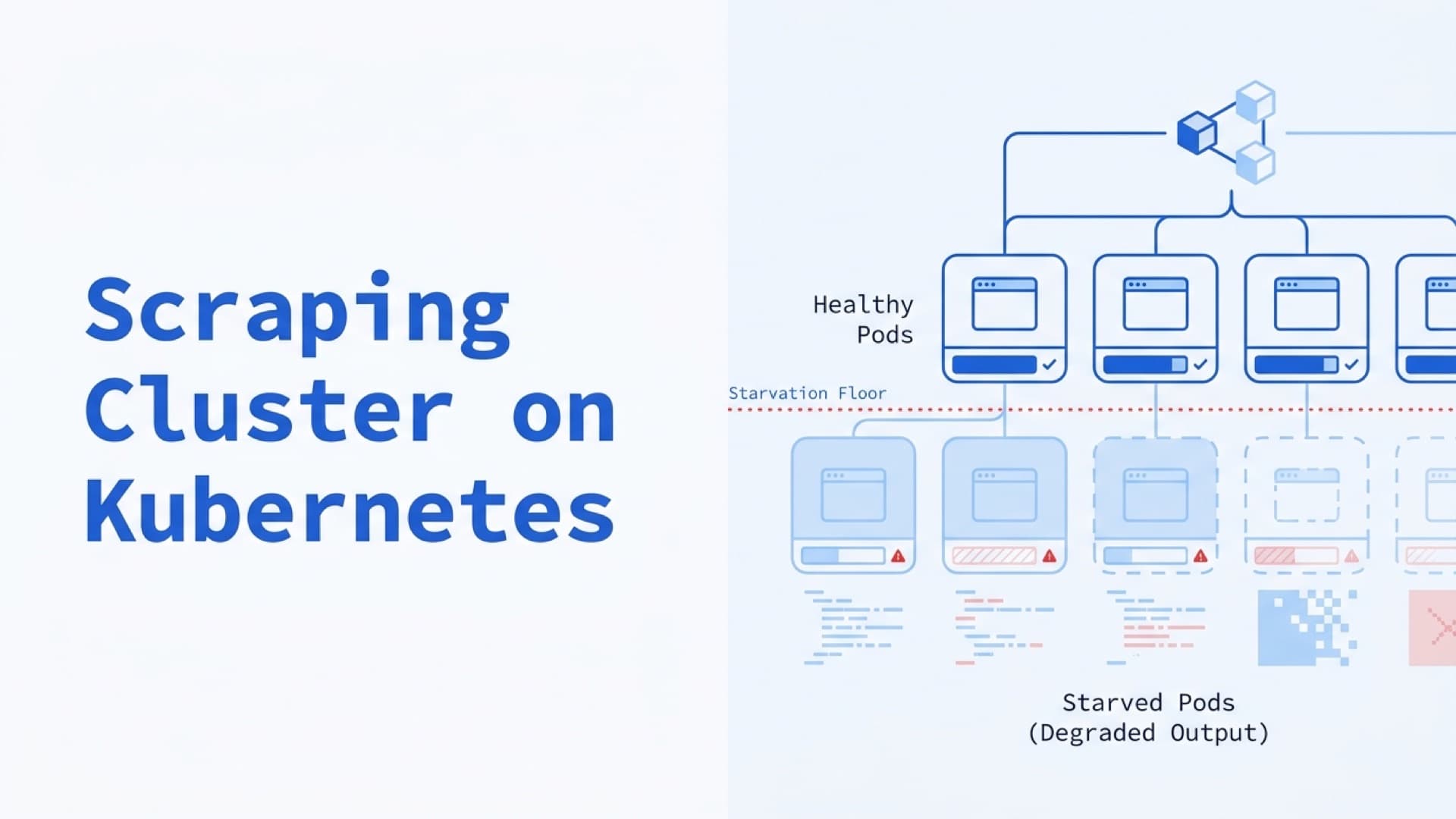
This is the composite pattern we see in Playwright K8s audits: 100 browser pods running, dashboards green, no OOMKilled events. Scrape success rate quietly drops from 94% to 61% over three days. The pods weren't crashing. They were starving.
The DevOps.dev post on Playwright K8s deployments names the failure mode — "starved pods do terrible things under headless browsers." The phrase understates it. Starved Chromium doesn't throw errors; it produces garbage: half-rendered pages, stalled JavaScript execution, navigation timeouts that the scraper's retry loop masks as transient failures.
We run Playwright and Puppeteer clusters on Kubernetes for teams processing 500K–5M pages a day. This is the Starvation Floor: the memory-and-CPU level below which headless browsers silently degrade instead of crashing cleanly. Resource requests sized from kubectl top output in staging consistently hit the floor the moment real production load arrives.
Kubernetes is the right platform for scraping clusters. The scheduler handles pod replacement, the autoscaler rides queue depth, and multi-tenant node pools isolate browser workloads from the rest of the platform. What K8s doesn't do is tell you how to size the pods or what happens when the browser runs out of /dev/shm.
Why Kubernetes for Scraping
Scraping workloads are volatile. Targets push anti-bot updates, proxy pools churn, crawl schedules burst around pricing changes or product launches. A cluster that processes 50K pages/hour during the day may need to process 500K/hour during a midnight retry sweep to catch up on 429s.
Three Kubernetes features directly address this:
Elastic scaling. Horizontal Pod Autoscaler watches a metric — queue depth in Redis, messages in SQS, CPU utilization — and scales browser replicas accordingly. KEDA (Kubernetes Event-Driven Autoscaling) extends this to external sources like RabbitMQ, Kafka, or managed queue services. A cluster that runs 10 browser pods at 02:00 can scale to 200 at 14:00 without operator intervention.
Node pool isolation. Browser workloads behave differently from HTTP clients or ETL jobs. Running them on dedicated node pools with taints and tolerations prevents a runaway browser from starving co-located database pods, and lets you provision memory-heavy instance types only where needed. For scraping clusters on AWS, we typically use m6i.2xlarge or c6i.2xlarge for browser pods and t3.medium for the queue/API tier.
Self-healing. A crashed Chromium pod gets replaced by the Deployment controller within 5–15 seconds on a warmed cluster (longer if the image has to be pulled). Liveness and readiness probes detect hung browsers before the scheduler marks them healthy. Rolling restarts after image updates preserve queue processing — old pods drain their in-flight requests while new pods come up.
The alternative is a fleet of VMs with supervisord, manual rotation, and human paging when a browser hangs. That was the default in 2020. By 2026 it isn't.
The Starvation Floor
Headless Chromium has a specific failure signature when starved of memory or CPU. Pages load partially — the HTML parses but the JavaScript framework never hydrates. Navigation timeouts hit at the 30-second mark. Click handlers fail because the DOM element exists but its event listener hasn't been attached yet. page.goto() and page.content() both return HTML without error. The scraper extracts whatever selectors match. Usually nothing.
Scrape success rate drops while infrastructure metrics look clean. No OOMKilled events. No pod restarts. Just a gradual drift in output quality that the monitoring stack doesn't flag because it's watching CPU and memory graphs, not "did the scraper actually find product data."
The numbers that matter:
Memory floor: Chromium needs 512 MB minimum to render modern JavaScript-heavy pages without degradation. Below 256 MB it starts swapping renderer processes aggressively. Below 128 MB it produces silent garbage. Set the request to 512 MB per browser instance (768 MB for SPA-heavy targets), with a limit 50–100% higher to absorb spikes.
CPU floor: Chromium consumes 0.3–0.8 CPU-seconds per page during rendering. Set the request to 0.5 CPU per browser pod. Below 0.25 CPU, the v8 engine throttles, and async page interactions start timing out on targets that trigger garbage collection mid-render.
/dev/shm floor: Docker's default /dev/shm size is 64 MB. Chromium uses shared memory for the rendering pipeline and crashes when it fills. The fix is either --ipc=host (shares the node's /dev/shm, simple but loses pod isolation) or a tmpfs volume mounted at /dev/shm sized to 512 MB–1 GB. Playwright's Docker documentation calls the --ipc=host flag critical specifically because "Chromium can run out of memory and crash" without it.
A Playwright pod manifest that doesn't fall through the floor looks like this:
resources:
  requests:
    memory: "768Mi"
    cpu: "500m"
  limits:
    memory: "1536Mi"
    cpu: "1500m"
volumes:
  - name: dshm
    emptyDir:
      medium: Memory
      sizeLimit: "1Gi"
volumeMounts:
  - mountPath: /dev/shm
    name: dshm
Setting the request to 768 MB on an 8 GB node means you fit 10 browser pods per node with overhead. Anything tighter and you're gambling with the floor.
Scaling on Queue Depth, Not CPU
The default Horizontal Pod Autoscaler watches CPU utilization. This is wrong for scraping workloads. Browser pods spend most of their CPU time idle waiting for network — the CPU graph is flat while the queue is backing up.
Scale on queue depth instead. Three options, ranked by setup cost:
Option 1 — KEDA with Redis scaler. KEDA is a CNCF-sandbox autoscaler that reads queue metrics directly. Point it at a Redis list with listLength threshold 50, and it creates one browser pod per 50 queued URLs up to maxReplicaCount. Works with BullMQ, RQ, Celery (when backed by Redis), and raw Redis lists. The setup is one CRD and no Prometheus pipeline.
Option 2 — Prometheus Adapter + HPA. Export queue depth as a Prometheus metric from the scheduler, configure the Prometheus Adapter to expose it as a custom metric, and point the HPA at it. More moving parts than KEDA but integrates with existing Prometheus monitoring.
Option 3 — Manual scaling based on cron. For predictable workloads (nightly crawls of known sizes), a CronJob that patches the Deployment replica count at 02:00 and again at 08:00 is simpler than any autoscaler. Don't over-engineer it.
The orthogonal scaling axis is target distribution. One fleet of browser pods hitting 500 different sites will burn through per-target rate limits fast. A queue with target-aware routing — pods assigned to specific target groups with independent rate limiters — keeps each target's request rate under its 429 threshold without throttling the whole fleet.
Cost: Cloud vs. Managed vs. Bare Metal
For a cluster processing 1 million pages/day with average 2-second page time:
| Option | Monthly cost | Ops overhead |
|--------|-------------|--------------|
| Self-hosted K8s on AWS (10 × m6i.2xlarge) | $1,800–$2,400 | 0.25–0.5 engineer |
| Self-hosted K8s on Hetzner (10 × CX52) | $500–$700 | 0.25–0.5 engineer |
| Managed browser grid (Aerokube Moon) | $2,000–$8,000 | 0.1 engineer |
| Managed browser API (Browserless, Bright Data) | $3,000–$15,000 | 0.05 engineer |
Hetzner or OVH bare metal runs roughly 3–4x cheaper than AWS for this workload based on the per-instance pricing in the table above ($500–$700/month for 10 × CX52 versus $1,800–$2,400 for equivalent AWS instances). The tradeoff is reduced elasticity — you can't scale a Hetzner fleet from 10 to 100 machines in 30 seconds like you can on EKS. Predictable daily patterns favor bare metal. Bursty workloads with 10x peaks favor cloud despite the premium.
Aerokube Moon is the middle ground. A Kubernetes-native browser grid supporting Chrome, Firefox, Edge, and WebKit, Moon runs on your cluster with license keys sized by parallel session count (4 free, tiered pricing above that per Moon's documentation). The 1 CPU / 2 GB per browser pod default matches what Chromium actually needs, and Moon handles session lifecycle better than a raw Playwright Deployment because sessions are stateless by design.
Managed browser APIs are simplest but expose a cost cliff. At 100K pages/day, Browserless and Bright Data Scraping Browser are cheaper than operating your own cluster — no DevOps headcount required. At 1M pages/day (using vendor published per-hour or per-page rates multiplied out), those same APIs run 2–4x the cost of self-hosted Moon, and 5–10x the cost of Hetzner bare metal. The cliff is set by the managed providers' per-page pricing model, which stays linear while self-hosted infrastructure amortizes.
The Six Operational Traps We See Repeatedly
Cold start lag. The official Playwright Docker image bundles Chromium, Firefox, and WebKit — roughly 1.2 GB compressed per Docker Hub manifests (exact size varies by version). On a 1 Gbps internal cluster network, pulling that image on pod startup takes 10–15 seconds. On slower networks or shared registries, 20–30 seconds. When the HPA fires because queue depth spiked, those seconds are pages the scraper didn't process. Fix: build a custom image with only Chromium installed (npx playwright install chromium), cutting the image to roughly 800 MB. Pin image pull policy to IfNotPresent so scheduled pods reuse cached layers.
Proxy credential injection. Hardcoding proxy credentials in pod environment variables leaks them to anyone with kubectl describe pod access. Use a Kubernetes Secret mounted as environment variables, with RBAC restricting get secrets to the namespace's service account. Rotate credentials via Secret update + rolling restart.
Overlapping scheduled runs. A daily crawl that sometimes takes 90 minutes and sometimes takes 3 hours will start overlapping itself if scheduled at 0 2 * * * without deduplication. Use a Kubernetes Job with parallelism: 1 and backoffLimit: 2, and fail the Job if the previous run's pod is still active. The CronJob spec's concurrencyPolicy: Forbid handles this natively.
JS-rendered page inconsistency. The same URL returned different HTML on consecutive scrapes because one hit an authenticated session cookie from a previous run. Browser context isolation — create a fresh browser.newContext() per scrape and discard it — prevents cookie drift across scrapes targeting the same site. For Puppeteer, use browser.createIncognitoBrowserContext().
Queue dead-letter drift. Every scraping queue needs a dead-letter target for permanent failures (404, forbidden after 5 retries, parse failures). Without it, poison messages loop forever and waste browser capacity. BullMQ's failedReason and Celery's acks_late with a DLQ exchange handle this, but both require explicit configuration. The default is "retry forever," which is wrong.
Monitoring the wrong signal. Infrastructure metrics (CPU, memory, pod count) are lagging indicators of scrape health. The leading indicator is output validation — percentage of scrapes returning an expected field. Wire a data quality probe that runs on 1% of output and alerts when the extraction success rate drops below threshold, independent of HTTP status codes or pod restart counts. This catches the Starvation Floor before the business does.
Need help architecting a scraping cluster? Talk to an engineer — we design Kubernetes-native scraping infrastructure for teams processing from 500K to 5M pages a day.
What This Approach Cannot Tell You
A well-tuned Kubernetes cluster won't bypass Cloudflare Managed Challenge. It won't defeat DataDome behavioral fingerprinting. Detection evasion is a framework and proxy problem — vanilla Playwright in a perfectly sized pod still loses to modern anti-bot tiers without patchright or residential proxies layered on top.
Cluster architecture is orthogonal to the detection arms race. K8s gives you the platform to run whatever scraping tool works this month, plus the scheduling, queue, storage, and monitoring layers that don't need to change when you swap frameworks next quarter. The cluster is the substrate; the tool is what you replace on top of it.
Size the pods above the Starvation Floor, scale on queue depth, and stop treating uptime as a proxy for output quality.
Frequently Asked Questions
How do I deploy Playwright at scale on Kubernetes?
Build a custom Docker image with only Chromium installed (cuts the default 1.2 GB image to ~800 MB). Set pod requests to 768 MB memory and 0.5 CPU, with limits 50–100% higher. Mount a tmpfs volume at /dev/shm sized to 512 MB–1 GB. Scale on queue depth using KEDA with a Redis scaler, not CPU-based HPA. Isolate browser pods on dedicated node pools.
What resource requests should I set for headless Chromium pods?
Set memory requests to 512–768 MB per browser pod for typical pages, 1 GB for JavaScript-heavy SPAs. Set CPU requests to 0.5 cores. Below 256 MB memory or 0.25 CPU, Chromium degrades silently — pages load partially and scrapers return garbage without throwing errors. Set limits 50–100% above requests to absorb rendering spikes.
Is Aerokube Moon worth the license cost versus self-managed Playwright?
Moon is worth it when you need multi-browser orchestration (Chrome + Firefox + WebKit + Edge) or when session stability matters more than cost. At under 10 parallel browser sessions, Moon's free tier handles the load. Above that, license costs run $2,000–$8,000/month for mid-sized scraping clusters, which is cheaper than managed APIs (Browserless, Bright Data) above 1M pages/day but more expensive than raw Playwright Deployments.
Why do my Kubernetes browser pods fail silently?
Silent failure under Kubernetes usually means the Starvation Floor: pod resource requests are set too tight, and Chromium degrades instead of crashing. The symptoms are dropping scrape success rates with no OOMKilled events, no pod restarts, and flat CPU graphs. Fix: raise memory requests to 512 MB minimum, CPU to 0.5 cores, and validate output quality (not just HTTP status) in monitoring.
How much does a Kubernetes scraping cluster cost to operate?
A cluster processing 1M pages/day costs $500–$700/month on Hetzner bare metal, $1,800–$2,400/month on AWS EKS, $2,000–$8,000/month with Aerokube Moon as a managed browser grid, and $3,000–$15,000/month with managed browser APIs like Browserless or Bright Data. Engineering overhead is 0.25–0.5 FTE for self-hosted, 0.05–0.1 FTE for managed.
Related posts
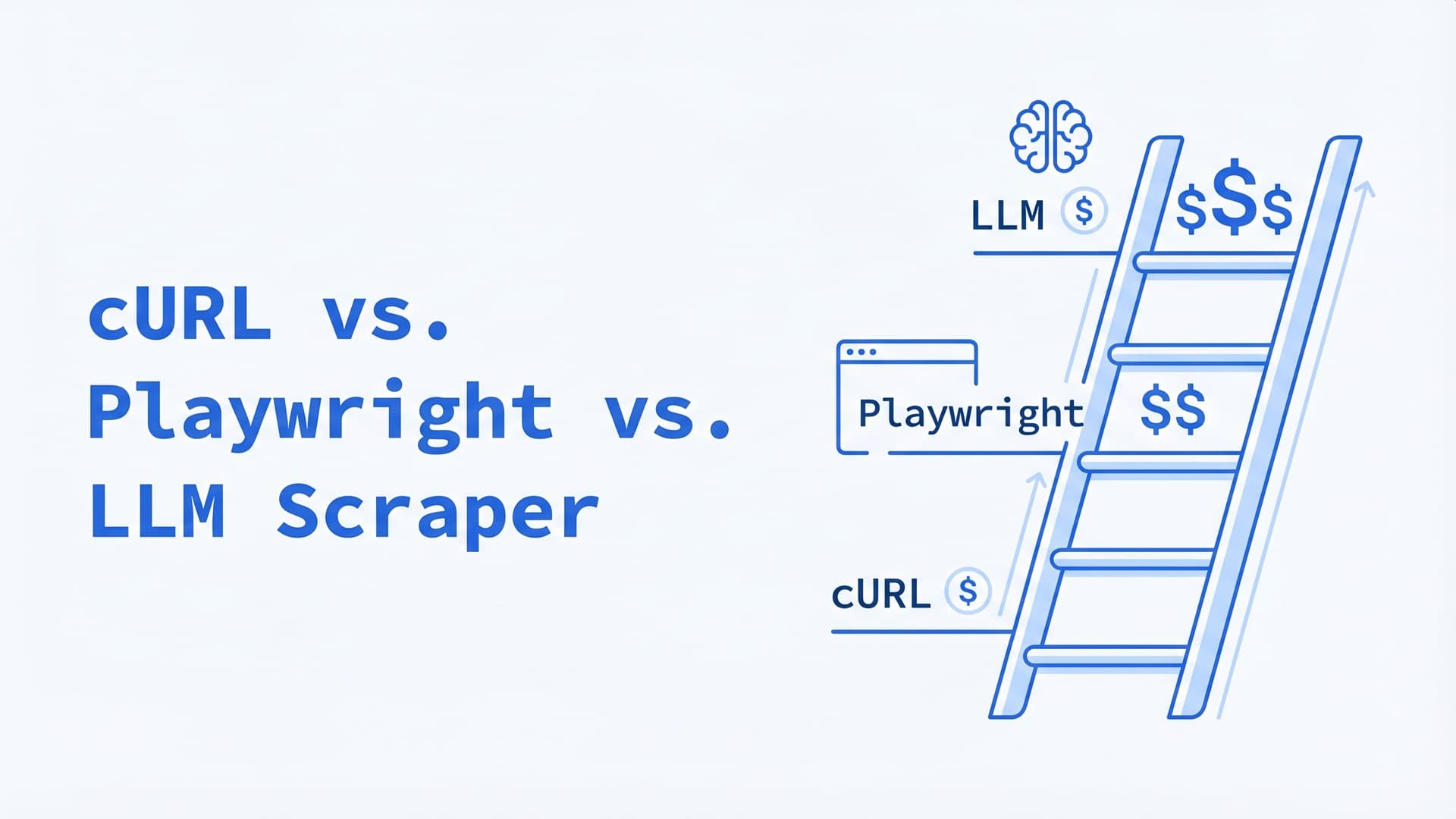
cURL vs. Playwright vs. LLM Scraper: A Decision Tree for 2026
Same scraping job costs $5, $150, or $6,000/month depending on the tool you pick. A 4-step decision tree for choosing between HTTP clients, headless browsers, and LLM-native scrapers in production.
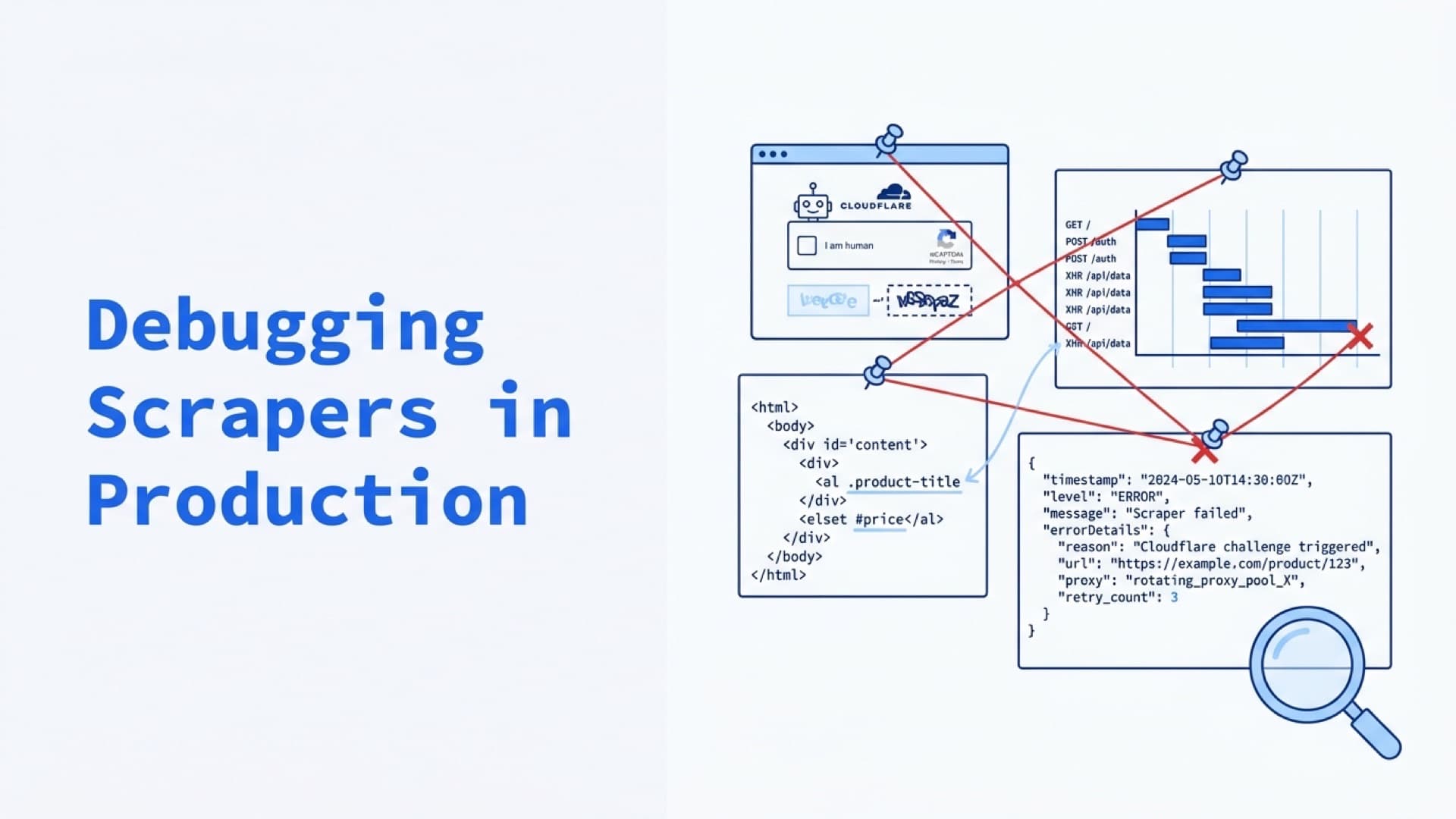
Debugging Scrapers in Production: Logs, Screenshots, Video Replay, and Failure Forensics
Status codes aren't evidence. Screenshots, DOM snapshots, Playwright traces, and structured logs are. The Evidence Bundle pattern for turning scraper failures from hours of investigation into dashboard queries.
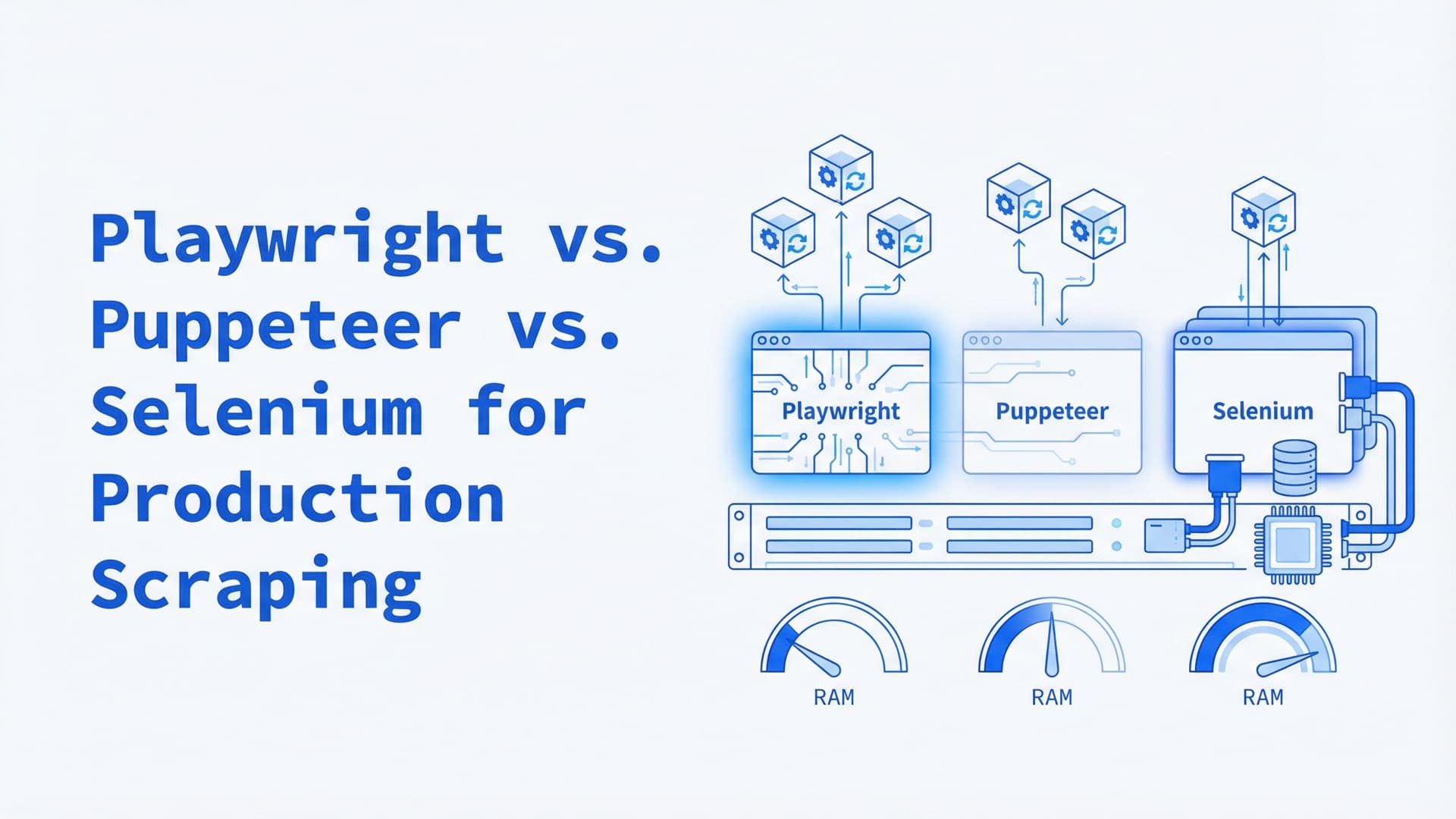
Playwright vs. Puppeteer vs. Selenium for Production Scraping: A 2026 Comparison
Most headless browser comparisons test on localhost. Production scraping at 100+ concurrent sessions reveals different winners — here's the data on memory, detection, and Kubernetes deployment.