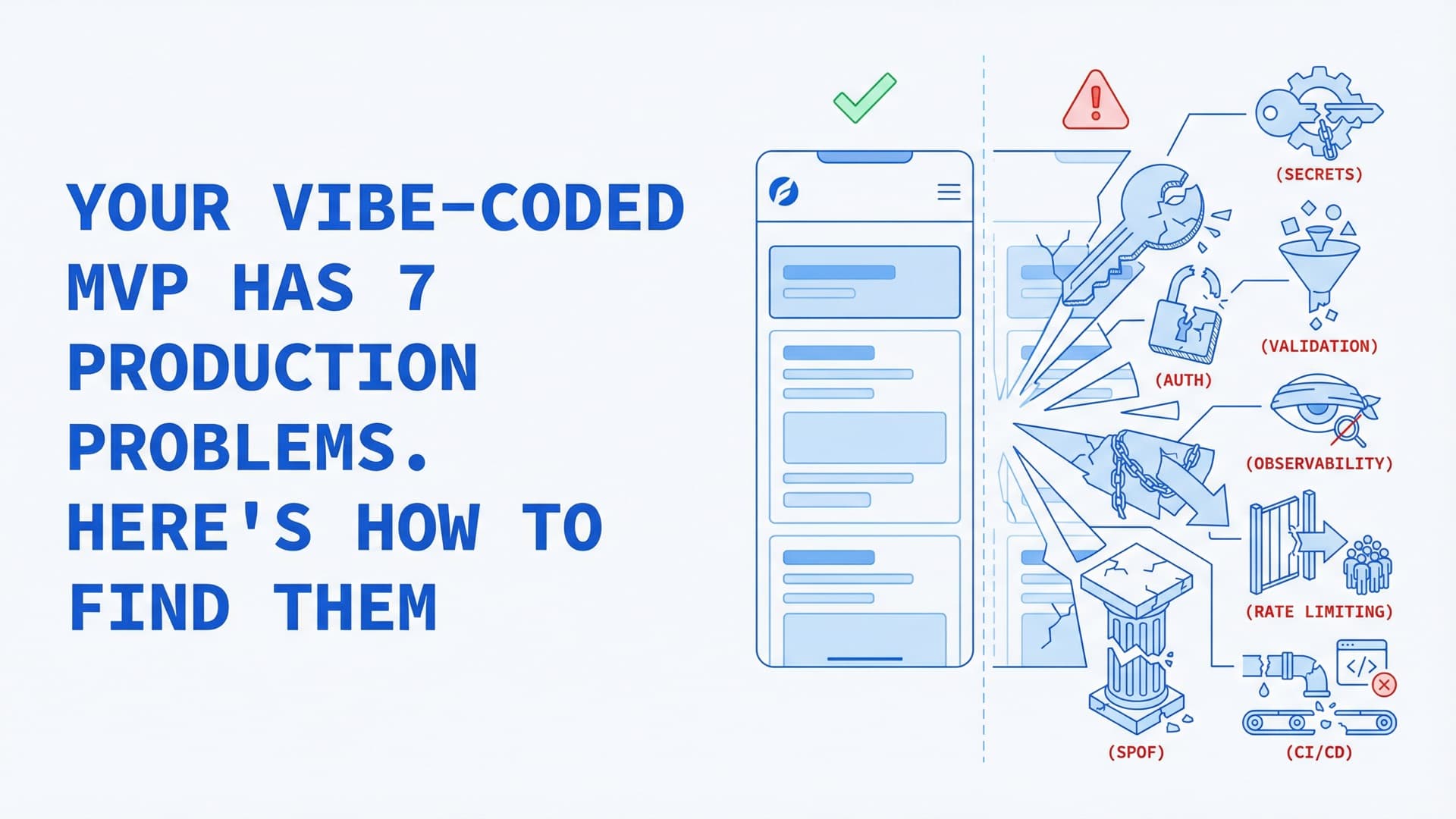
Your Vibe-Coded MVP Has 7 Production Problems. Here's How to Find Them
We ran npx secretlint "**/*" against three open-source repos built entirely with AI coding tools. Every one failed. Supabase service role keys in client-side files, OpenAI tokens in plain text, Stripe secret keys committed to Git history.
That's not an accident. Researchers at Escape.tech scanned 1,400 applications built on vibe coding platforms — Lovable, Bolt.new, Base44 — and found 2,038 critical vulnerabilities and over 400 leaked secrets. A Cloud Security Alliance Research Note added the broader picture: Veracode tested over 100 large language models across 80 coding tasks. Forty-five percent of AI-generated code failed security tests against the OWASP Top 10. Cross-site scripting failures: 86%. Log injection: 88%.
We call this the Demo-to-Disaster Gap — the distance between a working prototype and a system that survives real users. AI coding tools have collapsed the first half of that journey. The second half hasn't changed.
Andrej Karpathy coined the term "vibe coding" in February 2025 — writing software by describing what you want and accepting AI output without deep review. Collins Dictionary named it Word of the Year. Y Combinator reported that 25% of its Winter 2025 cohort shipped codebases approximately 95% AI-generated. The prototype works. The demo impresses. And then someone points real traffic at it.
The seven problems below are the Demo-to-Disaster Gap in practice — the production concerns that AI tools consistently miss. For each one: what it looks like, why it happens, and the specific commands to find it in your codebase.
Problem 1: Hardcoded Secrets in Your Frontend
The symptom is a Stripe secret key, a Supabase service role key, or an OpenAI API token sitting in a JavaScript file that ships to the browser. Sometimes it's in a .env file committed to Git. Sometimes it's inline in the code — the AI generated it that way because you told it to "connect to the database."
Tell Cursor "add Stripe payments" and it generates a file with sk_live_ hardcoded where it can reach the API fastest. Tell Lovable "connect to the database" and the Supabase service role key ends up in a client-side file. The Escape.tech scan found over 400 leaked secrets across 1,400 apps — this is the most common category.
How to find it:
# Scan for secrets in your codebase
npx secretlint "**/*"

# Check Git history for committed secrets
git log --all -p | grep -iE "(sk_live|sk_test|SUPABASE_SERVICE|OPENAI_API_KEY|password\s*=)"

# Check if .env is in your Git history
git log --all --full-history -- .env .env.local .env.production
If git log returns results for .env, those secrets are in your history permanently — even if the file is now in .gitignore. You need BFG Repo-Cleaner or git filter-repo to purge them, and you need to rotate every exposed credential immediately.
The fix: Move all secrets to environment variables loaded at runtime. Use a secrets manager — AWS Secrets Manager, Doppler, or Infisical for startups. Add Secretlint or TruffleHog to your CI pipeline so secrets can't be committed again.
Problem 2: Missing or Broken Authentication
The app has a login page. It might even use Clerk or Supabase Auth. But the API routes behind it? Unprotected.
Vibe-coded apps routinely ship with frontend-only auth — the UI hides buttons from logged-out users, but the actual API endpoints accept requests from anyone. An HTTP GET to /api/admin/users returns the full user list. No token check. No middleware. The AI built the login screen and the admin dashboard as separate features without connecting the authorization layer between them.
How to find it:
# List all API routes and check for auth middleware
grep -rn "export.*function\|export default" src/app/api/ --include="*.ts" --include="*.tsx"

# Check if middleware.ts exists and protects routes
cat middleware.ts 2>/dev/null || echo "No middleware.ts found"

# Test an authenticated endpoint without credentials
curl -s -o /dev/null -w "%{http_code}" https://your-app.com/api/admin/users
# If this returns 200, your auth is broken
Check every route handler in src/app/api/. If any handler processes the request without calling auth(), getServerSession(), or checking a JWT, that endpoint is open to the internet.
The fix: Add authentication middleware that runs before every API route. In Next.js, that's middleware.ts with a matcher pattern covering /api/*. Use Clerk's middleware or Auth.js — don't hand-roll JWT verification unless you understand timing attacks, token rotation, and session fixation.
Problem 3: No Input Validation
The contact form saves user input directly to the database. The search bar passes the query string into a SQL statement. The file upload endpoint accepts anything.
Veracode's testing found that AI-generated code fails cross-site scripting tests 86% of the time. The reason: language models generate code that handles the happy path. Input validation is defensive code — it handles the paths the user didn't describe. The AI was never told "also protect against SQL injection," so it didn't.
How to find it:
# Static analysis for injection vulnerabilities
npx semgrep --config auto src/

# Look for raw SQL queries (ORM bypass)
grep -rn "\.raw\|\.query\|\.exec\|sql\`" src/ --include="*.ts" --include="*.tsx"

# Check for unsanitized HTML rendering
grep -rn "dangerouslySetInnerHTML\|v-html\|innerHTML" src/ --include="*.ts" --include="*.tsx" --include="*.vue"
Semgrep catches the patterns static analysis can find. But some injection vectors depend on runtime behavior — parameterized queries that get bypassed by a helper function, or a Prisma $queryRaw call buried in a utility file. Manual review of every database call is the only way to catch everything.
The fix: Use an ORM (Drizzle or Prisma) for all database access — never concatenate user input into SQL strings. Validate every input with Zod schemas at the API boundary. Set a strict Content Security Policy header to block inline scripts. Add Semgrep to CI so these patterns trigger build failures.
Problem 4: Zero Observability
The app has no structured logging, no error tracking, and no health check endpoint. The first time something breaks, nobody knows — until a user emails support or an investor's demo fails mid-pitch.
Observability is the gap between "build a dashboard" and "build a dashboard with structured logging, error boundaries, request tracing, and uptime monitoring." AI tools build what you describe. The defensive layer around it — the part that tells you when things go wrong — doesn't get described, so it doesn't get built.
How to find it:
# Check for any logging library
grep -rn "winston\|pino\|bunyan\|morgan\|console\.log" src/ --include="*.ts" | head -20

# Check for error tracking SDK
grep -rn "Sentry\|BetterStack\|Highlight\|Axiom\|bugsnag\|rollbar" src/ --include="*.ts"

# Check for a health endpoint
grep -rn "health\|readiness\|liveness" src/app/api/ --include="*.ts"
If the only logging is console.log scattered through the code, you have no observability. Console logs don't persist, aren't structured, and can't be queried when something fails at 3 AM.
The fix: Add Sentry for error tracking — the free tier handles 5,000 errors/month, enough for most MVPs. Add Axiom or BetterStack for structured logging that persists and can be queried. Create a /api/health endpoint that checks database connectivity and returns a proper status code. The Sentry Next.js SDK installs in under 30 minutes with automatic error boundaries and source map upload.
Problem 5: No Rate Limiting
The login endpoint accepts unlimited password attempts. The API route that calls OpenAI on every request has no throttle. At GPT-4o pricing of $2.50 per million input tokens, a bot sending 50,000 requests with 500-token prompts generates a $62 bill per attack — and that's one endpoint on one day.
The deeper risk is credential stuffing. The OWASP Credential Stuffing Prevention Cheat Sheet documents this as one of the most common automated attacks against web applications, and rate limiting is the first line of defense.
How to find it:
# Check for rate limiting libraries
grep -rn "ratelimit\|rate-limit\|throttle\|upstash.*ratelimit" src/ package.json

# Check for any request counting logic
grep -rn "rateLim\|requestCount\|tooMany\|429" src/ --include="*.ts"
If neither search returns results, you have no rate limiting.
The fix: Upstash Ratelimit works with Vercel Edge and Cloudflare Workers — serverless-compatible, no Redis server to manage. Add it to your authentication endpoints first, then to any endpoint that calls a paid external API. Sliding window algorithm, 10 requests per minute for login, 100 per minute for general API access. Adjust based on your actual usage patterns.
Problem 6: Single Point of Failure
One server. One database connection. One replica. Health checks and graceful shutdown don't exist.
The typical vibe-coded deployment: a single Railway container talking directly to a Supabase Postgres instance with no connection pooling. Supabase's free tier allows 60 direct connections. A Next.js app in serverless mode creates a new connection per function invocation — hit 60 concurrent users and the database starts returning connection errors. No useful error message. No fallback. The app just stops working.
How to find it:
# Check deployment config for replicas
grep -rn "replicas\|instances\|minInstances" vercel.json railway.toml fly.toml Dockerfile 2>/dev/null

# Check for connection pooling
grep -rn "pgbouncer\|pooler\|connection_limit\|pool" src/ .env* --include="*.ts" --include=".env*"

# Check for graceful shutdown handling
grep -rn "SIGTERM\|SIGINT\|beforeExit\|graceful" src/ --include="*.ts"
Serverless platforms like Vercel handle some of this automatically — functions scale horizontally. But if you're on Railway, Render, or Fly.io with a single container, you need explicit redundancy configuration.
The fix: Enable connection pooling (Supabase has built-in pgBouncer; Neon includes it by default). Run at least two replicas if you're on a container platform. Add a SIGTERM handler that finishes in-flight requests before shutting down. Set up a health check endpoint and configure your platform to use it for routing decisions.
Problem 7: No CI/CD Pipeline
Deployment is git push with no intermediate steps. No tests run. No security scan. No type check. No build verification. The code goes from editor to production in one step.
This is the Demo-to-Disaster Gap at its widest. The CSA Research Note documented the result: security findings in AI-assisted development teams surged 10x in six months — from approximately 1,000 to over 10,000 monthly findings across organizations studied. The velocity of AI-generated code without automated quality gates is what turns fast prototyping into fast vulnerability creation.
How to find it:
# Check for CI/CD configuration
ls -la .github/workflows/ 2>/dev/null || echo "No GitHub Actions found"
cat .gitlab-ci.yml 2>/dev/null || echo "No GitLab CI found"

# Check for test configuration
ls package.json | xargs grep -l "test\|vitest\|jest\|playwright" 2>/dev/null

# Check if any tests exist
find src/ -name "*.test.*" -o -name "*.spec.*" | head -5
If there are no workflow files and no test files, every commit goes to production unchecked.
The fix: A minimum viable CI pipeline in GitHub Actions takes 20 minutes to set up:
# .github/workflows/ci.yml
name: CI
on: [push, pull_request]
jobs:
  check:
    runs-on: ubuntu-latest
    steps:
      - uses: actions/checkout@v4
      - uses: actions/setup-node@v4
      - run: npm ci
      - run: npx tsc --noEmit          # Type check
      - run: npx vitest run             # Unit tests
      - run: npx semgrep --config auto  # Security scan
Add Dependabot for automated dependency updates. Add Semgrep for security pattern matching. These are free, they run on every push, and they catch the classes of bugs that vibe coding introduces most often.
Closing the Demo-to-Disaster Gap
Every one of these problems exists because AI coding tools optimize for the first half of the Demo-to-Disaster Gap — getting from idea to working prototype — and ignore the second half: getting from prototype to production system. The first half is creative. The second is defensive. Language models are trained on code that solves problems, not code that anticipates them.
Modelence raised a YC-backed seed round specifically to build a "production layer" for AI-generated code — handling the auth, database, and hosting plumbing that vibe-coded apps get wrong. That a venture-backed company exists to close this gap tells you how structural it is.
Running the Full Audit
Here's the condensed version. Run these five commands against any vibe-coded codebase:
# 1. Secrets scan
npx secretlint "**/*"

# 2. Security static analysis
npx semgrep --config auto src/

# 3. Dependency vulnerabilities
npm audit --production

# 4. Check for exposed routes without auth
grep -rn "export.*function\|export default" src/app/api/ --include="*.ts" | \
  xargs -I {} sh -c 'grep -L "auth\|getSession\|getServerSession\|currentUser" "{}" 2>/dev/null'

# 5. Check for any test coverage
npx vitest run --reporter=verbose 2>&1 | tail -5
If any of these produces concerning output, the app needs hardening before it handles production traffic.
These seven problems are the most common, but they're not exhaustive. Every vibe-coded app has its own failure profile based on the specific AI tool used, the prompts given, and the complexity of the domain. A fintech MVP has different vulnerabilities than a social app. An app using Supabase Row Level Security has a different auth surface than one using Clerk middleware.
This audit catches the structural problems. Domain-specific security review — payment flow testing, multi-tenancy isolation, compliance requirements — requires a team that understands both the code and the business context.
Need help closing the Demo-to-Disaster Gap? Talk to an engineer — we'll tell you honestly if your app needs a full rebuild or just targeted hardening.
The vulnerabilities are already in the code. The only cost is looking.
Frequently Asked Questions
Is vibe-coded software safe for production use?
Not without hardening. Veracode tested 100+ LLMs and found 45% of AI-generated code introduces OWASP Top 10 vulnerabilities. The code works functionally — it handles the happy path — but AI tools consistently skip defensive patterns like input validation, authentication middleware, rate limiting, and error handling that production systems require.
How much does it cost to fix a vibe-coded MVP?
Based on industry pricing for MVP development services in 2026 (Softermii, ideas2it): a security audit and targeted hardening ranges from $5,000–$15,000 for a standard SaaS MVP. A full production readiness engagement — observability, CI/CD, auth hardening, infrastructure — runs $15,000–$50,000. A complete rebuild costs $50,000–$150,000. The actual number depends on codebase size and how many structural problems are present.
What are the most common security vulnerabilities in AI-generated code?
Cross-site scripting (86% failure rate in Veracode testing), log injection (88% failure rate), hardcoded secrets, missing authentication on API routes, SQL injection via raw queries, and insecure direct object references. These patterns appear because language models generate code that handles the happy path — the defensive layers (validation, authorization, output encoding) address paths the prompt didn't describe.
Can I use Lovable or Bolt.new for a real product?
For validation and prototyping, yes. For production with real users and real data, not without significant engineering work. Researchers found 2,038 critical vulnerabilities across 1,400 apps built on vibe coding platforms. The tools are excellent for generating functional prototypes quickly, but the output needs a production engineering layer — security hardening, observability, CI/CD, and infrastructure configuration — before it's ready for real traffic.
How long does it take to make a vibe-coded MVP production-ready?
Industry timelines for MVP development range from 5–8 weeks for simple apps to 8–14 weeks for standard SaaS (Softermii, 2026). Targeted hardening of an existing codebase — adding the missing security, observability, and CI/CD layers — typically takes two to six weeks if the core architecture is sound. Significant restructuring (replacing frontend-only auth, migrating databases, adding connection pooling) adds time. The scope depends on how many of the seven problems are present.
Related posts
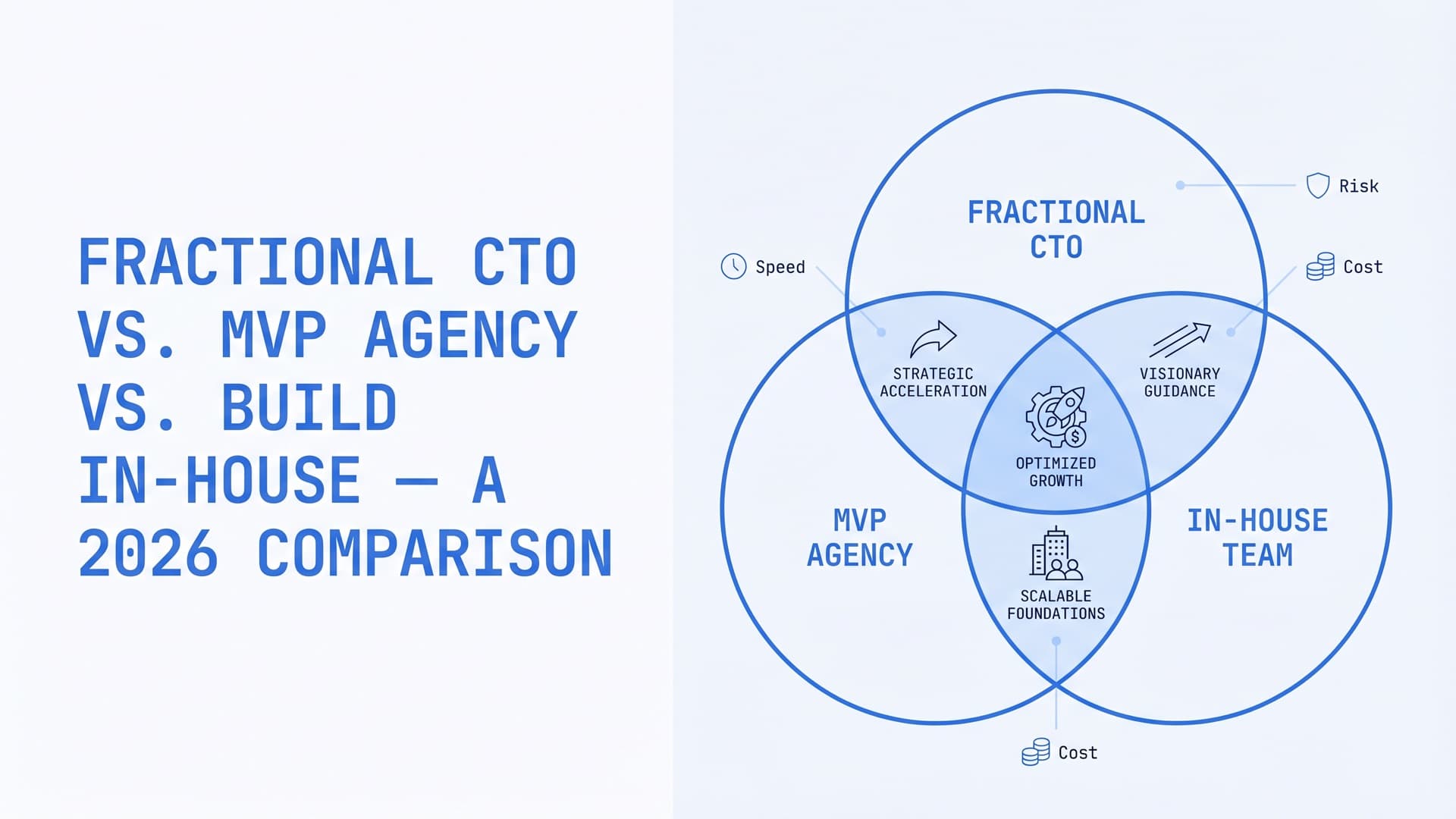
Fractional CTO vs. MVP Agency vs. Build In-House — A 2026 Comparison
Fractional CTO solves "who decides?" MVP agency solves "who builds?" In-house solves "who stays?" Three options, six dimensions, and the combinations that actually work. The single-option pick is the wrong default.
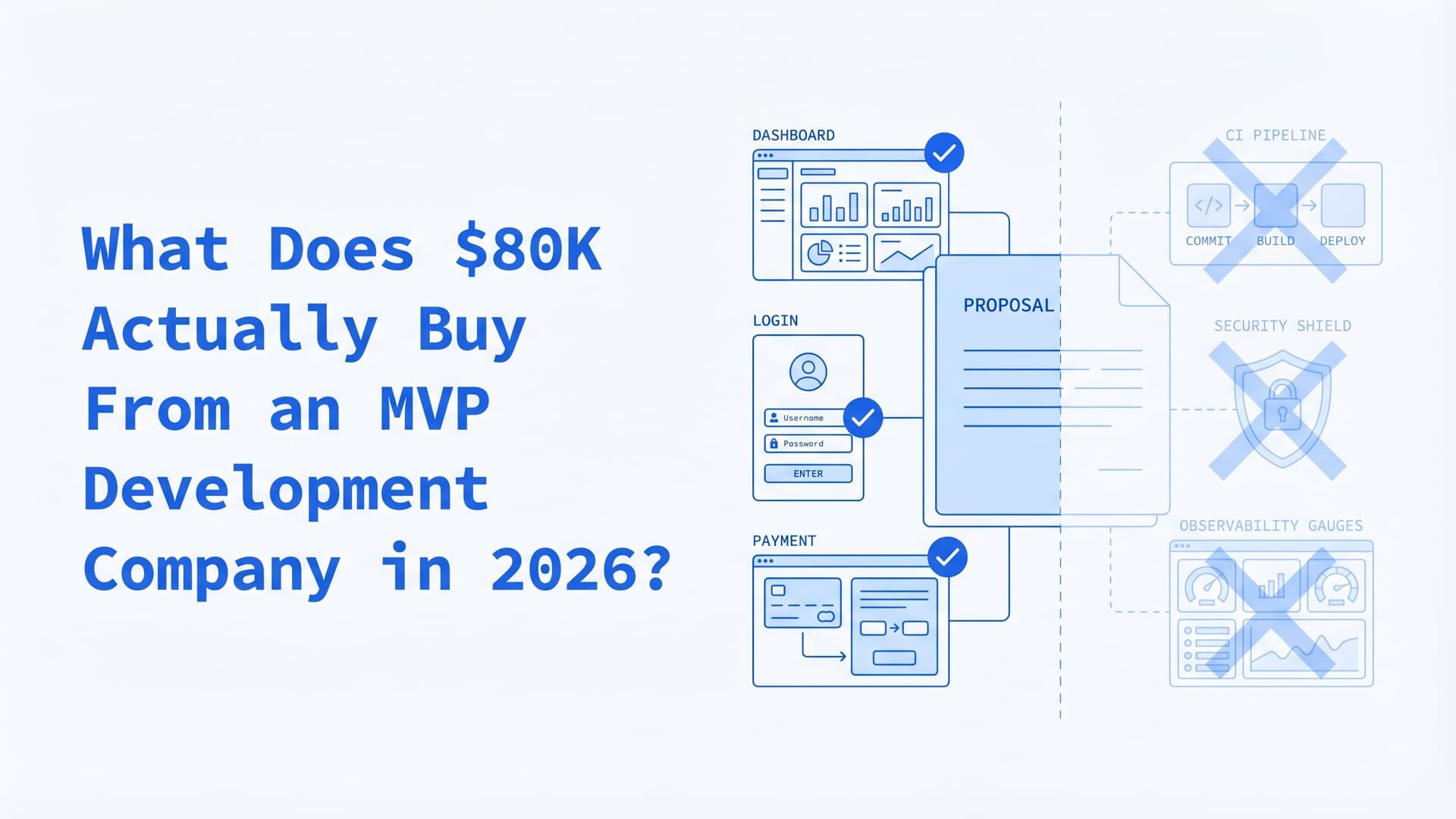
What Does $80K Actually Buy From an MVP Development Company in 2026?
At $150/hour, $80K buys 533 engineering hours. At $70/hour, 1,143. Same visible scope, 2x labor spread. Here's the math most founders never see — and the Invisible Line Item that tells the difference.
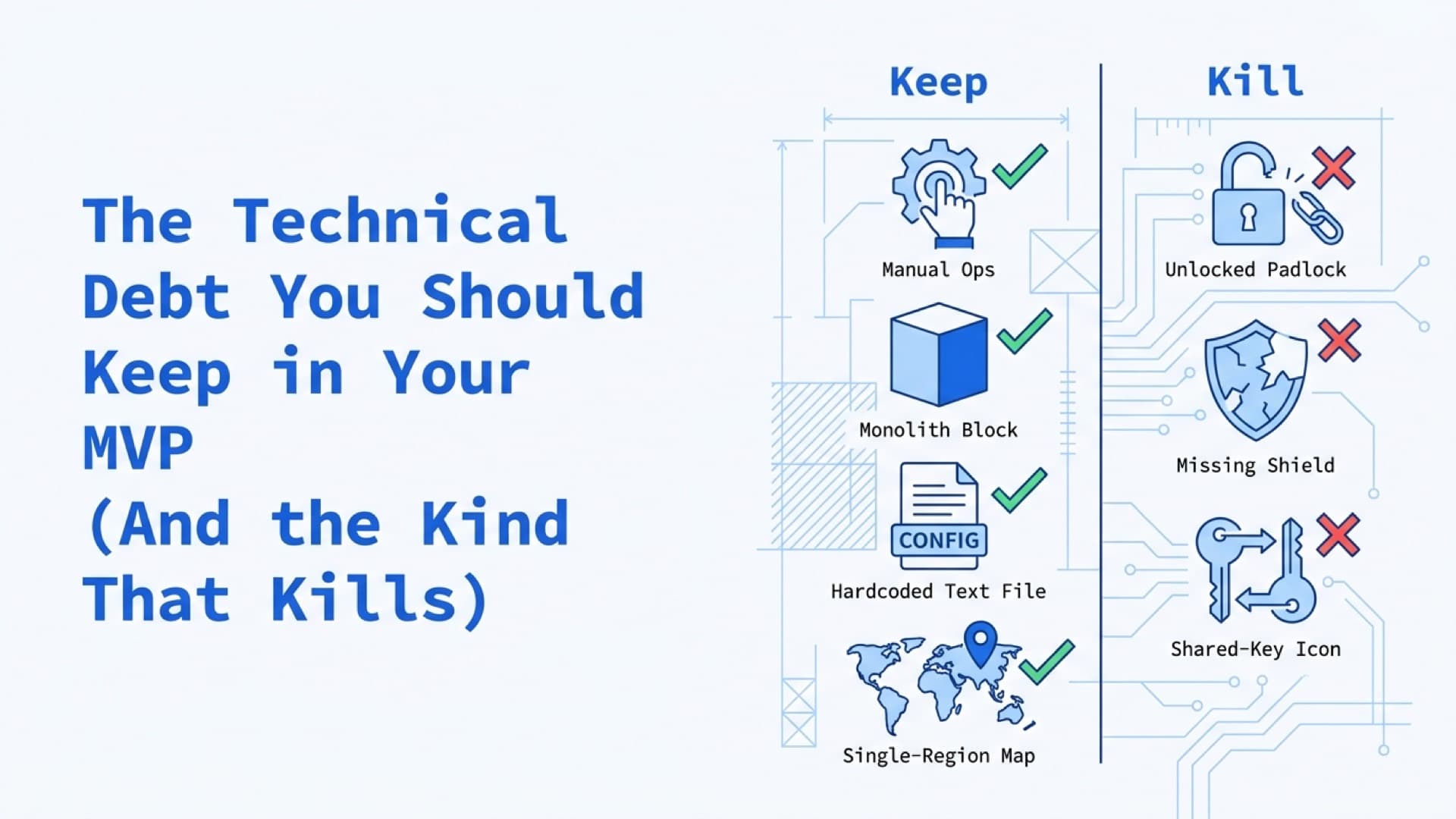
The Technical Debt You Should Keep in Your MVP (And the Kind That Kills)
Good debt trades speed now for bounded cost later. Bad debt hides a step function that fires at the worst moment. Five shortcuts to keep forever, five that compound silently, and a better rule than the 20% sprint tax.