Kubernetes CrashLoopBackOff: Causes and Fixes
What is CrashLoopBackOff in Kubernetes?
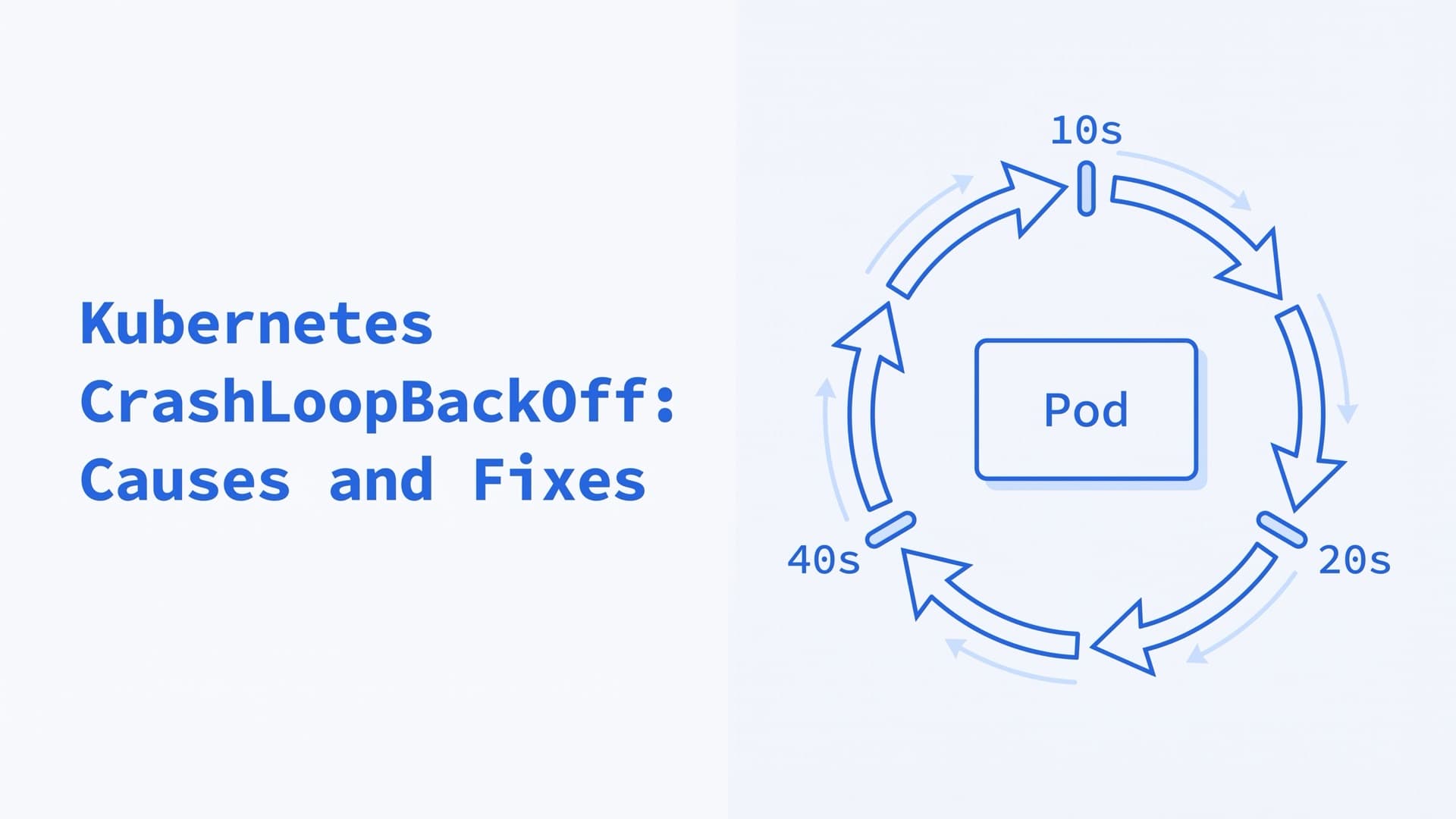
In Kubernetes, CrashLoopBackOff is a pod status kubectl shows when a container keeps exiting and the kubelet keeps restarting it. After the first restart, the kubelet waits 10 seconds, then twice as long each time, up to 5 minutes (restart policy). The pod's events repeat "Back-off restarting failed container", and its phase usually stays Running.
The name stands for crash loop backoff, a restart loop with a growing delay between attempts. The kubelet sets the container's waiting reason to CrashLoopBackOff while the restart delay runs (sync_result.go, kubelet_pods.go). While it waits, it records a BackOff warning event, "Back-off restarting failed container <container> in pod <pod>_<namespace>(<uid>)" (kuberuntime_manager.go, format.Pod). The status also tells you what already works. The pod was scheduled and its image was pulled, so look at the container and its configuration first (GKE docs).
kubectl's STATUS column prints the current reason of one container (printers.go). So a looping pod flips between CrashLoopBackOff, Running and the reason of its last exit, such as Error, Completed or OOMKilled. RESTARTS also shows when the last restart happened, as in 7 (2m31s ago) (printers.go).
This guide reflects Kubernetes 1.37, the current release, and sources checked in October 2026.
How to debug CrashLoopBackOff in three commands
Three commands show why a container keeps exiting. Together, they also answer why a pod restarted.
1. Read the last state with kubectl describe
kubectl describe pod <pod> \
  -n <namespace>
Under each container, State is what happens now and Last State is the run that ended (describe.go):
State:          Waiting
  Reason:       CrashLoopBackOff
Last State:     Terminated
  Reason:       Error
  Exit Code:    1
Restart Count:  7
The reason and exit code point at the cause, as the table below shows. The full output adds Started and Finished times, which show how long the run lasted. A Message line, when present, holds the container's termination message (describe.go). The Events section lists BackOff, plus any Killing, Unhealthy or Failed events that explain the exit. A Pulled event that reads "Container image ... already present on machine" is normal. The node already had the image, so that event isn't the cause (image_manager.go).
2. Get the logs of the run that crashed
kubectl logs <pod> -c <container> \
  --previous
--previous prints the logs of the previous instance. Without it, kubectl shows the current instance once it runs, and that instance may not have logged anything yet. While the container waits out its back-off, both commands show the crashed run (kubelet_pods.go). The kubelet keeps only one terminated instance of each container, so only the last crash is there (logging). kubectl also reads only the newest log file, 10 MiB by default (log rotation).
3. Read the events in order
kubectl events --for pod/<pod> \
  -n <namespace>
kubectl events sorts events by time (events.go). The API server keeps them for one hour by default (--event-ttl), so save them early.
How to check why a pod restarted
kubectl describe pod shows why the last run ended, under Last State, and kubectl logs --previous shows what the app printed. To print only the last state of each container, with its reason, exit code and times:
kubectl get pod <pod> -o jsonpath=\
'{.status.containerStatuses[*].lastState}'
A RESTARTS count that keeps rising while STATUS reads Running still means the container dies. A container that crashes after more than 10 minutes of running restarts at once each time, because its delay resets (restart policy). It may never show CrashLoopBackOff at all.
CrashLoopBackOff causes and how to fix them
To fix a CrashLoopBackOff error, find out why the container exits, fix that cause, then roll out again. Restarting the pod alone doesn't help. Start from the last state's reason and exit code. Kubernetes names app errors, configuration errors, resource limits and failing probes as causes (pod lifecycle). Our exit code table explains each code.
| Last state | Likely cause | First fix |
|---|---|---|
Error, exit code 1 | The app failed at startup | Read logs --previous |
OOMKilled, 137 | Memory limit too low, or a leak | Compare usage with the limit |
137 or 143, Killing events | A liveness or startup probe failed | Fix the probe |
StartError, 128 | The entrypoint couldn't run | Check command and the image |
Error, 127 or 126 | A script calls a missing or non-executable file | Fix the path or file mode |
Error, 255, logs say exec format error | Image built for another CPU | Rebuild for the node's CPU |
Completed, 0 | The process finished | Keep it running, or use a Job |
Error, logs name a setting or host | Missing config or a dependency | Fix the config, retry in the app |
Error, logs say permission denied | User, file mode or read-only root | Adjust securityContext |
Error, logs say address in use | Port taken on a hostNetwork pod | Free or change the port |
FailedPostStartHook event | The postStart hook failed | Fix or remove the hook |
CreateContainerConfigError is a different status. The kubelet couldn't build the container's configuration, usually over a missing ConfigMap, Secret or key, so the container never ran and can't crash (kuberuntime_container.go). Our troubleshooting guide covers that error.
If pods crash after an upgrade, or the whole cluster is down, our Kubernetes consulting team steps in, gets it running again and tells you what happened.
Application errors (exit code 1)
Exit code 1 is a failure code the app set itself (Docker). Read the end of kubectl logs --previous for the error it printed. Fix the code or its input, then roll out again. To try a fix by hand first, run a copy of the pod with a shell.
OOMKilled (exit code 137)
The container used more memory than its limit, and the kernel killed it. The last state shows reason OOMKilled and exit code 137 (memory task). kubectl top pod <pod> --containers shows current use per container, if Metrics Server or another Metrics API provider runs. Check the app for a leak before you raise the limit. Our performance guide explains how memory limits work.
Liveness and startup probe failures
When a liveness or startup probe fails failureThreshold times in a row, 3 by default, the kubelet restarts the container (probes). The events show Unhealthy with the probe's error (prober.go). Then a Killing event reads "Container <name> failed liveness probe, will be restarted", or names the startup probe (kuberuntime_manager.go). The exit code depends on how the app handles SIGTERM. It is often 143, or 137 when the grace period runs out (exit codes), and an AWS example shows a liveness kill ending with 0 (AWS).
Startup probes are meant for containers that take a long time to start (probes). Liveness checks wait until the startup probe succeeds (probes). This one gives the app up to 300 seconds, 30 checks 10 seconds apart, as in the docs' example:
startupProbe:
  httpGet:
    path: /healthz
    port: 8080
  failureThreshold: 30
  periodSeconds: 10
Keep back-end checks out of the liveness probe. The docs suggest a liveness probe that passes when the app itself is healthy, and a readiness probe that also checks its back-end services (probes). timeoutSeconds defaults to 1 second (probes). Google advises a timeout that covers startup and load (GKE docs), and notes that resource contention, such as CPU or disk I/O, makes probes time out (GKE docs).
Command not found or not executable (128, 127, 126)
If the runtime can't start the entrypoint at all, containerd records reason StartError and exit code 128, with the runtime's error as the message (container_start.go). STATUS may show RunContainerError first, and a Failed event repeats the error (kuberuntime_container.go). The logs stay empty, because the process never ran.
The message names the problem. "executable file not found in $PATH" means the command isn't in the image, as in the docs' hook example. no such file or directory means the file is missing, and permission denied means it isn't executable. runc checks both before the container starts (runc). Check command, args and the image's entrypoint.
Two errors come later, when runc runs the file, so the container does start. A script or a dynamically linked binary whose interpreter is missing gets no such file or directory (execve(2)). A binary built for another CPU architecture gets exec format error. Since runc 1.2, runc then prints exec <path>: <error> to the container's output and exits with code 255 (init_linux.go, linux.go). The last state shows Error and 255, and kubectl logs --previous shows the message.
Exit codes 127 and 126 come from a shell inside the container. A script called a command that wasn't found, or a file it can't execute (Bash).
Exit code 0 and restartPolicy Always
Under restartPolicy: Always, the kubelet restarts a container even after a clean exit (restart behavior). So a script that finishes, or an image with no long-running process, loops with reason Completed. Microsoft's AKS guide shows a plain busybox pod doing this (AKS docs). Run a long-lived process, or run one-off work as a Job.
Missing configuration or an unreachable dependency
Kubernetes names wrong environment variables and missing configuration files as causes (pod lifecycle). Microsoft adds dependencies that aren't ready, such as databases, message queues and other APIs (AKS docs). Look in the logs of the crashed run for the missing setting or the host that didn't answer.
Fix the value, then make the app retry its connections instead of exiting. An init container can also wait for a Service before the app starts, as in the init container examples. For lookups that fail, follow the DNS debugging steps.
Permission errors
Logs that end in "permission denied" or a read-only filesystem error point at the security context. Three settings are worth checking:
readOnlyRootFilesystem: truemounts the root filesystem read-only. Mount anemptyDirat the paths the app writes to, such as/tmp.runAsUserruns the app as a user that may not own its files.fsGroupmakes supported volumes writable by a group.- Ports below 1024 need
CAP_NET_BIND_SERVICE(capabilities(7)). containerd 2.x lifts that rule by default, except for pods on the host network (containerd, config docs). Before 2.0, it was off.
Port already in use
A pod with hostNetwork: true shares the node's ports. If another process holds the port, the app fails with "Address already in use" (EADDRINUSE, errno(3)). Kubernetes turns the declared container ports of such pods into host ports (defaults.go). The scheduler's NodePorts plugin then keeps two of them off one node (scheduler plugins). So declare every port the app binds. For processes outside Kubernetes, run ss -ltnp on the node to see which process listens where (ss(8)).
CrashLoopBackOff with no logs
Four things leave kubectl logs --previous empty, and each leaves another trace:
- The process never started. The last state shows
StartErrorand the runtime's message, as above. - The app logs to a file.
kubectl logsshows only what containers write to standard output and standard error (logging). - A hook or probe killed it first. Look for
FailedPostStartHookorKillingevents. A failedpostStarthook kills the container, and its own logs never reach the pod's events (lifecycle hooks). - The record is gone. Only one terminated instance is kept, and eviction removes the logs (logging). If the pod's status lists no earlier run, kubectl reports
previous terminated container "<name>" in pod "<pod>" not found(kubelet_pods.go). If the status names a container the runtime has already removed, it reportsunable to retrieve container logs for <id>(kuberuntime_container.go).
Save the last lines of output in the pod's status. With terminationMessagePolicy: FallbackToLogsOnError, a container that fails without writing a termination message gets the end of its logs instead. That's at most 2048 bytes or 80 lines, whichever is smaller (termination messages). kubectl describe pod prints it as Message under Last State. The field can't be changed on a running pod, so set it in the pod template (Pod API):
containers:
  - name: app
    terminationMessagePolicy: FallbackToLogsOnError
Run the entrypoint by hand. A copy of the pod with a shell in place of the app lets you start the command yourself and watch it fail (Debug Running Pods):
kubectl debug <pod> -it \
  --copy-to=<pod>-debug \
  --container=<container> -- sh
The default general profile drops the copy's labels and probes, so no probe kills your shell (profiles.go). The copy is a new pod, so you need create on pods, and -it also needs create on pods/attach (debug.go, request verbs, feature gates). If the image has no shell, --set-image can swap in a debug build of it (kubectl debug). Our troubleshooting guide covers the other kubectl debug modes. Delete the copy when you're done.
Init:CrashLoopBackOff and sidecar containers
Init:CrashLoopBackOff means an init container has failed repeatedly (init container statuses). Init containers run one at a time before the app, and the kubelet restarts a failed one until it succeeds (init containers). Until then, the app containers don't start and the pod stays Pending (detailed behavior). Under restartPolicy: Never, a failed init container fails the whole pod instead. Read the init container's own logs:
kubectl logs <pod> \
  -c <init-container> --previous
Native sidecars are init containers with restartPolicy: Always, stable since 1.33 (sidecar containers). They ignore the pod's restart policy and restart on their own, with the same backoff (restart policies). Their failures look different at two moments:
- Before it starts. The kubelet starts the next init container only after the sidecar counts as started, when its process runs and any startup probe has passed (sidecar lifecycle). So a sidecar that exits before that blocks the app, and STATUS shows
Init:CrashLoopBackOff. - After the app is running. kubectl prints the reason of a failing init container with an
Init:prefix, and that includes a stopped sidecar (printers.go). So STATUS can showInit:CrashLoopBackOffwhile the app container keeps running. READY drops by one, and RESTARTS counts the sidecar's restarts.
In both cases, kubectl describe pod lists the sidecar under Init Containers. Read its logs with -c <sidecar> --previous.
CrashLoopBackOff in system pods: CoreDNS, CNI and add-ons
Most system pods run as DaemonSets or Deployments, which allow only restartPolicy: Always (DaemonSets, Deployments). So a component that fails at startup ends up in CrashLoopBackOff. Each row below comes from the project's own documentation, linked from the component's name.
| Component | Documented cause | First check |
|---|---|---|
coredns | A DNS forwarding loop, often through a 127.0.0.53 stub | Logs for Loop ... detected |
CNI pods after kubeadm init | A broken network add-on, missing RBAC or an old version | The add-on's logs |
kube-flannel | The node has no podCIDR | Logs for pod cidr not assigned |
kube-flannel | The br_netfilter kernel module is missing | Whether the node loads it |
aws-node | Probe timeouts, or an image-only upgrade past v1.10 | Probe timeouts and CPU |
gpu-operator | Memory limit too low on large clusters, such as 300 or more nodes | Raise the memory limit |
nvidia-operator-validator | NVSwitch nodes without Fabric Manager | The driver DaemonSet's logs |
CoreDNS in CrashLoopBackOff
CoreDNS exits on purpose when it detects a loop, and Kubernetes restarts it each time (CoreDNS loop plugin). A common trigger is systemd-resolved, which in some setups puts the loopback address 127.0.0.53 in the node's /etc/resolv.conf. CoreDNS forwards to the servers in that file, so it ends up querying itself. Set the kubelet's resolvConf to the real file, typically /run/systemd/resolve/resolv.conf. kubeadm detects systemd-resolved and sets this for you (known issues). CoreDNS pods carry the label k8s-app=kube-dns (DNS debugging). With a label selector, kubectl prints the last 10 lines of each pod and fails on any pod that hasn't restarted, unless you add --ignore-errors (kubectl logs):
kubectl logs -n kube-system \
  -l k8s-app=kube-dns --previous \
  --prefix --ignore-errors
CoreDNS is the default cluster DNS server, and AKS runs it too. On AKS, you customize it through the coredns-custom ConfigMap (AKS docs). Our networking guide explains how CNI plugins and cluster DNS work.
metrics-server, calico-node and kube-apiserver
Two components that people search for with CrashLoopBackOff have a different documented symptom:
- metrics-server stays
Runningwith READY0/1when it can't scrape kubelets, and logsFailed to scrape node(known issues). On kubeadm clusters, self-signed kubelet certificates causex509errors (kubeadm). - calico-node reports
BIRD is not ready: BGP not establishedwhen a BGP peer is unreachable. Check that TCP port 179 is open between nodes (Calico).
Control plane pods such as kube-apiserver run as static pods on kubeadm clusters. Read their logs with crictl on the node, as our troubleshooting guide shows.
How long does CrashLoopBackOff last?
CrashLoopBackOff lasts until the container stays up. Under restartPolicy: Always, the kubelet restarts a container after any exit (restart policy). Deployments and DaemonSets allow no other policy (Deployments, DaemonSets).
The first restart comes at once (pod lifecycle). After that, the kubelet waits 10 seconds and doubles the wait after each crash, up to 300 seconds (restart policy). So the waits run 10, 20, 40, 80 and 160 seconds, then 5 minutes each time. Once a container runs for 10 minutes without problems, the kubelet resets its delay (restart policy, kubelet.go).
A new pod starts the count again. So does a change to the container's image or resources, because the kubelet tracks the delay by pod UID, container name, image and resources (helpers.go).
Is there a CrashLoopBackOff limit?
Restarts under Always never run out, so the limit that matters is the delay. Since 1.35, the KubeletCrashLoopBackOffMax feature gate is beta and on by default (1.35 changelog, kube_features.go). It lets a node lower the 300-second cap in its kubelet configuration:
kind: KubeletConfiguration
crashLoopBackOff:
  maxContainerRestartPeriod: "100s"
The value must be between 1 and 300 seconds, or the kubelet won't start (KEP-5593). Delays still start at 10 seconds. A cap below 10 seconds makes every wait equal to the cap (pod lifecycle). The setting covers every pod on that node.
An alpha gate, ReduceDefaultCrashLoopBackOffDecay, starts the delay at 1 second instead of 10 (KEP-4603, kubelet.go). It has been off by default since it arrived in 1.33 (kube_features.go).
CrashLoopBackOff in Jobs
Jobs do give up. With restartPolicy: OnFailure, the kubelet restarts the failed container in place, so a Job's pod can show CrashLoopBackOff. With Never, the pod fails and the Job controller creates a new one. It waits 10, 20, 40 seconds and so on between new pods, up to 6 minutes. Either way, the Job fails after backoffLimit retries, 6 by default (Jobs). Under OnFailure, the pod is terminated at that point, which makes the failure harder to debug, so the docs suggest Never while you investigate.
Since 1.35, beta restart rules let one container override the pod's policy, for example to restart in place only on a chosen exit code (restart rules). Those restarts use the same backoff.
How to restart or delete a pod in CrashLoopBackOff
A restart doesn't remove the cause. It does start new pods with a fresh delay, which helps once you've fixed a dependency, a ConfigMap or a Secret.
Restart a Deployment, StatefulSet or DaemonSet. kubectl rollout restart adds a kubectl.kubernetes.io/restartedAt annotation to the pod template, which rolls out new pods (objectrestarter.go, reference):
kubectl rollout restart \
  deployment/<name>
Delete one pod. A ReplicaSet replaces pods that are deleted (ReplicaSet). A pod that no controller owns is gone for good.
Stop the loop while you work. Scale the workload to zero, fix it, then scale it back (kubectl scale):
kubectl scale deployment/<name> \
  --replicas=0
Roll back a bad release. kubectl rollout undo deployment/<name> returns to the previous revision. A rolling update takes down at most maxUnavailable of the pods, 25% by default, and removes more old pods only as new ones become ready (max unavailable). So if the new pods never become ready, most old pods keep running while you roll back.
Delete all pods in CrashLoopBackOff
STATUS isn't a field you can select on. Pod field selectors cover fields such as status.phase and spec.nodeName, and a looping pod's phase is usually Running (field selectors). So filter the STATUS column, review the list, then delete:
kubectl get pods -n <namespace> \
  --no-headers | awk \
  '$3 ~ /CrashLoopBackOff$/ {print $1}'
Check the list, then pipe it to xargs -r kubectl delete pod -n <namespace>. The pattern also catches Init:CrashLoopBackOff, which a failing init container or sidecar shows. STATUS shows one container's reason at that moment, so a pod in a short Running spell is skipped. The replacements will crash too until the cause is fixed.
How to prevent and alert on CrashLoopBackOff
These settings catch a crashing release before it spreads, or make the next crash easier to read:
- Probes that check the process. Use a startup probe for slow starters, and keep dependency checks in the readiness probe, as above.
minReadySeconds. A new pod counts as available only after it stays ready this long without any container crashing (Deployments). WithminReadySeconds: 120, a version that crashes after a minute never counts as available. The rollout then stops withinmaxUnavailableinstead of replacing healthy pods (max unavailable).- Memory requests and limits from measured use. Our performance guide covers sizing them.
- Required ConfigMaps and Secrets left non-optional. A missing one then stops the pod from starting, which is clearer than a crash later (ConfigMaps).
terminationMessagePolicy: FallbackToLogsOnErroron every container, so the reason survives the lost logs.
For alerts, kube-state-metrics exposes kube_pod_container_status_waiting_reason. It's a gauge with namespace, pod, container, reason and uid labels (pod metrics). The KubePodCrashLooping alert in kubernetes-mixin fires after the reason has been CrashLoopBackOff at some point in every 5-minute window for 15 minutes (apps_alerts.libsonnet). With a job="kube-state-metrics" selector, the rule reads:
- alert: KubePodCrashLooping
  expr: |
    max_over_time(
      kube_pod_container_status_waiting_reason{
        reason="CrashLoopBackOff",
        job="kube-state-metrics"
      }[5m]
    ) >= 1
  for: 15m
  labels:
    severity: warning
The max_over_time window matters, because the gauge reports only the reason a container is waiting for right now. The rule has two blind spots:
- Init containers and sidecars. They report through
kube_pod_init_container_status_waiting_reason, which is still experimental (pod metrics). - Slow crashes. A container that dies after more than 10 minutes restarts at once, because its delay resets, so it never waits (restart policy). Alert on the
kube_pod_container_status_restarts_totalcounter to catch it.
Our monitoring guide covers alerting in general.
CrashLoopBackOff vs ImagePullBackOff and other statuses
With CrashLoopBackOff, the container started and exited. With ImagePullBackOff, it never started, because the kubelet couldn't pull the image (kubelet image errors). Both wait longer after each failure, up to 5 minutes (images). Both also log BackOff events. A pull back-off is a Normal event that reads "Back-off pulling image", while a crash back-off is a Warning (image_manager.go).
| STATUS | What it means | Where to look |
|---|---|---|
CrashLoopBackOff | The container exits, and the kubelet waits to restart it | logs --previous |
ImagePullBackOff | The pull failed, and the kubelet waits to retry | Image name, tag, pull secret |
ErrImagePull | The latest pull failed | The event's registry error |
CreateContainerConfigError | A ConfigMap, Secret or key is missing | describe pod events |
CreateContainerError | The runtime couldn't create the container | The Failed event |
RunContainerError | The runtime couldn't start the process | Last state message |
OOMKilled | Killed at the memory limit | Usage and limits |
Error | Exited with a non-zero code | logs --previous |
Completed | Exited with code 0 | The command |
The waiting reasons come from the kubelet (kuberuntime_container.go, sync_result.go). OOMKilled, Error and Completed come from the container runtime (containerd). Our troubleshooting guide covers ImagePullBackOff in depth.
CrashLoopBackOff on GKE, EKS, AKS and OpenShift
The status comes from the kubelet, so managed clusters show it the same way. Each provider documents its own steps:
- GKE. Google's guide links a Crashlooping Pods playbook in the Google Cloud console. It checks app errors, out-of-memory kills, node disruptions, liveness probes and recent changes, and can create an alert.
- EKS. AWS's pod status guide runs
kubectl logs --previousafter a "Back-Off restarting failed container" message, then checks the liveness probe. On EKS,aws-nodeis the VPC CNI's pod, which the table above covers. - AKS. Microsoft's guide lists causes such as app failures, resource limits, missing ConfigMaps or Secrets, failing init containers, probes, dependencies and invalid commands.
- OpenShift. OpenShift 4.22 uses Kubernetes 1.35 with the CRI-O runtime (release notes).
oc debug deployment/<name>starts a copy of a pod with/bin/shas its command and the probes disabled (oc debug). CRI-O has noStartErrorreason, and it runs the OCI runtime's create step when it creates a container. runc and crun check that the command exists in that step (runc, crun). So a command missing from the image showsCreateContainerError, with aFailedevent that readsError: container create failed: ...(CRI-O, kuberuntime_container.go). A container that starts and then exits with an error showsError(CRI-O).
We have run production systems since 2009 and have managed more than 1,350 production servers. If you'd rather not chase a crash loop alone, our Kubernetes consulting team starts with read-only access and a written list of what to fix first. We can also run your clusters afterwards. On-call is by agreement, with up to 24-hour coverage under an SLA, and post-incident reviews are part of on-call work.
Frequently Asked Questions
What happens if a pod crashes in Kubernetes?
The kubelet restarts the crashed container on the same node, as the pod's restartPolicy allows. The first restart is immediate (pod lifecycle). Later ones wait 10 seconds, doubling up to 5 minutes, which kubectl shows as CrashLoopBackOff (restart policy). A pod never moves to another node. If it fails or is deleted, its controller creates a new pod (fault recovery).
How do I restart a Kubernetes container?
kubectl's only restart command is kubectl rollout restart, which replaces the pods of a Deployment, StatefulSet or DaemonSet (kubectl reference). To restart one pod, delete it, and its controller creates a replacement, such as a Deployment's ReplicaSet (ReplicaSet). A container that exits restarts by itself under restartPolicy: Always, the default.
Does CrashLoopBackOff stop on its own?
It stops only when the cause goes away. A container that then runs 10 minutes without problems resets the delay (restart policy). Under Always, which Deployments require, the kubelet keeps retrying. A Job stops after backoffLimit retries, 6 by default (Jobs). Waiting helps only when a dependency, such as a database, comes back.
What does "Back-off restarting failed container" mean?
It's the text of the kubelet's BackOff warning event, "Back-off restarting failed container <container> in pod <pod>_<namespace>(<uid>)" (kuberuntime_manager.go). The container exited, and the kubelet is waiting out the restart delay. The event is a symptom. To find the cause, read kubectl logs --previous and the last state's reason and exit code.
How do I get the logs of a pod in CrashLoopBackOff?
Run kubectl logs <pod> -c <container> --previous. Without --previous, kubectl shows the current instance once it runs, and that instance may not have logged anything yet. The kubelet keeps only the last terminated instance (logging). If that output is empty too, the process may never have started, or the app logs to a file instead of standard output.
How do you gracefully shut down a pod?
Delete it, or let its controller replace it. The kubelet runs any preStop hook and sends SIGTERM to each container's main process. It sends SIGKILL once terminationGracePeriodSeconds runs out, 30 seconds by default (pod termination). The app should catch SIGTERM, finish open work and exit. Raise the period if shutdown needs longer.
Related Reading
Related posts
Karpenter for Kubernetes: NodePools, EKS, Disruption
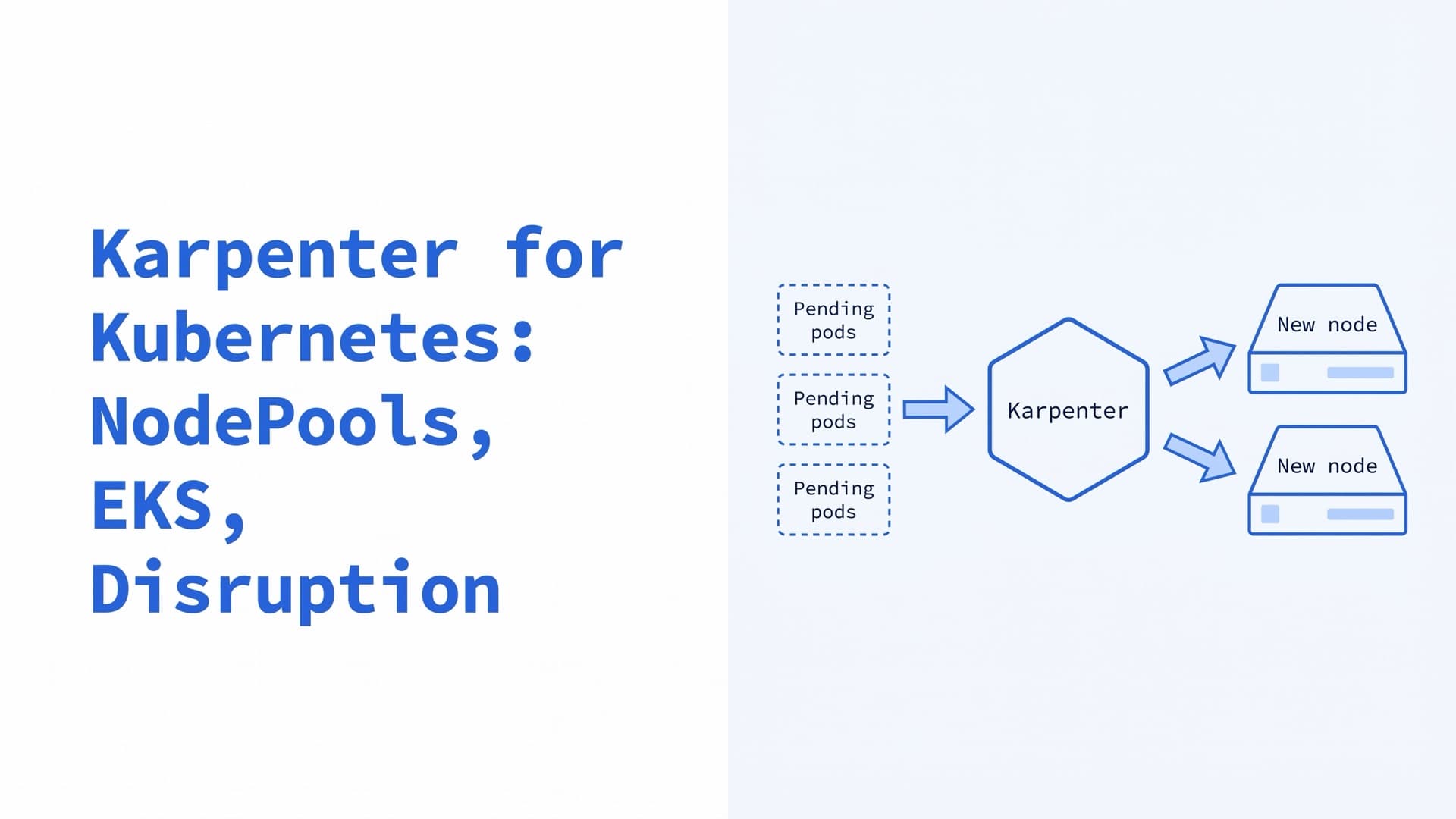
How Karpenter scales Kubernetes nodes in 2026: NodePool and EC2NodeClass YAML, EKS install, Auto Mode, disruption, Cluster Autoscaler migration and fixes.
Kubernetes Autoscaling: HPA, VPA, Karpenter and KEDA
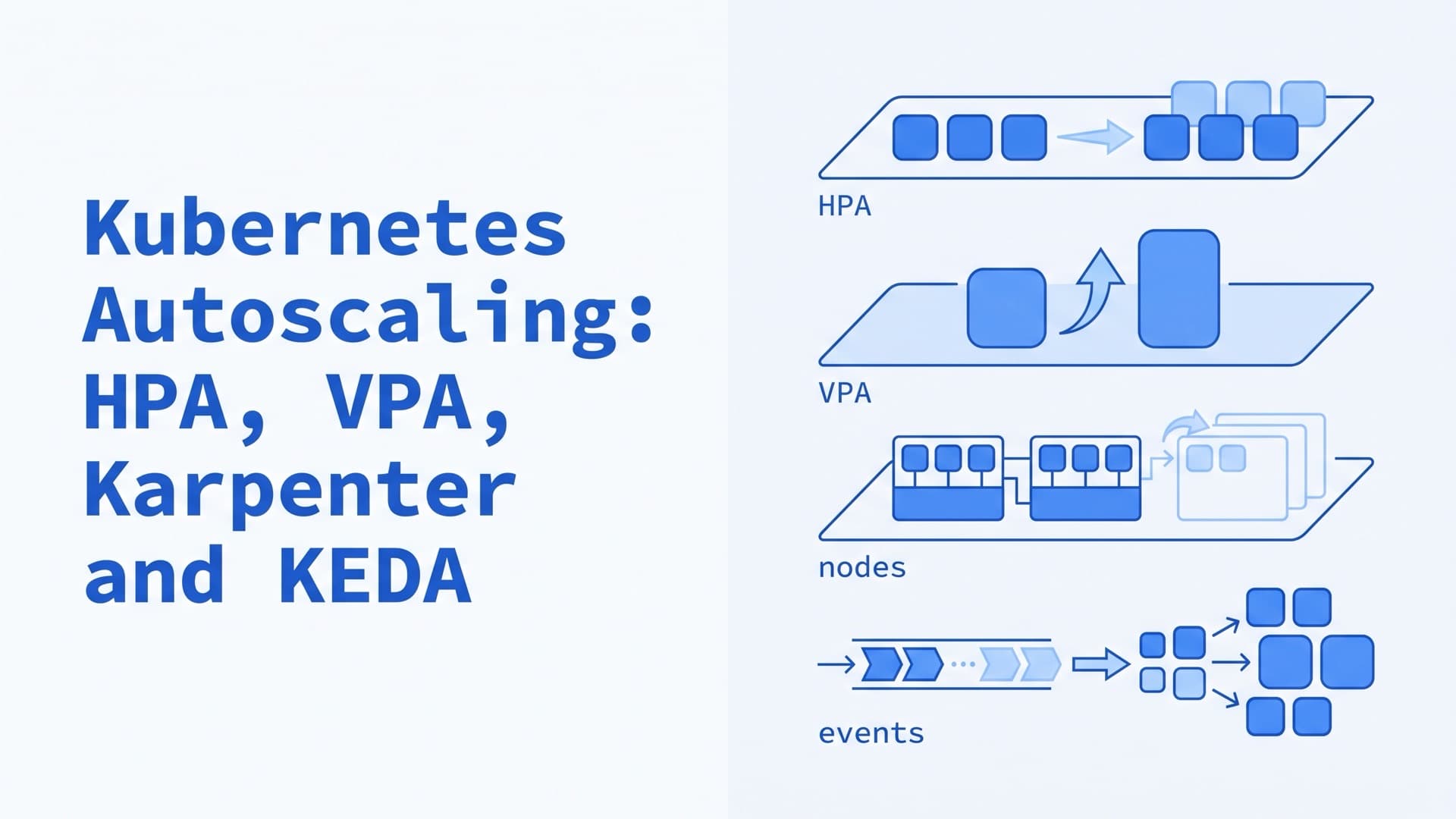
How Kubernetes autoscaling works in 2026: HPA and scale to zero, VPA in-place resize, Cluster Autoscaler, Karpenter, KEDA, YAML examples and fixes.
Kubernetes Ingress in 2026: Examples and Controllers
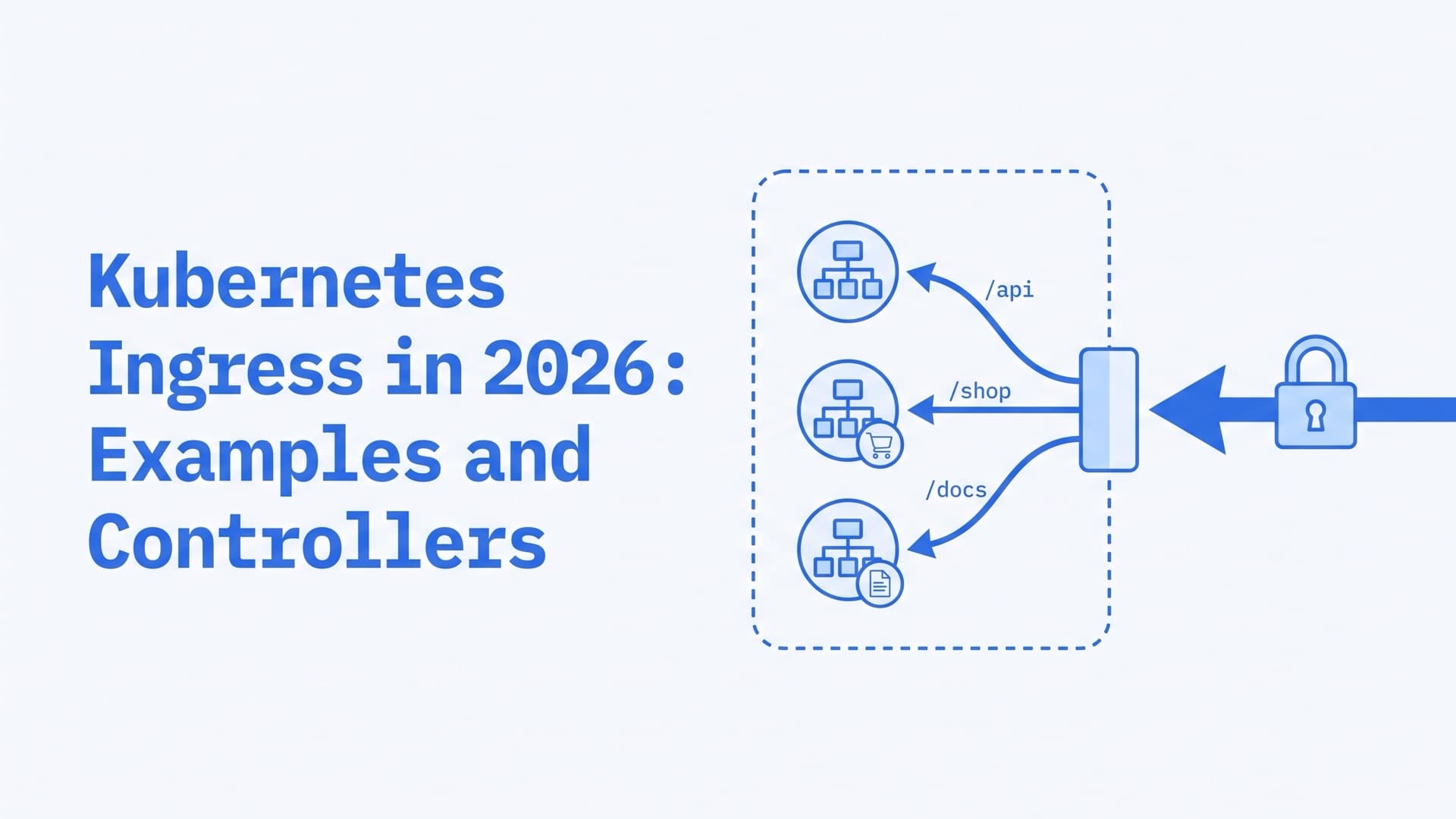
What Kubernetes Ingress is and how it works, with a YAML example, kubectl commands, controllers after ingress-nginx, Gateway API and 404 and 503 fixes.