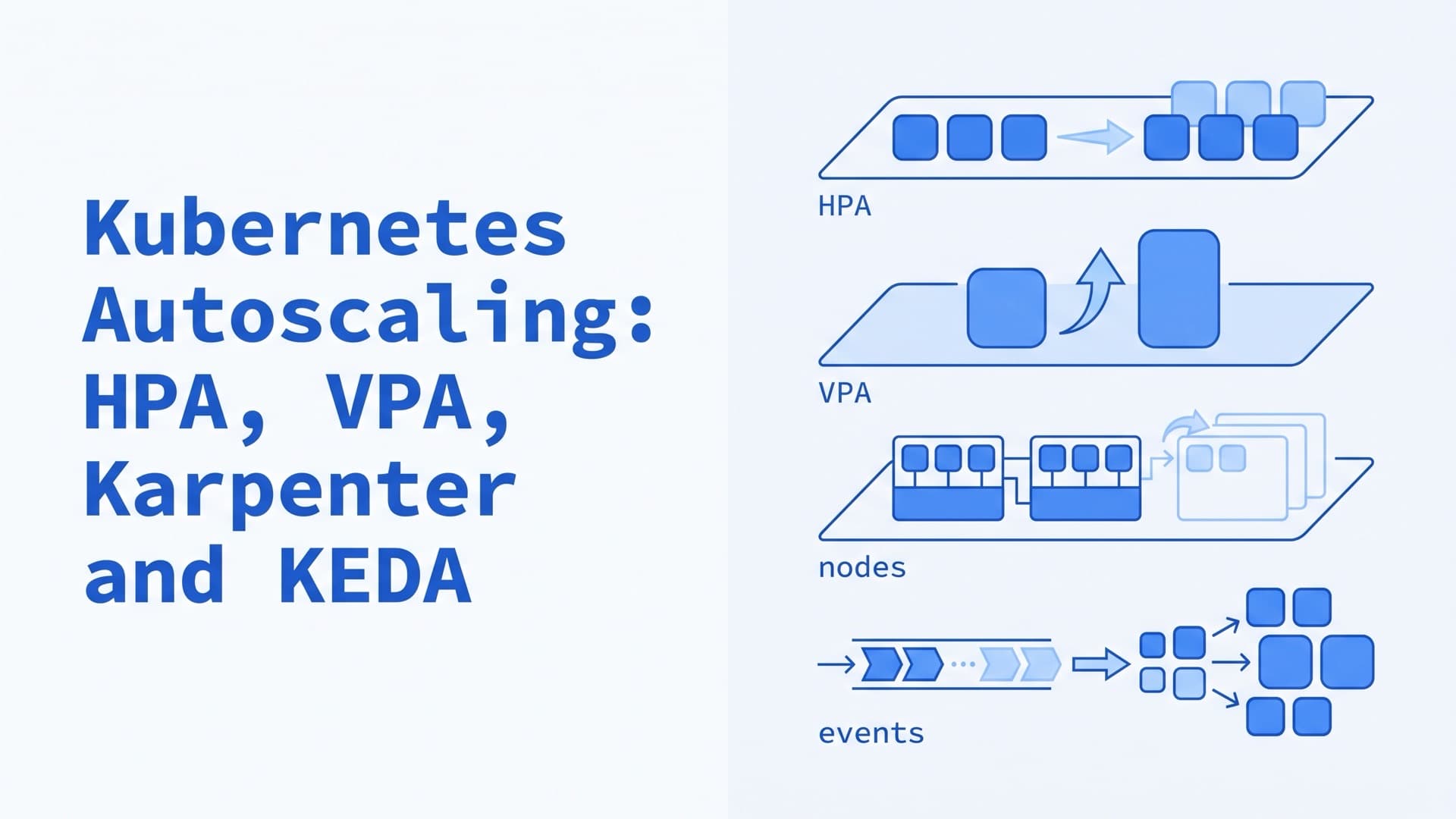
Kubernetes Autoscaling: HPA, VPA, Karpenter and KEDA
What is Kubernetes autoscaling?
Kubernetes autoscaling matches capacity to demand at two levels, pods and nodes. The Horizontal Pod Autoscaler (HPA) adds or removes pod replicas. The Vertical Pod Autoscaler (VPA) resizes CPU and memory requests. KEDA scales on events, such as queue length, down to zero. Cluster Autoscaler and Karpenter add nodes for unschedulable pods and remove nodes no longer needed.
Autoscaling and load balancing do different jobs. A load balancer spreads requests across the pods that are running. Autoscaling changes how many pods and nodes run, and how much CPU and memory each pod gets. This guide reflects Kubernetes 1.37, the current release, and sources checked in October 2026.
Types of autoscaling in Kubernetes
The Kubernetes docs split workload scaling in two. Horizontal scaling changes the number of replicas. Vertical scaling changes the CPU and memory each replica gets. Node autoscaling changes the machines underneath.
| Autoscaler | Scales | Acts on | Needs |
|---|---|---|---|
| HPA | Pod replicas | CPU, memory or custom metrics | Metrics Server or an adapter |
| VPA | Pod CPU and memory | Usage history | VPA add-on, Metrics Server |
| KEDA | Pod replicas, to zero | Events, such as queue length | KEDA operator |
| Cluster Autoscaler | Nodes in node groups | Pending pods | Predefined node groups |
| Karpenter | Single nodes | Pending pods | A Karpenter cloud provider |
The layers depend on each other. Pods the HPA adds can run only where a node has room, and node autoscalers act only on pods that can't be scheduled. Node autoscalers decide from pod requests and don't look at real usage, so accurate requests matter at every layer.
What is HPA in Kubernetes?
HPA, the Horizontal Pod Autoscaler, is a built-in Kubernetes API object and controller. It adds or removes replicas of a Deployment, StatefulSet or other scalable workload to keep a metric, such as CPU use, near its target. It can't scale objects without a replica count, such as DaemonSets.
How the HPA works
The controller runs in kube-controller-manager and checks each HPA every 15 seconds by default. It reads the target's metrics and applies the algorithm:
desiredReplicas = ceil(currentReplicas
  * currentValue / targetValue)
If pods average 200m of CPU against a 100m target, the HPA doubles the replicas. It skips changes while the ratio stays within a tolerance of 0.1, or 10%. With several metrics, it uses the highest replica count. By default, it may add four pods or double the replicas, whichever is more, every 15 seconds. Before scaling down, it takes the highest recommendation from the last five minutes, so a short dip doesn't remove pods. The sync period, the tolerance and the five-minute window are cluster-wide kube-controller-manager flags.
For CPU, the controller sets aside pods that aren't Ready yet. It also ignores CPU samples from a pod's first five minutes unless the pod is Ready and the sample was taken while it was Ready. The docs advise a startup or readiness probe that passes only after the startup CPU spike.
What the HPA needs: Metrics Server and resource requests
For CPU and memory, the HPA reads the metrics.k8s.io API. Metrics Server usually serves it, and it is an add-on that must be launched separately. If kubectl top pods returns numbers, it works. Our Metrics Server guide covers the install.
Utilization targets are a percentage of the pods' resource requests. If any container lacks a request for that resource, the HPA takes no action on that metric. That includes native sidecars. A ContainerResource metric, stable since 1.30, scales on one container, such as the app, and ignores a logging sidecar.
HPA example (autoscaling/v2 YAML)
autoscaling/v2 is the stable HPA API. It supports memory, custom and external metrics, and the behavior field. This HPA keeps the average CPU of the api Deployment at 60% of its requests, with 2 to 20 replicas.
apiVersion: autoscaling/v2
kind: HorizontalPodAutoscaler
metadata:
  name: api
  namespace: shop
spec:
  scaleTargetRef:
    apiVersion: apps/v1
    kind: Deployment
    name: api
  minReplicas: 2
  maxReplicas: 20
  metrics:
    - type: Resource
      resource:
        name: cpu
        target:
          type: Utilization
          averageUtilization: 60
  behavior:
    scaleUp:
      tolerance: 0.05
    scaleDown:
      policies:
        - type: Percent
          value: 10
          periodSeconds: 60
What each part does, according to the HPA docs and the API reference:
maxReplicasis required, and it caps the cost of this workload.averageUtilizationis a percentage of requests, averaged across the pods.scaleUp.tolerancereacts to a 5% overshoot instead of the cluster-wide 10%. It is GA in 1.37 and has been on by default since 1.35. On 1.33 and 1.34 it needs theHPAConfigurableTolerancefeature gate.scaleDown.policiesremoves at most 10% of the replicas per minute, and the default five-minute window still applies.
kubectl autoscale creates the same CPU target in one line. Since kubectl 1.34, the flag is --cpu, and --cpu-percent is deprecated.
kubectl autoscale deployment api \
  -n shop --cpu=60% --min=2 --max=20
kubectl get hpa api -n shop --watch
Once an HPA manages a Deployment, remove spec.replicas from the Deployment's manifest. Otherwise each kubectl apply resets the count, which the docs warn causes thrashing. Removing the field can drop the Deployment to one replica on the next apply. The same section shows how to avoid that with kubectl apply edit-last-applied or a server-side apply ownership transfer.
Custom and external metrics
Scale on the signal that tracks load, such as requests per second or queue depth. Beyond resource metrics, autoscaling/v2 supports three metric types:
Podsaverages a per-pod metric, such as packets per second.Objectreads a metric about one object, such as requests per second on an Ingress.Externalreads a metric from outside the cluster, such as the length of a cloud queue.
An adapter must serve them through the custom.metrics.k8s.io or external.metrics.k8s.io API. The Prometheus Adapter is one example, and KEDA is another. Only one adapter can serve external metrics in a cluster, and a newly installed one takes over the registration.
Can the HPA scale to zero?
Yes. Since Kubernetes 1.37, the HPA can scale a workload to zero, as a beta feature that is on by default. Set minReplicas: 0 and add at least one Object or External metric, such as queue length. The API server rejects minReplicas: 0 with only CPU or memory metrics, because only running pods report them. The release post adds three practical points:
- Start the workload with at least one replica. A workload scaled to zero by hand stays paused.
- The HPA marks a zero it created with the
ScaledToZero=Truecondition. - Services don't buffer requests while no pods are ready, so HTTP workloads need a buffering layer.
On older clusters, KEDA scales workloads to and from zero on events.
Vertical Pod Autoscaler (VPA) and in-place resize
The Vertical Pod Autoscaler sets CPU and memory requests from observed usage and, by default, scales limits in proportion. It is an add-on from the kubernetes/autoscaler repository, made of a CRD and three components. The recommender studies usage history and OOM events and writes a target. The updater applies it to running pods, by eviction or in place. The admission controller sets requests on new pods.
The current release is VPA 1.8.0, from September 23, 2026. Its compatibility table lists Kubernetes 1.36 to 1.38. Like the HPA, it needs Metrics Server.
VPA update modes
The updateMode field decides what the VPA does with its target. These are the modes in the VPA docs:
| Mode | What the VPA does |
|---|---|
Off | Writes recommendations only |
Initial | Sets requests when pods are created |
Recreate | Evicts pods to apply new requests |
InPlaceOrRecreate | Resizes running pods, evicts if it can't |
InPlace | Resizes only and never evicts (alpha) |
Auto | Deprecated alias for Recreate |
InPlaceOrRecreate became GA in VPA 1.6.0. InPlace has been alpha since VPA 1.7.0.
What in-place pod resize changes
In-place pod resize is stable since Kubernetes 1.35. It lets the VPA change a running container's CPU and memory without recreating the pod. Each container's resizePolicy decides whether a change restarts it. The default is NotRequired. The docs note that memory often needs RestartContainer, because many runtimes can't change their memory allocation while running.
InPlaceOrRecreate falls back to eviction when a resize is infeasible on the node or would change the pod's QoS class. It also evicts when a resize stays deferred for over five minutes or in progress for over an hour. Windows pods and pods under the static CPU or Memory Manager can't be resized in place.
This VPA right-sizes a worker Deployment in place, within bounds.
apiVersion: autoscaling.k8s.io/v1
kind: VerticalPodAutoscaler
metadata:
  name: worker
  namespace: shop
spec:
  targetRef:
    apiVersion: apps/v1
    kind: Deployment
    name: worker
  updatePolicy:
    updateMode: InPlaceOrRecreate
  resourcePolicy:
    containerPolicies:
      - containerName: "*"
        minAllowed:
          cpu: 100m
          memory: 128Mi
        maxAllowed:
          cpu: "2"
          memory: 4Gi
maxAllowedcaps the target. Keep it below your largest node, since the VPA's known limitations warn that a larger target leaves pods Pending.updatePolicy.minReplicas, if you add it, overrides the updater's--min-replicasflag. By default the updater skips workloads with fewer than two replicas.
Start in Off mode and compare the target with current requests first, as our cost optimization checklist shows.
Can you use HPA and VPA together?
Yes, as long as they don't act on the same CPU or memory metric, which the VPA project warns against. The two loops feed each other. The HPA measures utilization against requests, so when the VPA raises requests, utilization falls and the HPA removes pods. The remaining pods work harder, and the VPA raises requests again.
The same page names two safe pairings. One is the VPA on memory only, set with controlledResources: ["memory"], and the HPA on CPU. The other is the HPA on custom or external metrics, with the VPA on CPU and memory. The worker above follows the second, because KEDA scales it on queue length.
What is KEDA in Kubernetes?
KEDA, Kubernetes Event-driven Autoscaling, scales workloads on events, such as messages waiting in a queue. Its site lists 70+ built-in scalers for message brokers, databases, cloud services and monitoring systems. Its cron scaler also covers scheduled scaling, such as switching off staging at night. KEDA has been a CNCF graduated project since August 2023. The current release, v2.21.0, came out on September 23, 2026. The project tested it against Kubernetes 1.34 to 1.36, so 1.37 is outside its tested range. It installs from a Helm chart:
helm repo add kedacore \
  https://kedacore.github.io/charts
helm install keda kedacore/keda \
  --namespace keda --create-namespace
How KEDA works with the HPA
KEDA works through the HPA. For each ScaledObject, it creates and manages an HPA, named keda-hpa-<name> by default. The KEDA operator moves the workload between zero and one replica. KEDA's metrics server feeds event metrics to the HPA through the external metrics API, and the HPA scales from one to N.
KEDA's CPU and memory triggers can't scale to zero, because with no pods there is nothing to measure.
KEDA ScaledObject example
This ScaledObject scales the worker Deployment on a RabbitMQ queue, at 20 messages per replica. It drops to zero when the queue stays empty.
apiVersion: keda.sh/v1alpha1
kind: ScaledObject
metadata:
  name: worker
  namespace: shop
spec:
  scaleTargetRef:
    name: worker
  minReplicaCount: 0
  maxReplicaCount: 50
  cooldownPeriod: 300
  triggers:
    - type: rabbitmq
      metadata:
        queueName: orders
        mode: QueueLength
        value: "20"
        hostFromEnv: RABBITMQ_URL
What each part does, according to the ScaledObject spec and the RabbitMQ scaler docs:
valueis the per-replica target inQueueLengthmode, so 200 waiting messages mean 10 replicas.hostFromEnvreads the connection string from the worker container's environment, which keeps the password out of the ScaledObject.cooldownPeriodwaits 300 seconds after the last active trigger before scaling to zero. Scaling between one and N follows the HPA's behavior.
An activation threshold, such as activationValue, decides when to wake from zero. It defaults to 0, so one message wakes the worker. For batch work, a ScaledJob starts Jobs per event instead.
KEDA's core has no HTTP scaler. The separate HTTP add-on, in beta, puts an interceptor proxy between the ingress layer and the app. The interceptor counts requests and holds them during a cold start. On AKS, KEDA is a managed add-on, preconfigured in AKS Automatic.
How to autoscale Kubernetes nodes
To autoscale nodes, run a node autoscaler or turn on your cloud's built-in one. Cluster Autoscaler and Karpenter are the two sponsored by SIG Autoscaling. Both add nodes for pods the scheduler can't place, and both remove nodes that are no longer needed. EKS Auto Mode, GKE and AKS can run node autoscaling for you.
Cluster Autoscaler
Cluster Autoscaler resizes node groups you define in advance, such as AWS Auto Scaling groups or Azure Virtual Machine Scale Sets. It checks for unschedulable pods every 10 seconds and grows a group whose nodes would fit them. When several groups fit, an expander chooses, least-waste by default.
Scale-down removes a node when its pods request under 50% of its allocatable CPU and memory for 10 minutes and fit elsewhere. It drains non-empty nodes one at a time and waits 10 minutes after a scale-up.
Releases follow Kubernetes minor versions, and the project recommends the newest one for your cluster's minor version. As of October 12, 2026, the newest release is 1.36.1, for Kubernetes 1.36, and no 1.37 release is out yet. The project integrates many providers directly, including AWS, Azure, Cluster API, DigitalOcean and Hetzner. GKE and AKS build in their own cluster autoscaler. Elsewhere, install the project's Helm chart, autoscaler/cluster-autoscaler. It publishes its state in a ConfigMap.
kubectl get configmap -n kube-system \
  cluster-autoscaler-status -o yaml
What stops Cluster Autoscaler from removing a node
A node stays as long as one of its pods can't move. These are the usual blockers from the FAQ:
- Pods whose PodDisruptionBudget allows no more evictions.
- kube-system pods without a PDB that are less than an hour old. Since version 1.33, Cluster Autoscaler evicts older ones by default.
- Pods without a controller, such as bare pods.
- Pods with local storage, such as
emptyDirorhostPathvolumes. - Pods that no other node can take, because of requests, selectors or affinity.
- Pods annotated
cluster-autoscaler.kubernetes.io/safe-to-evict: "false".
The same annotation set to "true" lets the autoscaler evict bare pods, kube-system pods and pods with local storage. Add it to the pod template of workloads whose local data you can lose:
metadata:
  annotations:
    cluster-autoscaler.kubernetes.io/safe-to-evict: "true"
To keep a node, annotate it with cluster-autoscaler.kubernetes.io/scale-down-disabled=true, as the FAQ shows.
Karpenter
Karpenter is a node autoscaler for Kubernetes that provisions single nodes instead of resizing node groups. It reads the requests and scheduling constraints of unschedulable pods and launches nodes that fit them. It picks the instance type at that moment, from what a NodePool allows. It also manages node lifecycle, replacing nodes that reach a set age or fall behind new node images.
AWS's EKS best practices guide suggests Karpenter for spiky demand or diverse compute needs, and node groups for steady workloads. Our Karpenter guide covers NodePools, the EKS install, consolidation and how Karpenter compares with Cluster Autoscaler.
Node autoscaling on EKS, GKE and AKS
| Platform | Option | How it scales |
|---|---|---|
| EKS | Auto Mode | Karpenter-based NodePools |
| EKS | Self-managed | Karpenter or Cluster Autoscaler |
| GKE | Cluster autoscaler | Each node pool, within limits |
| GKE | Node pool auto-creation | New node pools for pending pods |
| AKS | Cluster autoscaler | Each node pool's scale set |
| AKS | Node auto-provisioning | Karpenter-based NodePools |
EKS. EKS Auto Mode runs node autoscaling for you and builds on Karpenter. Otherwise you run Karpenter or Cluster Autoscaler yourself. Our Karpenter guide compares Auto Mode and self-managed Karpenter, including Auto Mode's fee and limits.
GKE. The built-in cluster autoscaler resizes each node pool within your limits. Node pool auto-creation adds node pools for pending pods, and Google recommends enabling it through ComputeClasses. In Autopilot mode, GKE manages all nodes for you.
AKS. The cluster autoscaler scales each node pool's Virtual Machine Scale Set. Node auto-provisioning runs a managed Karpenter, preconfigured in AKS Automatic and opt-in on AKS Standard. Our Karpenter guide covers how to turn it on and its limits.
How HPA, VPA, KEDA and node autoscalers work together
Each layer handles part of a load spike, as the node autoscaling docs describe:
- Load rises, and the HPA, or KEDA through its HPA, adds replicas.
- Pods that fit on no node stay Pending.
- Cluster Autoscaler or Karpenter adds nodes, and the pods start.
- Load falls, and the HPA removes pods after its stabilization window.
- The node autoscaler drains underused nodes and removes or replaces them.
The VPA works beside this loop. It keeps requests, which every other step reads, close to real use.
New nodes usually set the pace. The Cluster Autoscaler FAQ calls the autoscaler the least significant part of scale-up time, while node provisioning depends mostly on the cloud. If pods can't wait, keep spare room with low-priority placeholder pods that real pods preempt.
Common autoscaling conflicts
| Conflict | What goes wrong | Fix |
|---|---|---|
| HPA and VPA on one CPU or memory metric | Each triggers the other | VPA on memory, or HPA on custom metrics |
| HPA and ScaledObject on one workload | They fight over replicas | Move the HPA's metrics into KEDA |
| Two external metrics adapters | The last one installed takes over | One external adapter per cluster |
spec.replicas in an HPA's Deployment | Each apply resets the count | Remove the field |
| Cluster Autoscaler plus a cloud autoscaler | Nodes change behind its back | One autoscaler per node group |
| Two VPAs on the same pods | Undefined behavior | One VPA per workload |
| VPA on DaemonSet pods | Node autoscalers mispredict space | Leave DaemonSets out |
If your autoscalers fight each other or nodes never scale down, our Kubernetes consulting team starts with read-only access and a written list of what to fix first.
Kubernetes autoscaling best practices
- Set requests on every container, sidecars included. The HPA and both node autoscalers decide from them. A LimitRange gives defaults to containers that set none. Our performance tuning guide covers sizing them.
- Gate on readiness. A readiness probe that passes after warm-up keeps new pods out of traffic and out of the HPA's CPU average.
- Give every replicated app a PodDisruptionBudget. Node autoscalers drain through the Eviction API, which respects PDBs. A PDB that allows no disruptions keeps its pods' nodes from draining. Set
maxUnavailable, which follows the replica count, andunhealthyPodEvictionPolicy: AlwaysAllow, which lets drains evict running pods that aren't healthy. - Cap replicas and nodes. Set
maxReplicason every HPA andmaxReplicaCounton every ScaledObject, where KEDA's default is 100. Setlimitson every NodePool and a maximum size on every node group. Cluster Autoscaler also takes--max-nodes-totalfor the whole cluster. - Scale up fast and down slowly. Keep the HPA's scale-up defaults, and lengthen scale-down windows on pods and nodes for spiky traffic.
- Watch the autoscalers. Alert on HPAs held at their maximum (the
ScalingLimitedcondition with reasonTooManyReplicas), onScalingActive=False, and on pods Pending longer than a node takes to start. - Keep cost in view. Autoscaling saves money only when nodes follow pods down. Our cost optimization checklist covers Spot, bin packing and right-sizing.
- Load-test the whole chain. Time how long a burst takes to get new pods Ready, node start included. Our performance guide lists load-testing tools.
Troubleshooting Kubernetes autoscaling
Start with kubectl describe on the autoscaler object, then read the pods' events.
| Symptom | Likely cause | First check |
|---|---|---|
HPA TARGETS shows <unknown> | No metric value | kubectl describe hpa |
| HPA stuck at its maximum | maxReplicas too low | ScalingLimited, reason TooManyReplicas |
| Pods stay Pending | No node group or NodePool fits | Pod events |
| Nodes never scale down | A pod that can't move | Autoscaler status, node events |
| Replicas flap | Short windows or noisy metric | HPA behavior |
| Workload stuck at zero | Paused by hand, or metric missing | ScalingActive condition |
| VPA never applies | One replica, or mode Off | kubectl describe vpa |
HPA shows <unknown> targets
kubectl get hpa prints <unknown> when the HPA status holds no current value for a metric, as the table printer behind kubectl get shows. That is normal for a short time after you create the HPA or new pods, until Metrics Server, which collects every 15 seconds, reports their usage. If it lasts, run kubectl describe hpa api -n shop. A ScalingActive condition of False, with a reason such as FailedGetResourceMetric, means the metric fetch failed. Then check these in order:
- Metrics Server.
kubectl top pods -n shopshould return numbers, andkubectl get apiservice v1beta1.metrics.k8s.ioshould showTrueunder AVAILABLE. - Requests. Every container, sidecars included, needs a request for the metric's resource, or the controller reports a missing request.
- Custom and external metrics. For external metrics, check the adapter with
kubectl get --raw /apis/external.metrics.k8s.io/v1beta1.
Pods stay Pending and no node is added
Read the pod's events with kubectl describe pod. A FailedScheduling event is normal here, so look for the node autoscaler's response after it. Cluster Autoscaler records TriggeredScaleUp when it acted and NotTriggerScaleUp when no node group would help. Its FAQ lists the usual causes:
- Every fitting node group is at its maximum size.
- The pod needs more than any node type offers, or labels no group has.
- A StatefulSet pod is bound to a volume in a zone whose group is full.
- The cloud refused new machines, for example over quota.
For Karpenter, check that some NodePool's requirements, taints and limits allow the pod. Our Karpenter guide lists the events it writes when it can't place a pod.
Nodes don't scale down
Both node autoscalers count requests, so a node can look full while its real usage is low. For Cluster Autoscaler, the status ConfigMap and node events such as ScaleDownFailed explain more. Besides the blockers above, its FAQ names three timing reasons. The group may be at its minimum size, a scale-up may have happened in the last 10 minutes, or a scale-down may have failed in the last 3.
kubectl get pdb -A shows ALLOWED DISRUPTIONS for every PDB, and a 0 blocks drains. Karpenter reports Unconsolidatable events on the node, with reasons such as a PDB that prevents eviction. It also skips nodes with an active karpenter.sh/do-not-disrupt pod and nodes it hasn't marked initialized.
Replicas flap up and down
Flapping means the replica count swings back and forth within minutes. In the HPA, lengthen behavior.scaleDown.stabilizationWindowSeconds, add a scale-down rate policy, or widen tolerance. Check that the metric is no noisier than the load itself, and that pods don't report Ready before warm-up. On nodes, a short consolidateAfter or --scale-down-unneeded-time removes nodes the next burst needs. Karpenter's Balanced policy skips consolidations whose savings don't justify the disruption.
We have run production systems since 2009 and work with EKS, GKE and AKS. For a second opinion on your autoscaling setup, our Kubernetes consulting team starts with read-only access and a written list of what to fix first. If you'd rather not run the clusters yourself, our managed Kubernetes service keeps requests, autoscaling and idle resources in check. On-call is by agreement, with up to 24-hour coverage under an SLA.
Frequently Asked Questions
How do you enable autoscaling in Kubernetes?
Install Metrics Server, set CPU and memory requests on every container, and create a HorizontalPodAutoscaler with kubectl autoscale or an autoscaling/v2 manifest. Then enable a node autoscaler, such as Cluster Autoscaler, Karpenter or your cloud's built-in option, so new pods get nodes. Add the VPA for right-sizing and KEDA for event-driven scaling.
What is the difference between Cluster Autoscaler and HPA?
The HPA changes how many pod replicas a workload runs, based on metrics such as CPU. Cluster Autoscaler changes how many nodes the cluster has. It adds nodes when pods can't be scheduled and removes nodes whose pods fit elsewhere. They work as a pair. The HPA creates pods, and Cluster Autoscaler gives them room.
Which is better for scaling, Cluster Autoscaler or Karpenter?
Neither is better everywhere. Cluster Autoscaler scales node groups you define and supports many cloud providers. Karpenter picks instance types for pending pods, consolidates nodes and manages node lifecycle, on fewer providers, including AWS and Azure. AWS's EKS guidance suggests Karpenter for spiky or varied workloads and node groups for steady ones.
What is the difference between KEDA and HPA?
The HPA is built into Kubernetes and scales replicas on resource, custom or external metrics. KEDA is an add-on that works through it. KEDA creates and manages an HPA for you, connects to 70+ event sources such as queues and databases, and scales workloads to and from zero. Use KEDA when your scaling signal lives outside the cluster.
What is the difference between horizontal and vertical scaling in Kubernetes?
Horizontal scaling changes how many pod replicas run. The HPA does it, alone or driven by KEDA. Vertical scaling changes how much CPU and memory each pod requests. The VPA does it, and its InPlaceOrRecreate mode resizes running pods without recreating them where it can. Don't let the HPA and VPA act on the same CPU or memory metric.
Related Reading
Related posts
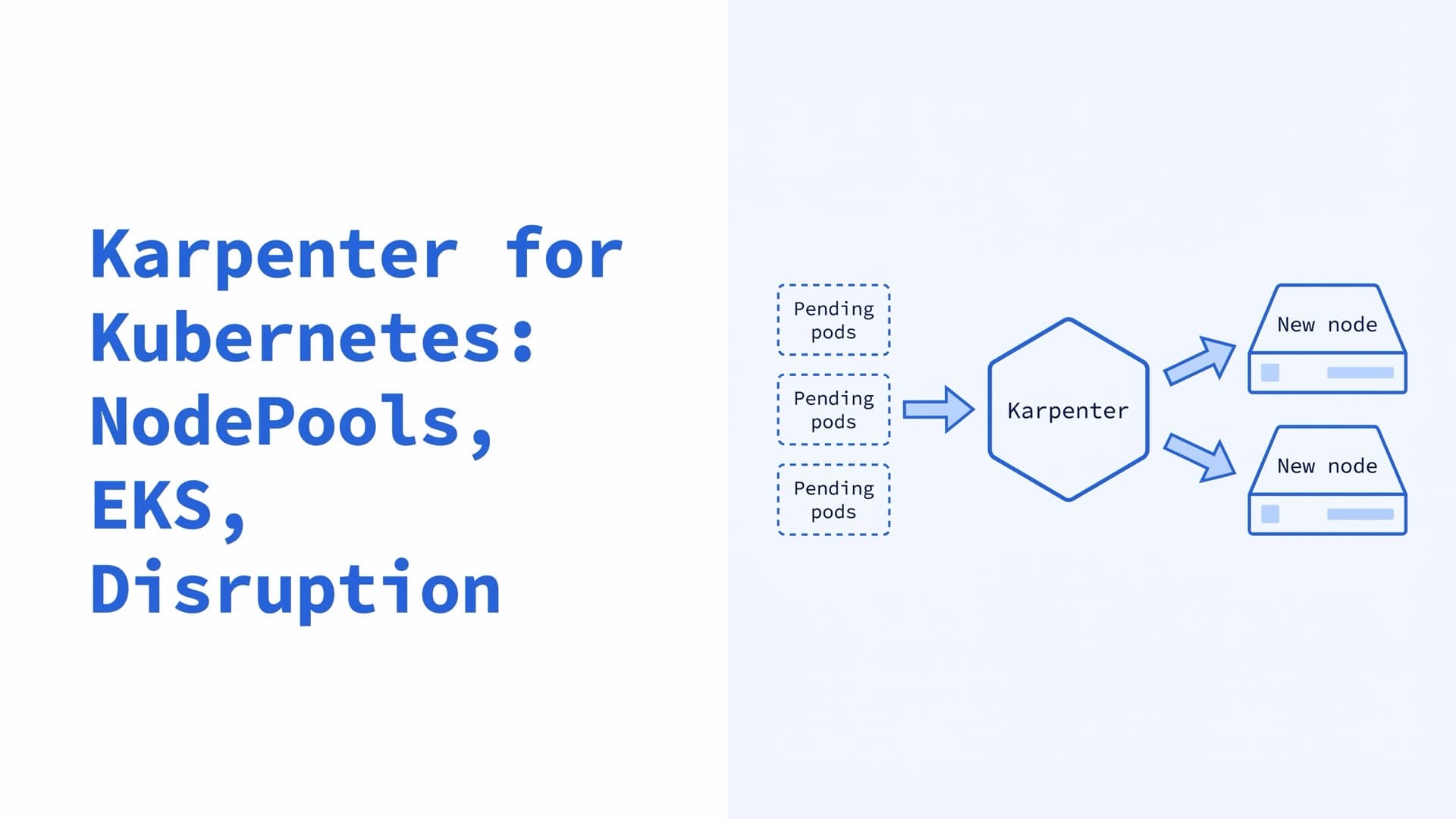
Karpenter for Kubernetes: NodePools, EKS, Disruption
How Karpenter scales Kubernetes nodes in 2026: NodePool and EC2NodeClass YAML, EKS install, Auto Mode, disruption, Cluster Autoscaler migration and fixes.
Kubernetes Ingress in 2026: Examples and Controllers
What Kubernetes Ingress is and how it works, with a YAML example, kubectl commands, controllers after ingress-nginx, Gateway API and 404 and 503 fixes.
Playwright vs Selenium vs Puppeteer: Scraping at Scale
Playwright vs. Selenium vs. Puppeteer for production scraping: per-instance overhead, languages, stealth forks, Kubernetes, and which to pick.