Karpenter for Kubernetes: NodePools, EKS, Disruption
What is Karpenter in Kubernetes?
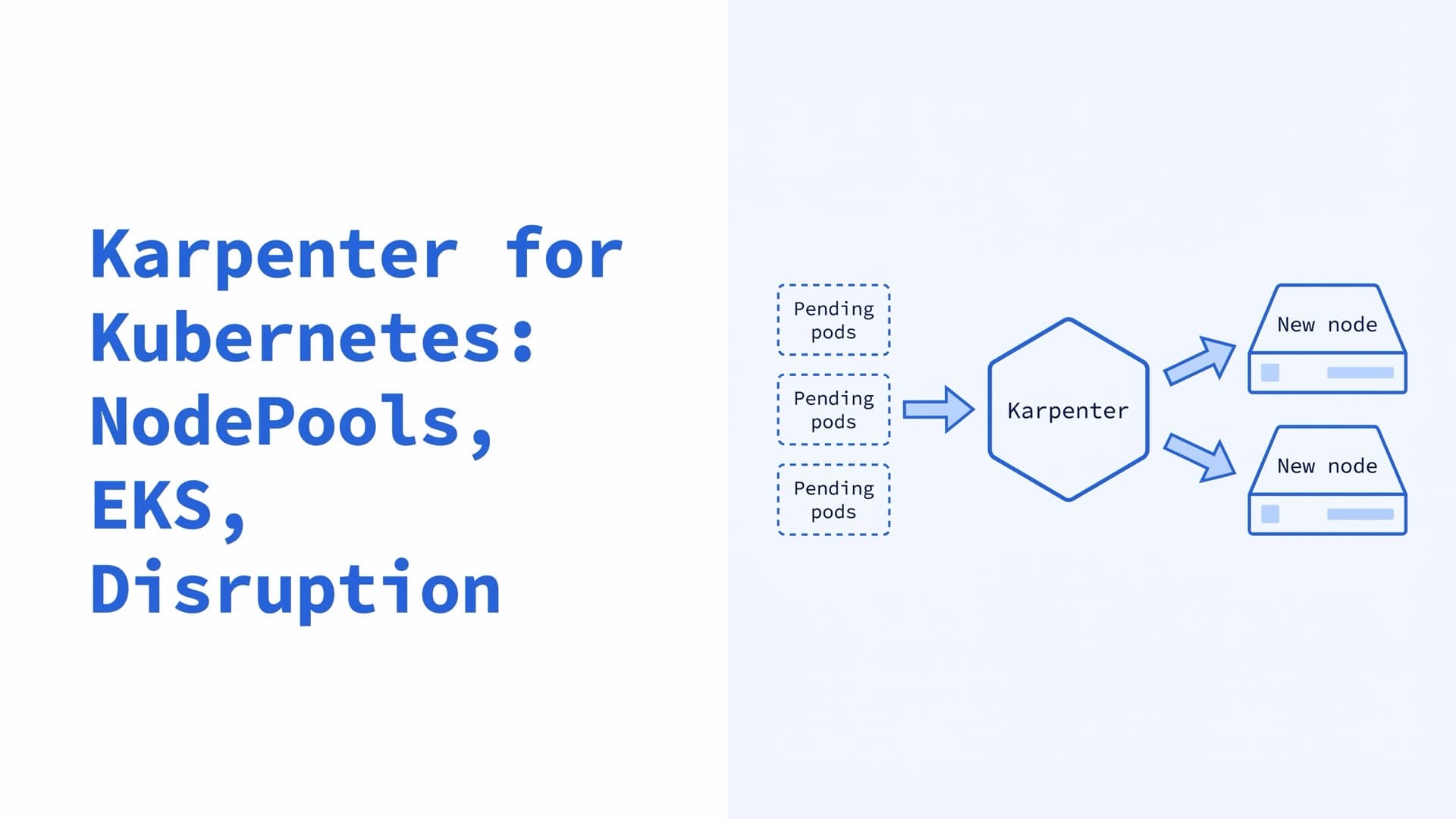
Karpenter is an open-source node autoscaler for Kubernetes. It watches for pods the scheduler can't place and launches nodes sized to their requests and constraints. It also removes or replaces nodes that are empty, underused or out of date. You set its rules in NodePools instead of fixed node groups. It runs on AWS, Azure and other clouds.
The core project lives in kubernetes-sigs/karpenter. The Kubernetes docs name it and Cluster Autoscaler as the two node autoscalers sponsored by SIG Autoscaling. Clouds plug in through providers, such as karpenter-provider-aws. This guide reflects the current releases, Karpenter v1.15.0 from October 10, 2026, and Kubernetes 1.37, with sources checked in October 2026.
How does Karpenter scale nodes?
Karpenter runs as a controller in the cluster. Its docs describe a loop of four steps:
- Watch. It acts only on pods that kube-scheduler has marked unschedulable.
- Evaluate. It reads their requests, node selectors, affinities, tolerations and topology spread constraints. It batches pending pods. By default, a batch closes after 1 idle second or 10 seconds at most.
- Provision. It simulates scheduling against each NodePool, higher weights first, and creates a NodeClaim per new node. On AWS it passes up to 60 fitting instance types to the EC2 Fleet API, which picks one (FAQ).
- Disrupt. It removes or replaces nodes that are empty, underused, drifted from their spec or past their lifetime.
Karpenter sizes nodes from pod requests, and the Kubernetes docs note that node autoscalers ignore real usage. Pods with low or missing requests get packed too tightly and can be throttled or OOM-killed, the troubleshooting guide warns. AWS's best practices advise requests equal to limits for memory and other non-CPU resources when consolidation is on. Our performance tuning guide covers sizing requests.
Karpenter vs Cluster Autoscaler
Both node autoscalers add nodes for unschedulable pods and remove nodes no longer needed. The Kubernetes docs describe most of the differences, and the last row comes from the Cluster Autoscaler README and Karpenter's upgrade guide:
| Cluster Autoscaler | Karpenter | |
|---|---|---|
| Scales | Node groups you predefine | Single instances, per NodePool rules |
| Instance types | Fixed per node group | Chosen for each batch of pods |
| Scale-down | Removes underused nodes | Also replaces nodes with cheaper ones |
| Scope | Node autoscaling | Also node lifecycle, such as expiry |
| Cloud support | Many clouds, built in | Fewer, through providers |
| Releases | One per Kubernetes minor | Own line, with a compatibility matrix |
Neither is the better choice for every cluster. AWS's guidance suggests Karpenter for spiky demand or diverse compute needs, and managed node groups for steady workloads. Cluster Autoscaler is the option where no Karpenter provider exists, and for clusters held to a fixed set of node shapes. Karpenter's FAQ says the two can run alongside each other. To switch, follow the migration steps below. Our autoscaling guide covers Cluster Autoscaler's settings.
Is Karpenter faster than Cluster Autoscaler?
Karpenter's concepts page claims one speed edge, for when capacity runs short. Karpenter manages each instance directly, without node groups, so it can retry "in milliseconds instead of minutes". If EC2 has no capacity for an instance type in a zone, Karpenter skips that option for 3 minutes and tries the next. AWS says Karpenter launches right-sized compute "in under a minute".
Cluster Autoscaler checks for unschedulable pods every 10 seconds and grows a node group. Its FAQ notes that node provisioning time depends mostly on the cloud provider, and calls the autoscaler the least significant factor. For pods that can't wait for a new node, keep spare room with placeholder pods or Karpenter's alpha CapacityBuffers.
Karpenter vs KEDA and the HPA
KEDA and the HPA scale pods, and Karpenter scales nodes. Karpenter's FAQ puts pod scaling outside its scope and points to the HPA, the VPA and KEDA. They work as a chain. KEDA or the HPA adds replicas, pods that don't fit stay Pending, and Karpenter adds nodes. When load drops, the pods go first, and consolidation then removes the spare nodes. Our autoscaling guide covers each layer.
Karpenter concepts: NodePool, NodeClass and NodeClaim
Karpenter works through three custom resources. NodePools and NodeClaims belong to the core karpenter.sh/v1 API, and each provider adds its own NodeClass.
| Resource | Written by | What it holds |
|---|---|---|
| NodePool | You | Node rules, limits, disruption settings |
| NodeClass | You | Cloud settings, such as image and subnets |
| NodeClaim | Karpenter | One record per node it launched |
The NodeClass kind depends on the platform, as the Karpenter, EKS and AKS docs show:
| Platform | NodeClass kind | API group |
|---|---|---|
| Karpenter on AWS | EC2NodeClass | karpenter.k8s.aws |
| EKS Auto Mode | NodeClass | eks.amazonaws.com |
| AKS node auto-provisioning | AKSNodeClass | karpenter.azure.com |
What is a NodePool in Karpenter?
A NodePool sets constraints on the nodes Karpenter may create and the pods that may run on them. Despite the name, it isn't a node pool of identical machines. It lists allowed instance types, zones, architectures and capacity types, adds labels and taints, caps total CPU and memory, and sets how nodes are disrupted. Karpenter does nothing until at least one NodePool exists. NodePool replaced the Provisioner API in Karpenter 0.32.
What is a NodeClass in Karpenter?
A NodeClass holds the cloud settings a NodePool points to through nodeClassRef. On AWS, an EC2NodeClass sets the AMI, subnets, security groups, node IAM role, kubelet settings and disks. Several NodePools can share one.
A NodeClaim is Karpenter's record of one node, mapped one-to-one to a cloud instance. When a node never appears, its NodeClaim shows whether launch, registration or initialization failed.
Karpenter NodePool example
This NodePool and EC2NodeClass set up a general-purpose pool on EKS with the v1 APIs of Karpenter 1.15.
apiVersion: karpenter.sh/v1
kind: NodePool
metadata:
  name: general
spec:
  template:
    spec:
      nodeClassRef:
        group: karpenter.k8s.aws
        kind: EC2NodeClass
        name: default
      requirements:
        - key: karpenter.k8s.aws/instance-category
          operator: In
          values: ["c", "m", "r"]
        - key: karpenter.k8s.aws/instance-generation
          operator: Gt
          values: ["2"]
        - key: karpenter.sh/capacity-type
          operator: In
          values: ["spot", "on-demand"]
        - key: kubernetes.io/arch
          operator: In
          values: ["amd64"]
      expireAfter: 720h
      terminationGracePeriod: 24h
  limits:
    cpu: "200"
    memory: 800Gi
  disruption:
    consolidationPolicy: WhenEmptyOrUnderutilized
    consolidateAfter: 5m
What each part does, according to the NodePool docs and the CRD:
nodeClassRefpoints to the EC2NodeClass below. All three fields are required since Karpenter 1.1.requirementsallow Spot or On-Demand nodes from the C, M and R instance categories, generation 3 or newer, which the docs recommend for most generic workloads. Pods can narrow these rules, but can't go outside them.expireAfterreplaces each node after 720 hours, also the default.Neverturns expiry off.terminationGracePeriodcaps a node's drain at 24 hours. Karpenter then deletes the remaining pods, even ones a PDB ordo-not-disruptprotects. Without it, Karpenter waits indefinitely.limitsstop new launches once the pool holds 200 CPUs or 800Gi of memory. Checks are eventually consistent, so a fast scale-out can overrun them. Write CPU as a string to avoid GitOps diffs.disruptionlets consolidation remove or replace any node after five minutes without pod changes.
apiVersion: karpenter.k8s.aws/v1
kind: EC2NodeClass
metadata:
  name: default
spec:
  role: KarpenterNodeRole-my-cluster
  amiSelectorTerms:
    - alias: al2023@latest
  subnetSelectorTerms:
    - tags:
        karpenter.sh/discovery: my-cluster
  securityGroupSelectorTerms:
    - tags:
        karpenter.sh/discovery: my-cluster
According to the EC2NodeClass docs:
roleis the nodes' IAM role, here the one the getting started guide creates. SetroleorinstanceProfile, never both.amiSelectorTermspicks the newest EKS-optimized Amazon Linux 2023 image. Withlatest, every new AMI drifts every node, so AWS recommends pinning a tested release in production, in theal2023@vYYYYMMDDform.subnetSelectorTermsandsecurityGroupSelectorTermsfind resources by thekarpenter.sh/discoverytag. Within a zone, Karpenter picks the subnet with the most free IP addresses.
NodePool requirements
Requirements use well-known labels, such as topology.kubernetes.io/zone, kubernetes.io/arch and karpenter.sh/capacity-type, plus AWS labels such as karpenter.k8s.aws/instance-family.
Keep the lists wide. AWS advises against over-constraining instance types, especially for Spot, because pods stay Pending when the few allowed types run out. The alpha minValues field puts a floor under that flexibility, such as 10 distinct instance types per launch.
Limits and weights for multiple NodePools
Use several NodePools when workloads need different instance types, operating systems, taints or disruption rules. AWS recommends making them mutually exclusive or weighted, because otherwise Karpenter picks among matching pools at random. weight takes a value from 1 to 100, and higher weights go first.
The scheduling docs use this for Savings Plans and Reserved Instances. A high-weight pool holds the covered instance types, with a CPU limit:
apiVersion: karpenter.sh/v1
kind: NodePool
metadata:
  name: reserved
spec:
  weight: 50
  limits:
    cpu: "100"
  template:
    spec:
      nodeClassRef:
        group: karpenter.k8s.aws
        kind: EC2NodeClass
        name: default
      requirements:
        - key: node.kubernetes.io/instance-type
          operator: In
          values: ["c7i.xlarge", "c7i.2xlarge"]
Once it holds 100 CPUs, Karpenter falls back to the general pool. Weight is no guarantee, though. A pod the high-weight pool can't take may open a lower-pool node, and other pods from its batch can follow.
How to install Karpenter on EKS
The getting started guide installs Karpenter 1.15.0 on a new EKS cluster with eksctl, CloudFormation and Helm. For an existing cluster, follow the migration steps below. EKS Auto Mode needs no install. The guide's steps are:
- Set versions. It uses
KARPENTER_VERSION="1.15.0",KARPENTER_NAMESPACE="kube-system"andK8S_VERSION="1.36". EKS has offered Kubernetes 1.37 since October 1, 2026, which needs Karpenter 1.15.x. - Deploy the CloudFormation stack. It creates the node IAM role, six controller policies and an SQS queue named after the cluster. EventBridge rules feed the queue with Spot warnings and rebalance recommendations, health events, instance state changes and capacity reservation warnings (reference).
- Create the cluster. The eksctl config adds the
karpenter.sh/discoverytag and an EKS Pod Identity association for the controller. It also maps the node role so nodes can join, and adds a managed node group for Karpenter itself. - Allow Spot. Accounts that never used Spot need the EC2 Spot service-linked role.
- Install the Helm chart from Amazon ECR Public.
- Apply a NodePool and an EC2NodeClass, like the example above.
The install command, with your cluster name in place of my-cluster:
helm registry logout public.ecr.aws
helm upgrade --install karpenter \
  oci://public.ecr.aws/karpenter/karpenter \
  --version 1.15.0 \
  --namespace kube-system \
  --set settings.clusterName=my-cluster \
  --set settings.interruptionQueue=my-cluster \
  --wait
The guide also sets 1 CPU and 1Gi of memory for the controller and turns on zonal shift. Without settings.interruptionQueue, Karpenter disables interruption handling. On Terraform, the terraform-aws-modules/eks module's Karpenter submodule creates the IAM roles, a Pod Identity association, a node access entry, and the SQS queue with its EventBridge rules.
AWS's best practices say never to run the controller on a node Karpenter manages. Use a managed node group or a Fargate profile. The chart runs two replicas on separate nodes, spread across zones, so the v1 migration notes call for two nodes in different zones or one replica.
How to check that Karpenter works
kubectl get nodepools
kubectl get ec2nodeclasses
kubectl get nodeclaims -o wide
kubectl logs -n kube-system \
  -l app.kubernetes.io/name=karpenter \
  -c controller
NodePools and EC2NodeClasses should show True under READY. Each NodeClaim lists its instance type, capacity type, zone and node, and -o wide adds a DRIFTED column (CRD). Scale a test Deployment, and its pending pods should get a Nominated event naming the NodeClaim Karpenter plans for them.
Which Karpenter version to run
Pick a release the compatibility matrix lists for your Kubernetes version. Kubernetes 1.36 needs Karpenter 1.13 or newer, and 1.37 needs 1.15.x. AWS gives regular releases fixes only until the next minor ships. Every six months it names a long-term support release with 12 months of patches, and v1.14 is supported until July 2027. Upgrade CRDs with the separate karpenter-crd chart, because Helm installs the main chart's CRDs only once (upgrade guide).
EKS Auto Mode vs Karpenter
EKS Auto Mode is an EKS feature in which AWS runs compute autoscaling, load balancing, block storage, pod networking and cluster DNS for you. Its autoscaling builds on Karpenter. AWS's best practices guide says the only operational difference is that you don't deploy, scale or upgrade the Karpenter pods. NodePools use the same karpenter.sh/v1 API, but they point to an Auto Mode NodeClass and use eks.amazonaws.com/ labels where Karpenter uses karpenter.k8s.aws/ ones.
The AWS pages on Auto Mode NodePools and managed instances, and Karpenter's NodePool, disruption and FAQ pages, show these differences:
| Self-managed Karpenter | EKS Auto Mode | |
|---|---|---|
| Karpenter controller | You install and upgrade it | AWS runs it off-cluster |
| NodeClass | EC2NodeClass | NodeClass |
| Node image | Any AMI you select | Bottlerocket, chosen by AWS |
| Node access | SSM or EC2 Instance Connect | No SSH or SSM, kubectl debug only |
| Operating systems | Linux and Windows | Linux only |
| Default node lifetime | 720 hours | 336 hours, 21 days at most |
| Spot interruptions | Need the SQS queue | Handled for you |
| Fee on top of EC2 | None | Per instance |
What are the limitations of EKS Auto Mode?
Auto Mode nodes are managed instances that you can't log in to or install software on, so host agents must run as DaemonSets. Only Amazon's Bottlerocket images are supported, with no custom AMIs. Nodes run Linux only, on supported types with more than one CPU and no nano, micro or small sizes. IMDSv2 is enforced with a hop limit of 1, which you can't change. You can turn the built-in system and general-purpose NodePools off but can't edit them. Karpenter runs outside your cluster, so you can't read its logs as you would when self-managing, and AWS suggests a support case for problems there.
Is EKS Auto Mode expensive?
It costs more than the instances alone. Auto Mode adds a management fee for each instance it launches, on top of the EC2 price and the cluster fee. The EKS pricing page says the fee depends on instance type and running time, with per-second billing and a one-minute minimum. It's independent of the purchase option, so Spot, Savings Plans and Reserved Instances don't lower it. As of October 2026, AWS's example in US West (Oregon) runs four instances for $1.434 an hour, plus $0.17208 an hour in fees.
Self-managed Karpenter is Apache 2.0 software with no fee, but you run and patch it. AWS supports unmodified, compatible versions on EKS, with no SLA.
How to migrate from Karpenter to EKS Auto Mode
AWS's migration guide needs Karpenter 1.1 or later. It adds a tainted Auto Mode NodePool, moves workloads over gradually with a toleration and the eks.amazonaws.com/compute-type: auto selector, then removes Karpenter. AWS suggests running only one of the two, except during a migration or in an advanced setup.
Karpenter on Azure and GCP
AKS node auto-provisioning
On AKS, node auto-provisioning (NAP) deploys, configures and manages Karpenter for you, based on the AKS provider. NAP has been generally available in Azure's public cloud since the July 2025 AKS release. You write NodePools and AKSNodeClass objects, and NAP manages the NodeClaims. NAP is preconfigured in AKS Automatic. On AKS Standard, you turn it on per cluster:
az aks update --name my-cluster \
  --resource-group my-rg \
  --node-provisioning-mode Auto
AKS picks the provider version, and its release notes record each move, such as to v1.14.0 in August 2026. NAP's limitations list, last updated June 25, 2026, rules out Windows node pools, IPv6 clusters and service principals. You also can't stop a NAP cluster or change its outbound type later. The open-source provider added Windows nodes, in preview, in v1.14.5 on October 12, 2026. You can also self-host the provider, but its README limits Microsoft support to NAP.
Karpenter on GKE
The Karpenter README lists one GCP provider, from CloudPilot AI, a third party. Its repository targets GKE Standard clusters and reached v0.7.0 on October 6, 2026. GKE's own option is node pool auto-creation, which creates node pools for pending pods. Google recommends setting it up through ComputeClasses.
Karpenter disruption: consolidation, drift and expiration
Karpenter disrupts nodes in two ways. Consolidation, drift and the alpha node repair are graceful. They launch any replacement first and follow disruption budgets. Expiration and interruption are forceful, so they drain at once and ignore budgets. Either way, drains go through the Eviction API, so PodDisruptionBudgets hold until terminationGracePeriod runs out, or sooner for node repair.
Karpenter consolidation and consolidateAfter
Consolidation deletes a node when its pods fit elsewhere, or replaces it with one cheaper node. consolidationPolicy sets which nodes it considers:
| Policy | Nodes it considers |
|---|---|
WhenEmpty | Only empty nodes, running just DaemonSets or pods marked as free to disrupt |
Balanced | Nodes whose savings outweigh the pod disruption |
WhenEmptyOrUnderutilized | Any node it can remove or replace to save money (default) |
consolidateAfter waits until a node has had no pods added or removed for that long. It defaults to 0s, and Never turns consolidation off. Balanced, new in Karpenter 1.14, scores each action by the share of the pool's cost it saves against the share of pod disruption it causes.
Karpenter drift
A node has drifted when its NodeClaim no longer matches its NodePool or EC2NodeClass. Edits to requirements or to subnet, security group or AMI selectors cause drift, and so does a new AMI behind a selector. Edits to weight, limits or the disruption block don't. Drift can't be turned off in v1, so pace it with budgets. After an EKS control plane upgrade, Karpenter drifts nodes on EKS-optimized AMIs to the new version (FAQ).
Node repair, alpha behind the NodeRepair gate, replaces nodes that stay unhealthy too long, such as Ready=False for 30 minutes. Since 1.15 it follows budgets under the Unhealthy reason. Its drain stops after 10 minutes by default, even if PDBs or do-not-disrupt pods still block it.
expireAfter and terminationGracePeriod
expireAfter caps a node's lifetime, 720 hours by default. The node drains as soon as it expires, and the replacement launches in parallel (v1 changelog). Changing expireAfter drifts existing nodes, and the replacements get the new value.
terminationGracePeriod bounds the drain after any disruption. When it runs out, Karpenter deletes the remaining pods and terminates the instance, so the two fields cap a node's life at their sum. The docs advise setting it whenever you use expireAfter and some pods carry karpenter.sh/do-not-disrupt, because those pods can block a drain indefinitely.
Karpenter disruption budgets
Budgets cap how many of a pool's nodes may be disrupted at once. The default is one budget of nodes: 10%. A budget can cover specific reasons, Empty, Underutilized, Drifted or Unhealthy, and can run on a cron schedule, in UTC, for a set duration. The most restrictive active budget wins. This one keeps 10% but stops underutilization consolidation on weekdays from 09:00 to 17:00 UTC:
spec:
  disruption:
    budgets:
      - nodes: "10%"
      - nodes: "0"
        reasons: ["Underutilized"]
        schedule: "0 9 * * mon-fri"
        duration: 8h
What does karpenter.sh/do-not-disrupt do?
The karpenter.sh/do-not-disrupt annotation acts like a PDB that blocks its pod's eviction while the annotation is active. Karpenter won't consolidate the pod's node, and won't evict the pod in a drain. Since Karpenter 1.12, the value can be a duration, such as "30m", counted from the pod's start. Put it on the pod template of batch jobs that would have to start over:
spec:
  template:
    metadata:
      annotations:
        karpenter.sh/do-not-disrupt: "true"
It doesn't stop expiration, interruption or kubectl delete node. Those still drain the node, and the pod then holds it until the pod finishes or terminationGracePeriod runs out. Drift also goes ahead when terminationGracePeriod is set. On a node, "true" excludes the whole node from voluntary disruption. Node repair ignores both and uses its own karpenter.sh/do-not-repair node annotation.
If nodes churn, never scale down or hold up an upgrade, our Kubernetes consulting team starts with read-only access and a written list of what to fix first.
Karpenter Spot instances and interruption handling
With spot in the karpenter.sh/capacity-type requirement, Karpenter prefers Spot. Its order is reserved capacity, then Spot, then On-Demand, falling back when EC2 has no capacity. EC2 Fleet picks Spot types with the price-capacity-optimized strategy, which weighs price against interruption risk (FAQ). Our cost optimization checklist covers which workloads suit Spot.
EC2 warns a Spot instance two minutes before reclaiming it. With interruption handling on, Karpenter reads the warning from its SQS queue, then taints and drains the node while it launches a replacement. The queue also carries maintenance, stopping and terminating events. The queue must exist, or Karpenter logs QueueNotFound (FAQ).
Karpenter's FAQ advises against also running the AWS Node Termination Handler, because both would handle the same events. Karpenter records Spot rebalance recommendations as events but doesn't act on them. If you must act on rebalance recommendations, the disruption docs allow NTH for that alone, and warn that it can churn nodes.
By default, consolidation can delete Spot nodes but not replace them with cheaper ones. Spot-to-Spot replacement is alpha, behind the SpotToSpotConsolidation feature gate, which the chart sets with settings.featureGates.spotToSpotConsolidation=true. For a one-for-one swap, Karpenter then wants 15 cheaper instance types to choose from. That keeps it from moving down to the cheapest type, which may be interrupted often.
How to migrate to Karpenter
From Cluster Autoscaler
Karpenter's migration guide covers an existing EKS cluster with node groups and an OIDC provider. Its steps are:
- Create a node IAM role and a controller IAM role.
- Tag the node groups' subnets and security groups with
karpenter.sh/discovery. - Add the node role to the
aws-authConfigMap. - Render the chart with
helm template, pin Karpenter to the node group with node affinity, then apply the CRDs and the chart. - Create a default NodePool and EC2NodeClass.
- Scale Cluster Autoscaler to zero replicas.
- Shrink the node groups to a floor for Karpenter and critical add-ons, such as 2 nodes for one multi-AZ group.
The guide warns that shrinking node groups makes workloads without PodDisruptionBudgets unavailable, and suggests going a few nodes at a time on large clusters. Its Helm command sets settings.interruptionQueue, but no step creates the queue or grants SQS access. Before installing, create the queue and its EventBridge rules from the CloudFormation template's Interruption Handling section. Then add the three SQS actions from its KarpenterControllerInterruptionPolicy to the controller role, or leave the setting out.
From Provisioner and v1beta1 APIs
Many tutorials still use APIs current Karpenter rejects. Karpenter 0.32 introduced NodePool, EC2NodeClass and NodeClaim next to the alpha APIs, 0.33 dropped the alpha APIs, 1.0 added karpenter.sh/v1, and 1.1 dropped v1beta1. The upgrade guide says to go through 0.32.x first, and to follow the v1 migration guide before 1.0 and 1.1. These renames come from the v1beta1 and v1 guides:
| Old | Current | Changed in |
|---|---|---|
Provisioner | NodePool | 0.32 |
AWSNodeTemplate | EC2NodeClass | 0.32 |
Machine | NodeClaim | 0.32 |
providerRef or provider | nodeClassRef | 0.32 |
ttlSecondsAfterEmpty | WhenEmpty and consolidateAfter | 0.32 |
ttlSecondsUntilExpired | expireAfter | 0.32 |
karpenter.sh/provisioner-name | karpenter.sh/nodepool | 0.32 |
do-not-evict, do-not-consolidate | do-not-disrupt | 0.32, dropped in 1.0 |
WhenUnderutilized | WhenEmptyOrUnderutilized | 1.0 |
kubelet in the NodePool | kubelet in the EC2NodeClass | 1.0 |
charts.karpenter.sh | oci://public.ecr.aws/karpenter/karpenter | 0.17 |
Version 1.0 also moved expireAfter from disruption into spec.template.spec, renamed nodeClassRef.apiVersion to group, and made amiSelectorTerms required.
Troubleshooting Karpenter
Start with the pod's events and the controller log. Karpenter writes its own events to pods, nodes and NodePools, and its troubleshooting guide covers common errors.
| Symptom | Likely cause | First check |
|---|---|---|
| Pods Pending, no NodeClaim | No NodePool fits the pod | kubectl describe pod |
no dynamic nodepools found | No ready NodePool | kubectl get nodepools |
| NodeClaim never Ready | Node can't join | kubectl describe nodeclaim |
| Pool stops growing | limits reached | kubectl get nodepools -o wide |
| Nodes never removed | PDB, do-not-disrupt or budget | Node events |
| Nodes replaced often | Drift or short consolidateAfter | DisruptionTerminating events |
QueueNotFound errors | Interruption queue missing | settings.interruptionQueue |
Pods stay Pending
Run kubectl describe pod. Karpenter adds a Nominated event when it plans a node, and a FailedScheduling event starting "Failed to schedule pod" when it can't (events.go). The message gives a reason per NodePool:
- "incompatible requirements": the pool's requirements rule out the pod's node selectors or affinity (nodeclaim.go).
- "did not tolerate taint": the pod has no toleration for one of the pool's taints (taints.go).
- "no instance type met the scheduling requirements": no allowed type fits the requests, daemonsets included, where the pod must run, such as its volume's zone (guide).
- "all available instance types exceed limits for nodepool": the pool hit its
limits(scheduler.go).
The log line no dynamic nodepools found means no NodePool can take pods. None exists, all are static or deleting, or none is Ready (provisioner.go). Before 1.9 it read no nodepools found. A NodePool isn't Ready while its EC2NodeClass isn't, so check kubectl describe ec2nodeclass for a failing condition, such as SubnetsReady.
Nodes are not removed
Unconsolidatable events on the node give the reason consolidation skipped it. A DisruptionBlocked event on the NodePool means a budget allows no disruptions now (events.go). The troubleshooting guide lists these blockers:
- A pod with an active
karpenter.sh/do-not-disruptannotation. - A PDB with 0 under ALLOWED DISRUPTIONS in
kubectl get pdb -A. - No
karpenter.sh/initializedlabel on the node. - Affinity or topology spread rules that leave the pods nowhere else to go.
A pool set to WhenEmpty, or to consolidateAfter: Never, never removes underused nodes.
Nodes are replaced too often
List recent disruptions and their reasons:
kubectl get events -A \
  --field-selector \
  reason=DisruptionTerminating
Each event names the reason, such as drift (events.go). With an al2023@latest alias, each new AMI drifts every node, which the EC2NodeClass CRD advises against in production. For frequent consolidation, raise consolidateAfter or try Balanced. A budget with reasons: ["Drifted"] can hold drift to a maintenance window.
Permission and setup errors
The troubleshooting guide covers these:
ServiceLinkedRoleCreationNotPermitted. Create the Spot role once withaws iam create-service-linked-role --aws-service-name spot.amazonaws.com.- STS
i/o timeoutat startup. If CoreDNS runs on Karpenter nodes, setdnsPolicy=Defaultin the chart. Private clusters need VPC endpoints for STS and SSM. unknown fieldon a NodePool or EC2NodeClass. The installed CRDs lack the field, often because a Helm upgrade left them behind. Upgrade them withkarpenter-crd, or check the field against your release's docs.- A NodeClaim that never registers. The node can't join, for example over its IAM role mapping, security groups or networking. Read the kubelet log through SSM, as Node NotReady shows.
We have run production systems since 2009 and work with EKS, GKE and AKS. For a second opinion on your node autoscaling, our Kubernetes consulting team starts with read-only access and a written list of what to fix first. If you'd rather not run the clusters yourself, our managed Kubernetes service keeps requests, autoscaling and idle resources in check. On-call is by agreement, with up to 24-hour coverage under an SLA.
Frequently Asked Questions
Is Karpenter only for AWS?
No. AWS was Karpenter's first provider, but the core now lives in kubernetes-sigs under SIG Autoscaling. Azure maintains its own provider, which AKS runs as managed node auto-provisioning. The project README also lists providers for Oracle Cloud, Cluster API, Hetzner, IBM Cloud, Proxmox and GCP, the last from CloudPilot AI.
What are some alternatives to Karpenter?
Cluster Autoscaler is the other node autoscaler sponsored by SIG Autoscaling. It resizes node groups you define and supports many clouds. EKS Auto Mode and AKS node auto-provisioning run Karpenter for you. GKE offers node pool auto-creation, which Google recommends setting up through ComputeClasses, and in Autopilot mode Google manages the nodes.
What is the difference between a Karpenter Provisioner and a NodePool?
Provisioner was Karpenter's alpha API, karpenter.sh/v1alpha5. NodePool replaced it in Karpenter 0.32, moved most fields under spec.template, and swapped ttlSecondsAfterEmpty and ttlSecondsUntilExpired for consolidation settings and expireAfter. Karpenter 0.33 and later don't work with Provisioners. Current releases accept only the karpenter.sh/v1 NodePool, stable since 1.0 (upgrade guide).
What is the difference between EKS and Karpenter?
EKS is AWS's managed Kubernetes service, which runs the control plane for you. Karpenter is an open-source node autoscaler that runs inside a cluster, EKS or any conformant one. On EKS you can install Karpenter yourself, with AWS support for unmodified, compatible versions but no SLA. Or EKS Auto Mode runs Karpenter-based autoscaling for you.
Related Reading
Related posts
Kubernetes Autoscaling: HPA, VPA, Karpenter and KEDA
How Kubernetes autoscaling works in 2026: HPA and scale to zero, VPA in-place resize, Cluster Autoscaler, Karpenter, KEDA, YAML examples and fixes.
Kubernetes Ingress in 2026: Examples and Controllers
What Kubernetes Ingress is and how it works, with a YAML example, kubectl commands, controllers after ingress-nginx, Gateway API and 404 and 503 fixes.
Playwright vs Selenium vs Puppeteer: Scraping at Scale
Playwright vs. Selenium vs. Puppeteer for production scraping: per-instance overhead, languages, stealth forks, Kubernetes, and which to pick.